Low TV Stand Cost
A low TV stand cost usually starts around $40 to $80 for basic particleboard, while about $100 to $200 may buy better stability, storage, and finish; for TVs over 55 inches, pick a stand rated for at least the screen width and weight. Cheap stands can wobble, sag, or leave cables exposed, which risks damaged gear and awkward room fit. This guide compares price bands, sizes, storage types, and build quality so you can match the stand to your room and budget.
This guide is part of our TV stand guide: types, sizes, setup, and style series.
Why low TV stands feel different


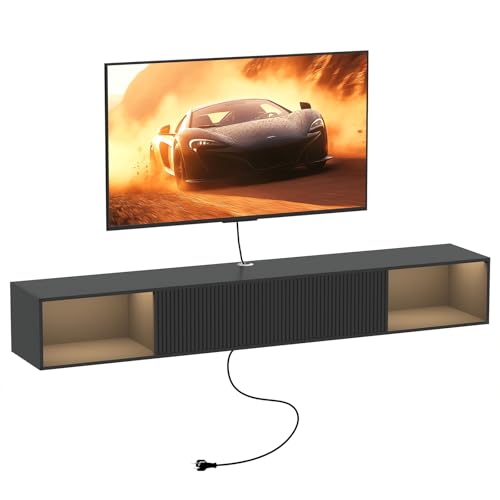
Low stands sit closer to seated eye level, so the screen feels easier to scan without lifting your chin. They also keep the visual mass lower, which helps a room with lower ceilings or a long, shallow layout feel less crowded. The tradeoff is simple: low height only works when depth, width, and storage match the devices you plan to place on it.
Seated eye level and room proportions
Low height is useful when you watch from a sofa or accent chairs and want the screen center near eye level. It also keeps the TV from dominating a short wall. When the stand is too tall, the set starts to feel top-heavy; when it is too low, the screen can sit below a natural sightline and feel awkward.
Why depth matters more in small rooms
Depth is often the hidden problem in compact spaces. A shallow stand may fit the wall width, then fail once you add a console, soundbar, router, or power strip. Cables need space to bend, and some devices need airflow around them. The 90 cm LACK version is only 26 cm deep, which works only when your gear is very shallow.
When low height is useful versus awkward
Low height works best when the sofa sits fairly close to the screen, the TV is wall-mounted above the stand, or the stand is mostly holding accessories rather than the TV itself. It becomes awkward when the room is deep, the screen is large, or you need enclosed storage for multiple boxes and remotes. In those cases, low height alone does not solve fit.
Low TV stand cost by tier
Low TV stand cost tracks build quality more than style. Basic board construction keeps the price down, but stability, storage, and cable space improve as the build gets thicker and more modular. The useful question is not only what the stand costs today, but what it costs in wobble, clutter, or replacement later.
| Tier | Likely construction type | Typical depth | Storage style | Likely tradeoffs |
|---|---|---|---|---|
| Ultra-budget | Basic particleboard or thin panels with simple shelf support | About 26 cm to 35 cm | Open shelf or minimal cubby | Less stiffness, fewer cable paths, more visible clutter, limited device clearance |
| Budget | Thicker board with a simpler frame and better fasteners | About 35 cm to 40 cm | Open shelf plus one or two enclosed sections | Better stability, but still limited in drawer quality and long-term load tolerance |
| Mid-budget | Heavier board, stronger base, more finished edges | About 38 cm to 41 cm | Closed drawers or mixed open and closed storage | More total weight and a higher price, but better cable space and device separation |
| Modular | System pieces that can be combined with doors, drawers, or legs | Varies by layout | Custom mix of open and closed storage | Highest total cost, more planning, and more parts to assemble |
Ultra-budget: basic boards and open shelves
This tier buys the lowest entry price and the simplest build. It is common in open-shelf designs where the stand is mostly a flat top with a lower shelf. The main value is getting a TV off the floor without paying for drawers, doors, or complex framing.
Budget: better stability with simple storage
At this level, you usually get a sturdier panel package, better fasteners, and a cleaner finish. That matters if you plan to place a streaming box, game console, and router in one unit. The stand still stays affordable, but it starts to cope better with daily use and repeated cable changes.
Mid-budget: thicker build and better cable space
Mid-budget stands usually feel less shaky because the panels and base are more substantial. This tier is a strong fit if you want drawers, doors, or a finished front that hides controllers and extra remotes. It is often the sweet spot for buyers who want storage without moving into a fully modular system.
Modular: more parts, more flexibility, higher total cost
Modular systems cost more because you are buying the base, then adding doors, drawers, legs, or longer combinations. That flexibility can be worth it in a living room that may change later. The downside is that a modular setup can become expensive fast once you add storage fronts and extras.
What each price buys
Price changes what the stand can do in real rooms. Cheap models can hold a light setup, but they are more likely to flex, expose cables, or leave too little breathing room for heat and plugs. Better-built low stands buy you steadier support, cleaner storage, and fewer compromises when your devices are not perfectly shallow.
Construction type and likely stability
Particleboard and thin panels keep costs low, but they depend on careful assembly and modest loads. Thicker boards and stronger bases reduce side-to-side movement, especially when the TV sits centered above the cabinet. If the stand will hold a console or speaker, stability should matter more than a tiny price gap.
Depth, storage style, and ventilation
Open shelves are easier for airflow and fast access. Closed storage hides clutter better, but drawers and doors take up usable interior space and can make cable routing harder. If your devices run warm or have rear plugs, choose enough depth to leave room behind them instead of pressing everything tight to the back panel.
Where cheap stands fail in real rooms
Cheap stands often fail in three ways: they are too shallow for cables, too narrow for the TV base or stand feet, or too light for stacked devices. A common first-timer mistake is buying the lowest price and then discovering the console door hits the wall or the power strip has nowhere to sit.
- Check the TV base width or mount plan before buying the stand.
- Measure the depth of your console, speaker, or router.
- Leave room for plugs, cable bends, and airflow behind each device.
- Choose storage based on what you want hidden, not on price alone.
- Compare the stand depth to the device depth, not just the room width.
Which low TV stand fits a small room?
For a small room, the safest choice is usually a low stand that is wide enough for the TV and deep enough for the gear, but not so deep that it steals walking space. If you want the cheapest practical option, start with the smallest model that still clears your devices and allows cable room at the back.
Small-room width and depth targets
A small living room usually needs a stand that does not overwhelm the main wall. As a rule, pick a width that leaves visible wall space on both sides of the TV, then check depth against your largest device. A very shallow unit can work in a tight studio, but it becomes a poor choice once you add a console or sound system.
Cheapest size choices by setup type
For a decor-only media wall, the smallest LACK size can work because the open shelf design is simple and shallow. For a game console or set-top box, a wider and deeper option is safer. The 120x35x36 cm and 160x35x36 cm LACK versions are generally more forgiving than the 90x26x45 cm version if you need more device clearance.
When to choose a longer low bench
Choose a longer bench when the TV is 55 inches or larger, when the room has a long wall, or when you need multiple devices on the same surface. Longer combinations also help balance the visual weight of the screen. If the stand looks cramped under the panel, the whole setup feels undersized even if it technically fits.
Open shelf or closed storage?
Open shelves are best when you want quick access, simple cable routing, and better ventilation. Closed storage is better when you want to hide controllers, spare remotes, game cases, and loose cords. The right choice depends less on style and more on how much clutter you want to see every day.
Router, speaker, and console access
A router needs signal space, a speaker needs open front clearance, and a console needs room for heat and cables. Open shelving makes this easier. If the devices are stacked together, however, closed drawers can become frustrating because you have to open and close fronts every time you change a cable or restart a device.
Clutter control and dust exposure
Open shelves collect dust faster and leave wires visible, which can bother anyone who wants a cleaner look. Closed drawers reduce visual clutter and help hide small accessories, but they can trap heat if you pack them too tightly. The hidden cost of closed storage is that you may need to organize the interior more carefully.
When drawers or doors are worth it
Drawers or doors are worth the extra cost when the stand will hold game controllers, disc cases, extra remotes, and charging cables. They are also useful in shared rooms where you want fewer items on display. If your setup is only a TV and one box, open shelving is usually enough.
IKEA low TV stand examples
These models show how low TV stand cost changes with size and storage type. The key is how each design handles depth, access, and cable space. The sizes below are useful because they show how a low stand can be compact, modular, or storage-heavy.
LACK: smallest footprint and open shelf design
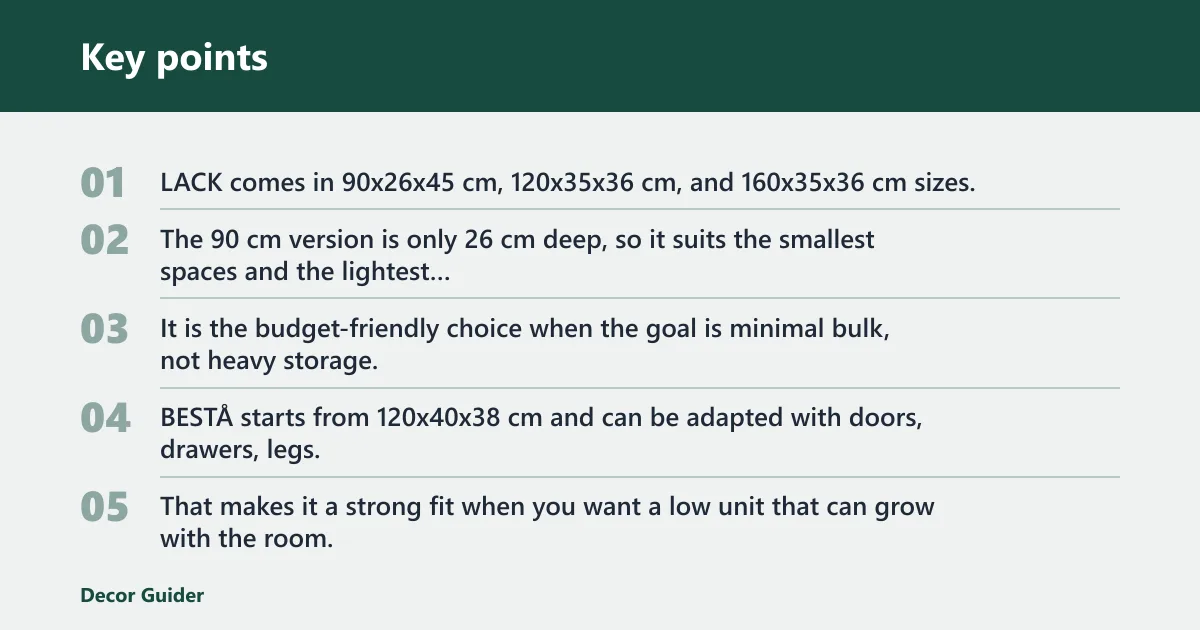
The 90 cm version is only 26 cm deep, so it suits the smallest spaces and the lightest setups. It is the budget-friendly choice when the goal is minimal bulk, not heavy storage.
BESTÅ: modular cabinet with open or closed storage
BESTÅ starts from 120x40x38 cm and can be adapted with doors, drawers, legs, or longer combinations. That makes it a strong fit when you want a low unit that can grow with the room. It can stay open for easy device access or become more closed if clutter control matters more than speed.
BRIMNES: closed drawers for clutter reduction
BRIMNES is available in a size around 120x41x53 cm and uses closed drawers. The deeper build and enclosed storage make it a better pick when you want remotes, game accessories, and spare cables out of sight. It is less about minimal presence and more about reducing the visual mess under the screen.
KALLAX: cube storage with vertical option
KALLAX is listed at 147×60 cm or 147x39x78 cm and uses cube compartments. The vertical combination option gives you more ways to fit the unit into a room with limited wall width. It can work as a TV arrangement when you want storage cubes as part of the visual layout, not hidden behind doors.
FJÄLLBO: open storage with mesh doors
FJÄLLBO comes in 100x36x54 cm or 150x36x54 cm and uses open storage and mesh doors. The mixed front treatment gives you airflow with some visual cover, which helps if you want an industrial style without sealing everything inside. It sits between a fully open shelf and a fully closed cabinet.
Mounting and fit checks
Mounting and stand choice should be checked together. A low stand may hold devices while the TV sits on a wall mount above it, which is often the cleanest layout for a small room. Compatibility depends on the mount pattern, the TV’s weight without stand, and whether you want the screen flat against the wall.
VESA pattern in millimeters
VESA is measured in millimeters and written as width by height, such as 400×300. That number tells you whether the mount holes on the TV line up with the bracket. Do not confuse it with screen size; a 55-inch TV and a 65-inch TV can use different VESA patterns.
TV weight without stand for mount rating
Use the TV weight without stand, not the box weight or the full package weight, when checking the mount load rating. That is the number that matters once the tabletop stand is removed. If the mount rating is too close to the actual TV weight, choose a stronger mount rather than forcing the match.
Low-profile fixed mount basics
A low-profile fixed TV mount is the lowest cost mount type. It holds the TV flat and close to the wall and is best at seated eye level when you do not need tilt or swivel. It is a good match for a low stand below it because both pieces keep the front of the room visually calm.
What to buy for your setup
Match the stand to the room, the device count, and how much storage you need. A renter with one console has different needs from someone building a media wall with a soundbar, streaming box, and game system. The most useful purchase is the one that fits the gear you already own.
Renter or starter setup
Choose a smaller open-shelf stand if you need a light, low-cost solution and may move later. LACK is the clearest fit for this use case because it keeps cost down and works in compact rooms. If cables and clutter bother you more than cost, move up to a simple closed-storage option instead.
Console-heavy setup
If you have a console, speakers, and a router, start with more depth and better cable access. BESTÅ and BRIMNES are better candidates because they can handle more storage needs and keep devices from crowding each other. A shallow ultra-budget stand is more likely to feel cramped here.
Decor-first media wall
If the stand is part of a cleaner wall composition and not a storage hub, FJÄLLBO or a longer BESTÅ arrangement can work well. You get a lower profile without losing proportion. Just keep the device count honest; an airy look breaks down fast if cords and boxes spill into view.
Buying checklist by budget tier
| Tier | Checklist |
|---|---|
| Ultra-budget | Measure TV width, confirm 26 cm to 35 cm depth is enough, limit the setup to light devices, and check that the shelf will not block cables or vents. |
| Budget | Check the back clearance, look for a steadier base, confirm one or two devices will fit, and choose open shelving only if dust and visible cords are acceptable. |
| Mid-budget | Look for thicker panels, better storage fronts, enough depth for a console or speaker, and a finish that suits a shared living room. |
| Modular | Price the base plus doors or drawers, plan the final width, check future expansion options, and make sure the layout still leaves room for ventilation and cable routing. |
Frequently asked questions
Why are tv stands so low?
TV stands are low because the screen is usually meant to be viewed from a sofa or chair, not while standing. A lower base keeps the screen closer to seated eye level and reduces the sense that the TV dominates the room. It also helps the furniture fit a wall without blocking sightlines.
What is the cheapest low TV stand size for a small room?
The cheapest practical size is usually the smallest version that still fits your TV and devices. For a very compact room, the 90x26x45 cm LACK is the lowest-cost style option in this group, but its 26 cm depth is only suitable for shallow gear and light storage needs.
How much should a low TV stand cost?
A low TV stand cost usually starts around $40 to $80 for very basic board construction. Better stability, more storage, and a cleaner finish often move the price into the $100 to $200 range. The right budget depends on whether you need one open shelf or a full storage cabinet.
What size low TV stand fits a small living room?
A small living room usually works best with a stand that is wide enough for the TV but not so deep that it crowds the walkway. The 120x35x36 cm or 120x40x38 cm range is often a safer starting point than very shallow mini units when you need room for electronics.
Should I choose an open shelf or closed low TV stand?
Choose open shelves if you want fast access, visible devices, and easier airflow. Choose closed storage if you want fewer cords and accessories in view. If you have a console, router, and speaker, open storage is often easier; if the room feels cluttered, drawers or doors are usually worth the extra cost.
What depth is best for a low TV stand?
A useful depth is one that clears your deepest device and leaves room for cables behind it. In small rooms, shallow stands can fail because plugs hit the back panel or a console hangs over the edge. The best depth is the one that fits both the gear and the cord bend without crowding.
Can a low TV stand hold a router, speaker, and console?
Yes, if the stand has enough width, depth, and ventilation. An open shelf design is often the easiest way to hold all three because the devices stay accessible and cool. If the stand is too shallow, though, the router or console may end up cramped, with cables exposed and airflow limited.
What is the difference between a TV stand and a TV cabinet?
A TV stand is the broader term for furniture that supports a television and its devices. A TV cabinet usually implies more enclosed storage, such as doors or drawers, and a more furniture-like front. In practice, the cabinet gives you more clutter control, while a stand may prioritize open access and lower cost.
Products related to this article
Sponsored / affiliate links. As an Amazon Associate I earn from qualifying purchases. I may earn additional commission from eligible campaigns.