How Much Is a Wall-Mounted TV Stand?
A wall-mounted TV stand usually costs about $50–$300 for the shelf or bracket, about $75–$250 for installation, and possibly another $0–$200+ if drywall repair, stud work, or masonry anchors are needed. Big-box retailer listings and pro-install services commonly land in that range, while manufacturer install guidance and fastener references make clear that wall type and load path can change the total fast. A poor mount can leave sagging hardware, wall damage, or a fallen TV that costs far more than the bracket. This guide breaks down hardware, labor, wall-type costs, and the right setup by TV size.
What is a wall-mounted TV stand?


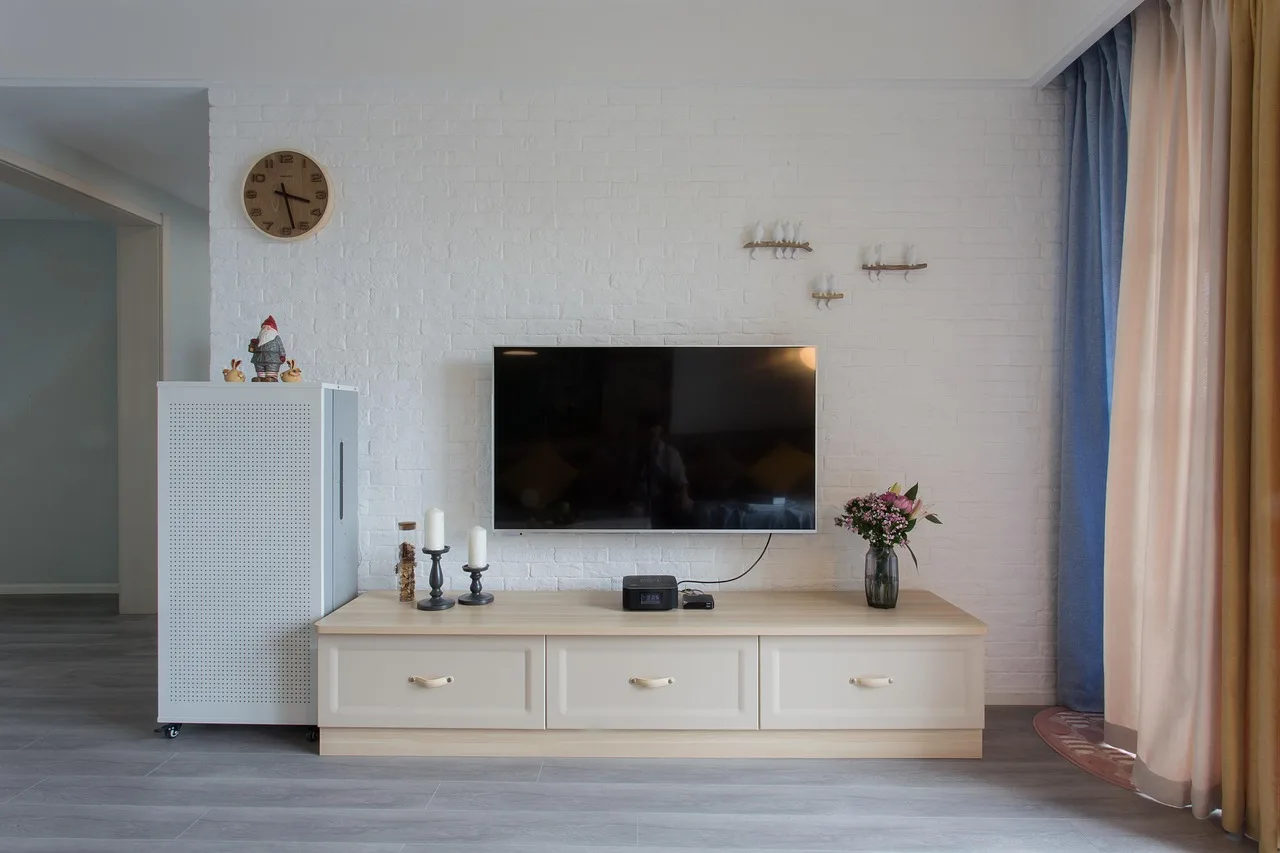
A wall-mounted TV stand is a wall-anchored home furnishing concept that supports a TV and often adds a shelf or small cabinet area below it. It is different from a plain TV wall mount, which holds the screen alone, and from a floating TV shelf, which is storage first and display support second.
The simplest way to think about it: the stand carries devices and small accessories, while the mount carries the TV. Some products combine both. Others are just a shelf with cable cutouts and brackets that fasten to studs, drywall anchors, or, in a no-drill version, a freestanding frame behind the TV.
How does it differ from a floating TV shelf?
A floating TV shelf usually means a shelf with a visible storage role. It may have a depth of about 8 to 16 inches for a streaming box, soundbar, or game console, plus cable pass-throughs. It often has a lower weight limit than a full wall-mounted media unit, and it may sit lower on the wall to hold devices at hand height.
A wall-mounted TV stand can look similar, but the load path matters more. If the TV also mounts to the same unit, the stand needs a TV-rated bracket, a verified weight rating, and mounting points that match the wall structure.
How does it differ from a TV wall mount?
A TV wall mount is built to hold the television itself. It usually lists a VESA pattern range, a TV size range in inches, a weight rating, and either single-stud or multi-stud support. A wall-mounted TV stand may include a mount, but it may also be only a shelf or media console bracket beneath a separate TV mount.
That difference changes the cost. A basic mount can cost less than a full stand with shelves, but the stand may solve storage and cable management in one purchase.
What kinds of storage can it include?
Storage can be simple or layered. A wall-mounted TV stand may include one shelf, two shelves, a shallow cabinet, or a console-style bracket with an open ledge for devices. Common materials are MDF, engineered wood, metal, and solid wood.
Many units also include cable management pass-throughs, rear cutouts for cords, and a shelf depth that works for devices without pushing them too far from the wall.
How much does a wall-mounted TV stand cost?
Most wall-mounted TV stand setups fall into three cost bands: low-cost, midrange, and higher-end. The total depends on the shelf or bracket price, mount hardware, tools you still need to buy, and installation labor. Wall type can add cost fast, especially for plaster, masonry, or metal studs.
What are the price bands by material and size?
Low-cost units often use engineered wood or MDF and keep the shelf shallow. Midrange products usually add better finishes, sturdier brackets, or heavier load ratings. Higher-end versions are more likely to use solid wood or metal, with stronger hardware and more storage space.
| Setup tier | Typical hardware price | Common build | Typical total installed cost |
|---|---|---|---|
| Low-cost | $50–$100 | Engineered wood or MDF shelf, basic bracket | $125–$325 |
| Midrange | $100–$200 | Better bracket, more shelf depth, better finish | $200–$450 |
| Higher-end | $200–$300+ | Solid wood or metal, larger media shelf, stronger hardware | $325–$650+ |
What do hardware and tool costs add?
Budget for mount hardware separately if it is not bundled. A stud finder, level, lag bolts, toggle bolts, and a drill bit set can add another $20–$75 depending on what you already own. For masonry, add the correct anchors or masonry fasteners. For plaster, use hardware suited to brittle wall surfaces.
Some packages include screws and wall anchors, but those accessories are not always enough for every wall. That matters because a drywall anchor that works on a light shelf may fail under a TV plus devices.
What do installation and repair costs usually look like?
Professional installation commonly runs $75–$250 for a straightforward wall mount or shelf install. Labor rises when the wall has plaster, masonry, metal studs, or awkward cable routing. Drywall repair risk can add $0–$200+ if you miss a stud, overload an anchor, or need patching after a mistake. Big-box and pro-install pricing snapshots often reflect this same split between hardware-only and installed totals.
One listed wall-mounted product uses removable shelves, which can reduce damage during reconfiguration, but it does not remove the need for proper wall support. Another wall-mounted desk is presented as a modern-art-like object; that design cue does not change the installation math.
How much is a TV stand at Walmart?
Walmart pricing depends on whether you mean a floor console or a wall-mounted shelf. Floor consoles usually cost more because they include full cabinetry and legs, while wall-mounted shelves and compact media ledges are usually cheaper and smaller. Check the product type first so you do not compare a freestanding console to a wall-hung shelf.
What do Walmart floor consoles usually cost?
Floor consoles at Walmart often sit in the budget-to-midrange band for living-room storage, commonly around $60–$250 for smaller and mid-size options, with larger or more finished units priced higher. These are typically freestanding furniture pieces, not wall-mounted supports, so the price reflects more material and a larger footprint.
What do Walmart wall-mounted shelves usually cost?
Wall-mounted shelves and compact TV ledges are commonly lower priced, often around $20–$120 before installation, depending on width, finish, and whether the unit is just a shelf or part of a combined media package. If the product also carries the TV, the price rises with the bracket rating and included hardware.
How much is a wall-mounted TV stand for your setup?
The right cost depends on TV size, wall width, and whether the unit is carrying the screen or only the devices below it. A 32 inch TV can fit a narrower, lighter setup. A 50 inch TV usually needs a wider shelf and better wall support. A 65 inch TV often pushes you toward a sturdier multi-stud mount and a wider viewing area.
What does a 32 inch TV need and what does it cost?
For a 32 inch TV, a minimum stand width of about 28 to 36 inches usually gives enough visual balance and room for devices. A small floating shelf or compact wall-mounted media shelf often works here. Estimated total cost is commonly $125–$300, depending on whether you need professional installation.
A common first-timer mistake is buying a shelf that is wide enough for the TV but too shallow for the streaming box and cable bend radius. A 32 inch screen may fit, yet the cords can press hard against the wall and create a bad angle.
What does a 50 inch TV need and what does it cost?
For a 50 inch TV, a stand width of about 40 to 50 inches is a common rule of thumb if the shelf also needs to hold devices. If the TV is mounted above the shelf, the wall unit should leave room for cable routing and the viewing line. Estimated total cost is often $175–$425.
For room fit, keep wall width clearance in mind. A wider TV wall leaves the setup looking centered and gives you space to route cables without crowding a corner or doorway trim.
What does a 65 inch TV need and what does it cost?
For a 65 inch TV, a wall-mounted TV stand or shelf usually needs to be wider, sturdier, and anchored more carefully. Expect a width around 55 to 70 inches for visual balance and storage, with a stronger bracket and likely multi-stud support. Estimated total cost is commonly $250–$650+.
Picture a 65 inch TV on a narrow wall next to a hallway opening. The screen may fit, but the corner clearance can be poor, the bracket may interfere with studs, and cable bends may be tight. That is the kind of layout that often needs a different mounting choice.
What compatibility rules should you check before buying?
Compatibility starts with the TV itself. Check the VESA pattern, the TV’s weight, and the size range that the bracket or stand lists. A unit may support the right inch size but still fail if the VESA holes do not match or the weight rating is too low. VESA is the standardized hole pattern used on the back of many TVs, such as 100 x 100, 200 x 200, 400 x 200, or 400 x 400.
What VESA pattern and weight rating do you need?
Most TV wall mounts and many wall-mounted stands list a VESA pattern compatibility range, such as the distance between mounting holes on the back of the TV. The stand or mount also needs a weight rating that exceeds the TV’s actual weight, plus any devices the shelf is carrying separately.
Do not guess on weight. The bracket rating should cover the screen and, where relevant, any extension hardware. A fixed mount can be lighter and simpler. A tilt mount adds some flexibility, but it can also add pressure on the wall. Manufacturer support pages for mounts and TVs typically spell out the VESA pattern and maximum load for a reason.
When is single-stud support enough and when is multi-stud better?
Single-stud support can work for lighter setups, but multi-stud support is safer for larger TVs and wider shelves. Stud spacing is commonly 16 inches on center in many homes, though wall framing can vary. If the shelf spans more than one stud, the hardware usually spreads load better.
Drywall alone is not the same as structural support. A light no-drill alternative may be fine for renters, but a TV plus shelf usually needs real anchoring unless the unit is freestanding or tension-based.
What about fixed versus tilt designs?
A fixed design sits flat and is simpler. A tilt design gives a better viewing angle if the TV is mounted higher, but it adds moving parts and can increase stress on the anchors if the unit is poorly installed.
If your seating is low or the TV is above eye level, tilt can help. If the TV is already at a sensible height, fixed is usually simpler and often cheaper.
What should the hardware and wall checklist include?
Use a short compatibility checklist before you buy or drill: confirm a VESA example that matches your TV, verify the shelf depth for the device you plan to place on it, and check whether the wall can take fasteners at all. For many streamers, game consoles, and small soundbars, a shelf depth of about 8 to 16 inches is practical; deeper devices or cable bends may need more.
What tools and hardware do you need?
You need more than a drill. A safe install usually calls for a stud finder, level, measuring tape, the correct fasteners, and hardware matched to the wall type. Small mistakes here are the ones that cause repair costs later.
What do studs, anchors, and wall types change?
For wood studs, lag bolts are common and should be sized to the bracket instructions. For hollow drywall where a manufacturer allows anchor use, toggle bolts are stronger than light-duty plastic anchors. A minimum fastener size is usually set by the product instructions; if no size is listed, do not improvise with undersized screws.
Plaster often needs special care because it can crumble around fasteners. Metal studs can also change the hardware choice, because standard wood-stud lag bolts do not bite the same way. Masonry calls for masonry anchors or sleeves rated for the wall material.
What is the wall-anchor limitation for drywall-only installs?
Drywall-only installs are usually inappropriate when the setup carries a TV, a shelf full of devices, or any item with a meaningful lever arm. Building and fastener references generally treat drywall as a finish surface, not the structure itself. If the product is not specifically rated for drywall anchors, assume studs or a structural frame are required.
How do cable management and device hookups affect fit?
Cable management pass-throughs reduce visible cord clutter and help keep power and HDMI lines from hanging under tension. Leave enough slack so the TV can tilt, shift, or be removed without yanking the plugs. Device space matters too; a soundbar or streamer needs a shelf depth that keeps ports accessible.
Wall-mounted TV stand cost worksheet
Use this worksheet to match TV size, shelf width, mounting method, and total cost. The totals below include the shelf or stand, typical hardware, and installation. They do not include major electrical work or custom carpentry.
| TV size | Minimum stand width | Recommended mounting method | Estimated total cost range including hardware and installation |
|---|---|---|---|
| 32 inch | 28–36 inches | Single-stud or light multi-point mount; drywall anchors only if the product allows it | $125–$300 |
| 50 inch | 40–50 inches | Multi-stud mount with lag bolts; tilt or fixed depending on viewing height | $175–$425 |
| 65 inch | 55–70 inches | Multi-stud mount with higher weight rating; professional install is strongly recommended | $250–$650+ |
Wall-type worksheet
| Wall type | Required anchors or fasteners | Common failure risks |
|---|---|---|
| Standard drywall over wood studs | Stud finder, lag bolts, level, proper screws | Missing studs, overdriving screws, sagging shelf |
| Plaster | Hardware rated for brittle wall surfaces, careful predrilling, appropriate anchors | Cracking, anchor pullout, hidden damage behind the finish |
| Metal stud wall | Anchors or fasteners rated for metal framing; follow manufacturer limits | Poor bite, stripped fasteners, load limits lower than expected |
| Masonry | Masonry anchors, sleeves, or fasteners rated for concrete or brick | Wrong anchor type, drilling error, brittle brick edges |
Can you use one without drilling?
Yes, but the options are narrower. A renter-friendly setup usually means a freestanding or tension-based alternative rather than a true wall-anchored stand. Those choices lower wall damage risk, but they can take longer to assemble and may offer less rigid support for a large TV.
What are the renter-friendly alternatives?
Freestanding TV consoles, tension poles, and rear-support frames can work where drilling is not allowed. They are often the better choice for short leases, strict landlords, or walls you cannot patch easily. The tradeoff is bulk. You gain flexibility, but you usually lose the clean wall-mounted look.
How do freestanding and tension-based options compare?
These systems often take 30 to 90 minutes to assemble, depending on the hardware and how many parts need adjustment. They may still include shelves for devices, but the load path is different from a wall anchor. That makes them useful for apartments, but not ideal if you want the TV centered high on a wall.
What are the wall damage and assembly tradeoffs?
No-drill options reduce wall damage risk, yet they can shift under impact or look out of place in smaller rooms. If a setup must sit in front of a drywall wall but cannot be drilled, check that the frame is wide enough, that the TV’s weight stays within the stated limit, and that the cord path is not pinched.
Frequently asked questions
How much is a wall-mounted TV stand?
Add another $0–$200+ if the wall needs repair, special anchors, or extra labor. The total depends on TV size, wall type, and whether the unit also carries devices.
How much does wall mounting a TV cost with a stand or shelf?
A straightforward install with a shelf or stand often lands between $125 and $450 all in. Larger TVs, masonry, plaster, or metal studs can push the price higher. If you need cable concealment or wall patching, expect the total to rise again.
Can you buy a stand for a wall mounted TV?
Yes. You can buy a wall-mounted TV stand, a floating TV shelf, or a combined unit that supports devices below a separately mounted screen. The key is to match the stand width, shelf depth, and load rating to the TV size and the wall type.
What tools do I need to install a wall-mounted TV stand?
You usually need a stud finder, level, tape measure, drill, the correct drill bits, and the fasteners specified by the hardware kit. Depending on the wall, that may mean lag bolts, toggle bolts, or masonry anchors. Do not skip the level; a crooked shelf is hard to fix later.
Do wall-mounted TV stands need to be anchored into studs?
Often, yes. Stud-mounted setups are the safer default for most TVs and shelves. Drywall anchors may be acceptable only when the product explicitly allows them and the load is light. For larger screens or heavier shelves, stud support is the better choice.
What is the difference between a wall-mounted TV stand and a floating TV shelf?
A wall-mounted TV stand is usually built to support both storage and, in some versions, the TV itself. A floating TV shelf is primarily a shelf for devices and accessories. If the product carries the screen, you still need VESA compatibility, weight rating, and the right anchors.
Products related to this article
Sponsored / affiliate links. As an Amazon Associate I earn from qualifying purchases. I may earn additional commission from eligible campaigns.