Does a TV Stand Need to Be Anchored to the Wall?
A TV stand does not always need wall anchoring; a low, wide stand with a centered TV and no top-heavy storage can often stay freestanding, but tall, narrow, tip-prone setups should be anchored. If you skip anchoring where it is needed, the stand can tip, crack the TV, and injure a child or pet that climbs, tugs, or bumps the unit. This guide shows which setups can stay free, which should be secured, and which no-drill options work for renters.
Does a TV stand need wall anchoring?


The short answer is no for some setups and yes for others. A TV stand that is low, broad, level, and lightly loaded may be stable enough on its own, but a taller stand, a narrow base, or a top-heavy load shifts the risk toward anchoring. Start with the manufacturer’s installation directions, then check the wall type and the people and animals in the room.
When freestanding is acceptable
Freestanding use is reasonable when the stand has a wide footprint, a low center of gravity, and the TV sits centered without heavy items on upper shelves. Doors and drawers should close cleanly, the floor should be level, and the stand should not wobble when nudged. That setup cuts tip-over risk enough for many homes.
When anchoring is the safer choice
Anchoring is the safer choice when the stand is tall, narrow, shallow front to back, or top-heavy from a large television, soundbar, console, or stacked decor. It is also the better call if children, pets, seismic activity, or frequent bumps are part of the environment. In those cases, a wall anchor or anti-tip strap should be treated as part of the furniture, not an optional extra.
TV stand anchor matrix
Use this matrix as a risk filter. Height and footprint matter most, but wall type and household conditions can move a borderline setup into the anchor category. If two or more risk factors line up, choose anchoring or a no-drill alternative instead of leaving the stand free.
| TV stand height | Footprint width | Wall type | Household risk factors | Recommended action | Renter-safe alternative |
|---|---|---|---|---|---|
| Under 30 in. | At least as wide as the TV base, with visible side margin | Any sound wall, including drywall or plaster | No children, no pets, level floor, light top shelf load | Monitor only. Keep the TV centered and avoid heavy items on top. | Felt pads, levelers, and cord management only |
| 30-36 in. | Moderate base width, stable feet or plinth | Drywall with studs available | One risk factor, such as a pet or a high TV placement | Improve stability. Use an anti-tip strap if the stand feels top-heavy. | Removable anti-tip strap attached to studs |
| Over 36 in. | Narrower than the TV span or shallow front to back | Drywall, plaster, paneling, brick, or concrete | Children, pets, uneven floor, drawers, or open-shelf storage | Anchor now. Use a wall anchor or bracket matched to the wall. | Removable strap, landlord-approved hardware, or furniture safety kit with minimal wall marks |
| Any height | Base wobbles, rocks, or has one small contact point | Any wall type | Frequent drawer use, seismic risk, or accidental bumps | Anchor now. Fix the wobble first, then restrain the unit. | Temporary non-slip pads plus removable strap until approval for drilling |
| Any height | Wide, but the top shelf carries heavy equipment | Stud wall preferred | TV plus components make the top shelf heavier than the lower cabinet | Improve stability. Move heavy items lower and anchor if the stand still feels top-heavy. | Low-damage strap and rear levelers |
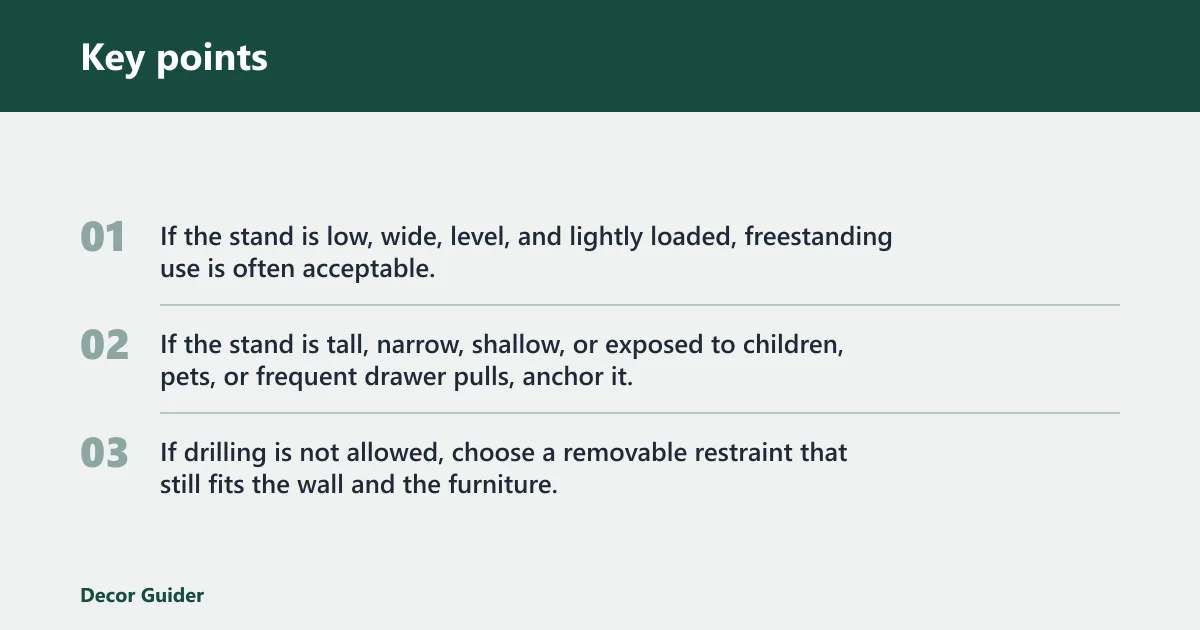
Anchor or not? If the stand is low, wide, level, and lightly loaded, freestanding use is often acceptable. If the stand is tall, narrow, shallow, or exposed to children, pets, or frequent drawer pulls, anchor it. If drilling is not allowed, choose a removable restraint that still fits the wall and the furniture.
What makes a TV stand tip over?
Tip-over usually starts with a shifted center of gravity. Height, depth, and top-heavy storage matter because the higher the mass sits, the easier it is for the stand to rotate forward when bumped, pulled, or unevenly loaded. TV stand width, height, and base shape all affect resistance to tipping.
Height, depth, and top-heavy design
A tall stand with a narrow base is more likely to tip than a low cabinet with a broad footprint. Shallow depth also reduces resistance because there is less front-to-back support. Open shelves near the top, glass doors, or a large TV set high on the unit all raise the risk.
Open drawers, shelves, and uneven floors
Drawers and cabinet doors change the load as they move. A partly open drawer can shift weight forward and create a tipping moment, especially on a stand that already leans or rocks. Uneven floors, soft rugs, and missing levelers make the problem worse because the base no longer contacts the floor evenly.
Suppose a 42-inch stand sits on carpet with one rear foot slightly off the floor. The stand may look stable until a drawer opens or a child pulls on the edge, then the wobble becomes a tip risk. The floor issue matters as much as the furniture shape.
Why pets, children, and seismic risk matter
Children and pets increase tip-over risk because they climb, tug, and bump furniture. Dogs can brush a lower corner, and cats often jump onto shelves. In seismic areas, even a modest shake can move a stand that would otherwise seem steady, so anchoring becomes a practical safeguard rather than a nice-to-have accessory.
Which TV stand setups should be anchored?
Anchor any setup that is tall, narrow, top-heavy, or exposed to repeated contact. The best candidates include stands with upper cabinets, heavy drawers, or a television that sits high enough to make the top half feel heavier than the base. If the stand wobbles before the TV even goes on, anchoring is the right move.
Tall or narrow stands
Any stand that rises high relative to its footprint should be treated cautiously. A narrow base gives little resistance if the TV is bumped, and a tall cabinet places more weight above the midpoint. If the stand appears disproportionately tall for its base, anchoring is usually the safer choice.
Units with drawers, cabinets, or upper shelves
Storage changes the risk profile because drawers can be opened and upper shelves can fill with consoles, speakers, or decor. The more weight above the lower third of the cabinet, the more likely the unit is to tip forward. Move heavier items lower if possible, then secure the stand if the top still feels heavy.
Large TVs or heavy components on top
A larger TV does not automatically require anchoring, but it increases the consequences if the stand tips. The TV base should fit comfortably on the stand. If the television overhangs the edges or the stand feels rear-light once the TV is in place, anchor it.
A common first-timer mistake is placing a soundbar, game console, and decor all on the top shelf because the middle shelf looks empty. That layout may be tidy, but it pushes weight upward and makes the stand easier to tip than a cleaner, lower arrangement.
What if you rent and cannot drill?
If you rent and drilling is restricted, use the least invasive restraint that still fits the wall and the furniture. Removable anti-tip straps, landlord-approved hardware, and adhesive options made for light-duty situations can help, but many adhesive products are not suitable for restraining furniture against dynamic tip loads. They are not equal to a stud-fastened strap for heavy furniture. Ask for approval if the lease limits wall penetration.
Low-damage anchoring options
Look for removable anti-tip straps or brackets that can be taken down with limited wall repair. These options work best when the stand is only mildly unstable and the goal is to reduce motion, not to secure a very tall cabinet. For heavier units, ask for permission to install into studs rather than relying on light-duty adhesive alone.
When adhesive or removable solutions make sense
Adhesive or removable products make sense for lower-risk stands, smooth wall surfaces, and situations where the wall only needs a modest restraint. They are better for stopping small shifts than for holding a tall cabinet through a strong pull. Check the product label for wall type, weight guidance, and removal method before using it.
What still needs the landlord’s approval
If the solution requires drilling into drywall, plaster, brick, or concrete, get approval first unless the lease clearly allows it. Even a small hole can matter in a rental. Removable solutions are often easier to defend, but you still need to confirm that they fit the wall and do not interfere with cable routing or baseboards.
How to anchor a TV stand safely
Safe anchoring starts with the wall, not the strap. Find the stud if you can, match the fastener to the wall type if you cannot, and follow the assembly hardware that came with the stand. Most furniture safety guidance points in the same direction: unstable furniture should be restrained according to the maker’s instructions and the wall conditions in the room.
- Locate the anchor point. Use a stud finder to find framing behind drywall or paneling, then confirm the location before drilling. A stud gives the strongest attachment for a strap or bracket.
- Check the wall type. Identify drywall, plaster, brick, or concrete before choosing hardware. Drywall usually needs a stud or a properly rated anchor; plaster may need special fasteners; masonry needs brick or concrete anchors; paneling may hide a stud or require a different approach.
- Assemble the restraint. Gather the anti-tip strap, brackets, screws, washers, and wall plugs or anchors that match the kit. Use the screw size and wall fastener called for in the instructions, because mixed hardware can strip the hole or loosen under load.
- Attach to the furniture. Fasten the bracket or strap to the rear of the TV stand at the anchor point specified by the manufacturer. Tighten the hardware after the stand is level, because a tilted cabinet can shift once weight is applied.
- Secure to the wall. Fix the other end to the stud or to the correct wall anchor for your substrate. Keep the strap snug enough to stop forward motion, but not so tight that it pulls the cabinet off level.
- Test the setup. Open drawers, press lightly on the top corners, and check for movement. If the stand shifts, recheck the fasteners, the level, and the wall attachment before regular use.
Drywall, plaster, brick, and concrete differences
Drywall is best anchored into a stud whenever possible. If no stud is available, the sentence below is omitted because the safest choice depends on the specific furniture, wall, and fastener combination. Plaster can crack if the wrong fastener is used, and masonry needs anchors made for brick or concrete rather than wood screws.
Hardware that should match the wall type
For drywall, a stud finder and a stud screw or lag-style fastener are the usual starting point. For masonry, use masonry anchors or hardware labeled for brick or concrete. For plaster, choose anchors that spread load without shredding the wall surface. If the kit includes wall plugs, washers, or toggle bolts, use only the parts specified for that substrate.
TV stand safety checklist
Use this checklist after installation and again after moving the stand. It confirms that the unit is level, the restraint is tight, and the cable layout does not pull the stand out of alignment. A stable installation should stay stable when doors open, drawers slide, and cords shift.
- Level the stand. Adjust feet or shims until the unit sits flat and does not rock.
- Tighten all joints. Recheck screws, brackets, and shelf supports after leveling the stand.
- Confirm the load placement. Keep heavy components low and centered; avoid stacking weight on the top shelf.
- Check the restraint. Make sure the anti-tip strap or bracket is snug and tied to the correct wall point.
- Open drawers slowly. Test each drawer and door to confirm the stand does not pitch forward.
- Route cables cleanly. Leave enough slack for ventilation and movement, but not so much that cords tug the unit.
- Inspect after bumps. Recheck the wall fastener, the furniture screws, and the floor contact after any move or heavy impact.
Frequently asked questions
Does a TV stand need to be anchored to the wall?
Not always. A low, wide, level TV stand with a centered television can often stay freestanding, but tall, narrow, or top-heavy units should be anchored. If children, pets, uneven floors, or a seismic risk are part of the setup, anchoring is the safer choice.
Do all TV stands need to be secured to the wall?
No. The need depends on height, base width, top-heavy storage, and the room itself. A compact stand with a broad footprint may be stable enough without wall attachment, while a taller cabinet with drawers or upper shelves usually benefits from a wall anchor or anti-tip strap.
How do I keep a TV stand from tipping over?
Keep the load low and centered, level the feet, tighten all assembly hardware, and anchor the stand if the shape is tall or narrow. Children, pets, open drawers, and bumped corners increase the risk, so a restraint is the best fix when the unit feels top-heavy.
Can I use anti-tip straps instead of wall anchors?
Yes, anti-tip straps are a common furniture safety option, but they still function as wall anchors. They are best for tall or top-heavy furniture and often hide behind the unit. For heavy stands, the strap should connect to a stud or the correct wall fastener for the wall type.
How do I anchor a TV stand to drywall?
Find a stud first, because that is usually the preferred anchor point and often the strongest. The fastening method should match the stand, the wall, and the manufacturer’s instructions. For heavy furniture, stud fastening is still the better choice.
What hardware do I need to anchor a TV stand?
Most setups need an anti-tip strap or bracket, screws, washers, and the right wall fasteners for the substrate. You may also need wall plugs, toggle bolts, masonry anchors, a drill, a stud finder, and a level. Use only the hardware that matches the manufacturer’s instructions and the wall type.
Products related to this article
Sponsored / affiliate links. As an Amazon Associate I earn from qualifying purchases. I may earn additional commission from eligible campaigns.
 Yarssihha 10 Inch Decorative Shelf Brackets, 2 Pack Wall Mounted Metal Shelving Brackets, Heavy Duty Shelf Supports, Rustic L Shape Brackets for Floating Shelves DIY Home Kitchen, with Screws
 Large Picture Hanging Strips Heavy Duty, 32-Pairs(64 Strips) Sticky Picture Hangers for Walls No Damage Wall Picture Hangers Without Nails Refill Adhesive Poster Strips