
Tablo works without internet for its core job: watching live TV and recording shows, since it streams to your phone or TV over your local router, not the wider internet. Set up a brand-new Tablo with zero internet from the start, though, and it will not connect at all, since initial registration and TV guide data both need internet at least once. This guide covers what works offline, what still needs internet, and how the local network makes it possible.
For a closely related home or decor topic, Does Tablo Really Work gives readers a useful next step. For a related storage or furniture fix, How To Open An Office Drawer Without A Key helps readers compare the next practical option, and How Does A Smart Lock Work adds another practical detail to check.
Understanding How Tablo Connects
Tablo works a bit like magic, but it’s really just smart technology! At its heart, Tablo is a digital video recorder (DVR) that connects to your home antenna. This antenna pulls in free TV channels broadcast over the air – think of channels like your local ABC, CBS, NBC, FOX, PBS, and many more, all available without a monthly fee. Your Tablo device then processes these signals, making them available to stream within your home to connected devices like your TV, tablet, or smartphone. This is where the “no internet needed” part truly shines for basic viewing and recording.
However, to get the most out of your Tablo experience, an internet connection does play a role in a few key areas. It’s not for watching live TV itself, but for enhancing your experience. Think of it like this: your antenna is the source of your “free” TV channels, and the Tablo device is your personal hub for managing them. The internet helps your Tablo hub stay updated and accessible in certain ways. We’ll explore these a bit more later.

Essential Tablo Functions Without Internet
The real beauty of Tablo is its independence for core TV watching and recording. Let’s break down what you can absolutely do with your Tablo, even if your internet connection takes a little break:
Live TV Viewing
This is the star of the show! As long as your TV antenna is properly connected to your Tablo device and you have an OTA signal, you can watch live TV channels without any internet connection. Just launch the Tablo app on a device connected to your home network (roku, fire tv, smart tv, computer, etc.) and select a channel. The signal comes directly from your antenna, through your Tablo, and to your viewing device. No buffering, no internet dependence for the broadcast itself.
Recording Scheduled Programs
Setting up recordings for your favorite shows is also completely internet-free. Once your Tablo has downloaded its TV guide data (which we’ll get to), you can schedule recordings for upcoming episodes. The Tablo device will then automatically tune into the correct channel at the scheduled time and record the program onto its connected storage (like a USB hard drive). You can then watch these recordings at your convenience, offline.
Watching Your Recorded Shows
This is another massive win for internet-free viewing. Once a show is recorded onto your Tablo’s storage, it lives there until you delete it. You can navigate your library of recorded programs and watch them anytime, on any connected device within your home network, without needing an internet connection. This is perfect for building a personal library of your favorite movies, series, or sporting events.
Accessing Live TV Within Your Home Network
Your Tablo device creates its own streaming environment within your local network. As long as your Tablo unit and your viewing device (e.g., Roku, Fire TV, smart TV app, computer) are connected to the same router, they can communicate. This communication happens locally, meaning it doesn’t rely on a connection to the wider internet. It’s this local network streaming that makes watching live TV and recordings possible when your internet is out.
Best Tablo DVR Pick
Tablo 4th Gen 2-Tuner Over-The-Air DVR – $69.95
The device this guide covers, which streams live TV and recordings over your home network even when the wider internet connection drops.
- Best for: Cord-cutters who want live TV and DVR to survive an internet outage
- Why we picked it: Streams locally over the same router this guide says keeps Tablo working without internet
- Main drawback: Still needs the local Wi-Fi router itself to be powered on and working
Compare more Tablo models and antennas
 Option 1 Tablo 4th Gen 4-Tuner Over-The-Air DVR – $99.95
| 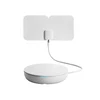 Option 2 Tablo TV 4th Gen 4-Tuner DVR Plus Antenna – $159.95
| 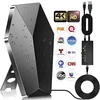 Option 3 Digital TV Antenna Long Range Indoor Outdoor – $39.49
|
As an Amazon Associate we earn from qualifying purchases.
What Requires Internet for Tablo?
While Tablo is fantastic for offline viewing and recording, there are a few crucial functions that do rely on an internet connection to work seamlessly. Understanding these will help you appreciate how Tablo balances independence with smart features:
Initial Setup and Device Registration
When you first unbox your Tablo device, you’ll need an internet connection to complete the setup process. This involves registering your Tablo with your account and connecting it to your home network. The device needs to communicate with Tablo’s servers to confirm it’s a legitimate unit and to prepare it for operation. Think of this as the initial handshake to get everything going.
TV Guide Data Updates
Tablo uses an Electronic Program Guide (EPG) to show you what’s on TV, along with descriptions and air times. This guide data is downloaded from Tablo’s servers over the internet. The Tablo device performs these updates periodically to ensure your guide information is current and accurate. Without an internet connection, your guide data will eventually become outdated, making it harder to know what’s on or to schedule future recordings. You can find more on the importance of guide data from sources like the Federal Communications Commission (FCC), which discusses digital TV transitions and reception.
Firmware Updates
Like any smart device, Tablo receives software updates (firmware) to improve performance, fix bugs, and add new features. These updates are downloaded from Tablo’s servers over the internet. While not strictly necessary for day-to-day viewing and recording, keeping your Tablo firmware updated is recommended for the best and most secure experience.
Remote Streaming and Viewing
One of the premium features of Tablo is the ability to watch live TV and your recorded shows when you’re away from home. This “remote streaming” absolutely requires an active internet connection both at your home (where the Tablo is located) and at the location where you’re trying to watch (e.g., on your smartphone while traveling). This feature allows your Tablo to stream content over the internet to your remote device.
Live TV Sync (Older Models)
Some older Tablo models might use internet connectivity for features we no longer see much of, but for modern Tablo devices, the primary reliance on the internet is for guide data and updates, not core viewing within the home.
How to Maximize Tablo’s Offline Capabilities
To truly harness the power of Tablo without relying on a constant internet connection, here are some tips to ensure a smooth experience:
Ensure a Strong OTA Signal
The most crucial element for Tablo to work without internet is a strong, stable over-the-air signal. This means investing in a good quality TV antenna and positioning it correctly. Factors like your location relative to broadcast towers, weather, and local terrain can affect signal strength. You can use online resources like AntennaWeb.org (which uses FCC data) to find out which channels are available in your area and the best antenna type for your location.
Keep Your Guide Data Fresh
Make it a habit to connect your Tablo to the internet periodically, especially if you experience an internet outage. This allows it to download the latest TV guide data. The longer you go without updating, the less accurate your guide will be, making it harder to know what shows are airing and to schedule new recordings. Aim to connect it at least once a week, or whenever you know your internet will be stable for a bit.
Schedule Recordings During Internet Availability
If you know you have an upcoming internet outage or a period of unreliability, take advantage of any available internet connection to schedule all the shows you want to record in the coming days or weeks. This ensures your Tablo has the necessary instructions even if the internet goes down.
Understand Your Local Network Setup
For Tablo to stream within your home, your Tablo device and your streaming devices (e.g., Roku, Fire TV, computer) must be connected to the same home network router. This is usually automatic if you’re using Wi-Fi or Ethernet cables connecting everything to that single router. A stable local network is key to seamless offline viewing.
Tablo Model Differences (Briefly)
While the core functionality remains consistent, different Tablo models might have slight variations in features or performance. Always check the specifics for your model:
| Feature | Tablo Dual LITE / OCTA | Tablo DUALe / DUAL | Tablo QUAD (Original) |
|---|---|---|---|
| Tuner Count | 4 Tuners | 2 Tuners | 4 Tuners |
| Live TV / Recording (No Internet) | Yes | Yes | Yes |
| Internet Required for Initial Setup | Yes | Yes | Yes |
| Internet Required for Guide Data | Yes | Yes | Yes |
| Internet Required for Firmware Updates | Yes | Yes | Yes |
| Internet Required for Remote Viewing | Yes | Yes | Yes |
As you can see from the table, the fundamental ability to watch and record live TV without an internet connection is a hallmark of all Tablo devices. The variations typically lie in the number of tuners (how many shows you can record/watch simultaneously) and the presence of specific features like certain types of Wi-Fi connectivity.
Troubleshooting Common Offline Issues
Even with the best setup, you might encounter hiccups. Here are a few common issues and how to address them, especially when offline:
No or Poor Signal / Missing Channels
Problem: You can’t watch certain channels, or the picture is pixelated, especially when offline.
Solution: This is almost always an antenna issue. Ensure your antenna is properly connected to the Tablo. Try repositioning your antenna – even a slight adjustment can make a big difference. Make sure there are no physical obstructions between your antenna and the broadcast towers. You might need a stronger antenna or an outdoor one for better reception. Run a channel scan from your Tablo settings menu.
Outdated TV Guide Data
Problem: Your TV guide shows the wrong shows, is blank, or hasn’t updated in days.
Solution: This means your Tablo hasn’t connected to the internet recently to download fresh guide information. Connect your Tablo to your router and ensure it has internet access. Go into the Tablo app settings and trigger a guide refresh. Once updated, you can often disconnect the internet again and still record scheduled shows based on that fresh data.
Playback Issues on Internal Network
Problem: Live TV or recorded shows are choppy, buffering, or won’t play on your internal network, even without internet.
Solution: This points to a local network problem. Ensure your Tablo and your streaming device are on the same Wi-Fi network. If using Wi-Fi, check for signal interference. Sometimes, a simple reboot of your router and your Tablo device can resolve these local network glitches. For best performance, especially with multiple streams or higher resolutions, consider connecting your Tablo and streaming devices directly to your router via Ethernet cables if possible. You can find more networking basics on resources from tech authorities like Cisco, covering general networking concepts.
Tablo App Not Finding Tablo
Problem: The Tablo app can’t find your Tablo device on your network.
Solution: First, confirm that your Tablo device is powered on and connected to your router (either via Ethernet or Wi-Fi). Verify that the device you’re using to access the app is also connected to the exact same local network. Rebooting your router, Tablo, and viewing device can often reconnect them. Check your router’s settings to ensure there are no specific “client isolation” features enabled that might prevent devices on the network from seeing each other.

FAQ: Your Tablo Offline Questions Answered
Q1: Can I watch live TV on my TV using Tablo without an internet connection?
A1: Absolutely! As long as your antenna is connected to Tablo and your Tablo is connected to your home network (router), you can watch live, over-the-air TV on smart TVs, streaming devices like Roku or Fire TV, or computers connected to that same network, even if your internet goes down.
Q2: Will my scheduled recordings still work if my internet is out?
A2: Yes! Once a recording is scheduled and the Tablo has the necessary guide data, it will record the program regardless of your internet status. The recording process itself is handled locally by the Tablo device.
Q3: If I don’t have internet, can I still see what shows are on?
A3: You can see what’s on for the next few hours if your Tablo has recently updated its guide data. However, without internet, the guide won’t update with new information, so you won’t see future listings or descriptions. For consistent guide access, periodic internet connection is needed.
Q4: Can I record shows if my internet is out?
A4: You can record shows that are scheduled to air while your internet is out, provided you had set them up when the internet was working, or if the guide data from a previous connection is still recent enough. You cannot schedule new recordings for future shows while completely offline if new guide data is needed.
Q5: How often do I need internet for Tablo to keep functioning well?
A5: For the best experience, it’s recommended to connect your Tablo to the internet at least once a week. This ensures your TV guide data is fresh, and you receive any important firmware updates for performance and security.
Q6: Can I view my recorded shows without any internet?
A6: Yes! Recordings are stored on your Tablo’s connected hard drive. You can access and watch them from any device connected to your home network without needing an internet connection.
Conclusion
Navigating the world of cord-cutting can feel overwhelming, but devices like Tablo are designed to put you back in control. The core promise of Tablo – providing free access to over-the-air television, complete with live viewing and recording capabilities – is largely independent of an internet connection. This means even when your Wi-Fi flickers or goes out completely, your ability to enjoy your favorite broadcast channels remains intact for essential functions.
While an internet connection is valuable for initial setup, keeping your TV guide data current, and enabling remote viewing, it’s not a barrier to enjoying the foundational benefits of your Tablo. By understanding what Tablo can do without internet and by taking simple steps to maintain your signal strength and internal network, you can confidently rely on your Tablo for a robust and flexible TV experience. Embrace the freedom of OTA TV, powered by a DVR that works for you, even when the internet doesn’t.