Bathroom Fan Problems: What to Check First
When a bathroom fan is not working, humming, moving weak airflow, or trips breaker, the fastest fix is to sort the fault into three buckets: no power, a failed motor, or blocked airflow. If the fan is dead silent, start with power. If it hums, look at the motor or a stuck wheel. If it spins but barely moves air, the duct path or vent flap is usually the problem.
Bathroom exhaust fans are often replaced when noise, weak airflow, or repeated electrical faults start showing up. A fan that keeps trapping moisture can contribute to peeling paint, mildew, and persistent odors, so the goal is to identify the failure quickly and safely.
What should I check first?
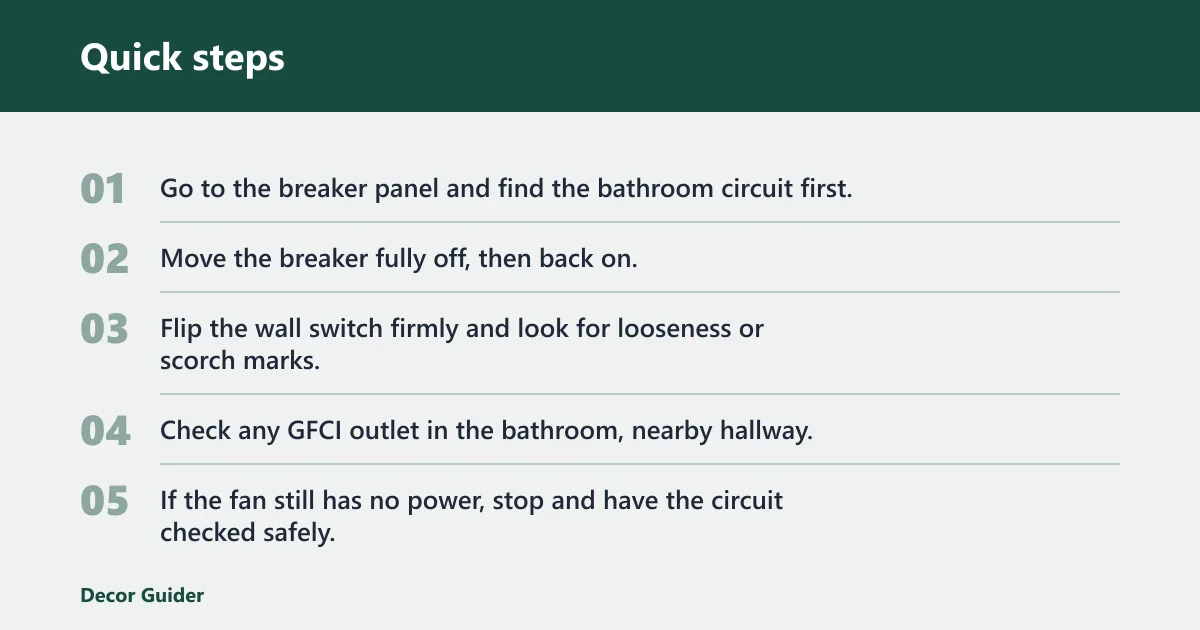


Start with the simplest power path: the bathroom circuit breaker, the wall switch, and any GFCI protection that may feed the fan. If the light works but the fan does not, that often points to a fan-specific problem on the switch leg, breaker, or protected branch rather than a whole-room outage.
- Go to the breaker panel and find the bathroom circuit first.
- Move the breaker fully off, then back on.
- Flip the wall switch firmly and look for looseness or scorch marks.
- Check any GFCI outlet in the bathroom, nearby hallway, or adjoining space and press Reset.
- If the fan still has no power, stop and have the circuit checked safely.
Why is my bathroom fan not working but the light still works?
That split usually means the fan has its own fault on the switch, breaker, GFCI-protected branch, or wiring path. A working light does not prove the fan circuit is healthy. If power reaches the fan but it still stays dead, the motor or fan wiring becomes the next likely suspect.
- Check the bathroom breaker first and reset it fully off, then on.
- Test the wall switch for firm action and visible damage.
- Press Reset on any GFCI outlet in or near the bathroom.
- If the fan is still dead, verify the fan-side wiring is intact.
Why does the fan hum but not spin?
A humming fan that will not spin usually points to a motor issue, especially if the unit has aged or sat unused. A seized blower wheel, failed motor, or worn bearing can keep the shaft from starting even though power reaches the housing. That is a different fault than a simple dust buildup.
- Turn off power at the breaker.
- Remove the grille and inspect the blower wheel for debris, damage, or rubbing.
- Try to turn the wheel by hand; it should move freely without binding.
- If the wheel turns hard or the hum returns after reset, plan on motor or unit replacement.
Suppose the fan hums for two seconds, stops, then hums again after a reset. That repeated pattern fits a motor that cannot start under load, not a simple dust problem.
Why is the fan running but not pulling air?
Weak airflow can come from dust on the blower wheel, a blocked exhaust duct, or an exterior vent flap that stays shut. A bathroom exhaust fan should vent outside, and the flap should open when the fan runs. If the fan sounds normal but the airflow is weak, the problem is usually in the air path, not the switch.
- Turn off power and remove the grille.
- Vacuum the blower wheel and housing, or brush off lint and dust.
- Inspect the exhaust duct for bird nests, wasp nests, crushed flex duct, or a loose disconnect.
- Check the outside vent while the fan runs and confirm the flap opens.
- Use the toilet paper test near the grille as a rough check; weak pull means the duct path still needs attention, but it does not confirm rated airflow or a code-compliant installation.
Use the airflow result to judge cleaning versus replacement. If cleaning the wheel and clearing a duct restores strong suction, repair is enough. If the fan still moves air poorly and the unit is near the end of its useful life, replacement is usually the better call.
What causes grinding or rattling noises?
Rattling or grinding usually points to loose fasteners, damaged blades, or worn motor bearings. That noise matters because a fan can keep running while vibration slowly damages the housing, the wheel, or the motor mount. Persistent noise is often a sign the unit is failing mechanically, not just dirty.
- Turn off power at the breaker.
- Tighten the grille and housing screws.
- Inspect the fan blades or blower wheel for cracks, bends, or looseness.
- Check for parts rubbing against the housing.
- If the noise comes from the motor itself, stop using the fan and replace the motor or the full unit.
How do you check the duct and vent flap?
Check the exhaust duct from the fan housing to the exterior termination point. Blocked exhaust ducts can include bird nests, wasp nests, or collapsed flex duct, and a disconnected run will dump moisture into the attic or ceiling cavity instead of outside. If the flap never opens, the fan is not exhausting properly even if it still spins.
- Turn off power at the breaker.
- Open the fan housing and trace the duct connection.
- Look for a loose clamp, separated joint, crushed section, or sagging flex duct.
- Go outside and confirm the vent hood flap opens when the fan runs.
- If the flap stays shut, clear the hood and inspect for blockage at the outlet.
A fan that spins but never opens the exterior flap is not exhausting properly. That is an airflow-path failure, even if the motor sounds normal.
Should I replace or repair the fan?
Age matters when you are deciding between repair and replacement. If the motor is burned out, the housing is cracked, or the fan still performs poorly after cleaning and duct checks, replacement is usually the practical choice. Guidance also supports replacing damaged or failing units rather than forcing repeated resets on a faulting fan.
- Repair if the fault is a loose switch, tripped GFCI, dirty wheel, or disconnected duct that you can restore.
- Repair if the fan is otherwise quiet, starts normally, and only needs cleaning or fastener tightening.
- Replace if the motor hums but will not spin after reset.
- Replace if repeated breaker trips or a burning smell points to electrical failure.
- Replace if the unit is older and airflow stays weak after cleaning the wheel and clearing the duct.
How old is too old? Once a fan is showing motor noise, repeated trips, or poor airflow after basic cleaning, replacement is usually more sensible than piecemeal repair.
What does the troubleshooting matrix tell me?
Use the matrix to separate a power problem from a motor failure or airflow restriction before you replace parts. The most useful discriminator is where the fault stops: if there is power at the housing but the fan will not start, the motor or wheel is likely at fault. If there is no voltage at the switch or fan, stay on the electrical side first.
| Symptom | Most likely cause | Next check | Replace vs repair | Safe DIY or electrician? |
|---|---|---|---|---|
| Dead fan | Tripped breaker, tripped GFCI protection, failed wall switch, or no voltage at the fan feed | Reset the bathroom circuit breaker fully off, then on; then test the switch and any GFCI outlet | Repair first if power is missing; replace only if the switch or wiring is faulty and access is poor | DIY for breaker/GFCI reset and visible switch checks; electrician if no voltage at switch/fan or wiring is damaged |
| Hum but no spin | Seized or failed bathroom fan motor; power present at housing but blower will not start | Remove the grille and check whether the blower wheel turns freely by hand with power off | Replace the motor or the whole unit if the hum returns after reset | DIY only for power-off inspection and cleaning; electrician if overheating, burning smell, or hardwired damage is present |
| Spins but weak airflow | Dirty blower wheel, blocked duct, or vent flap not opening | Inspect the duct run and confirm the exterior vent flap opens when the fan runs | Repair if cleaning or duct reconnection restores flow; replace if airflow stays poor on an older unit | DIY for cleaning and vent-path checks; electrician if duct work exposes damaged wiring or the unit is hardwired in a risky location |
| Rattling/grinding | Loose fasteners, damaged blades, or worn motor bearings | Tighten the housing screws and inspect the blower wheel for broken or misaligned parts | Repair loose parts; replace if the motor bearing noise continues | DIY for tightening and visual inspection after power off; electrician if the motor is arcing, smoking, or binding electrically |
| Repeated breaker trip | Electrical fault, shorted motor, or overloaded circuit | Stop using the fan and inspect for scorch marks, burned insulation, or a motor that binds | Replace is often the safer choice if the breaker trips again after reset | Electrician if the breaker trips again, the circuit is overloaded, or there is any sign of a short |
| Burning smell | Overheating motor or damaged wiring | Turn the fan off at the breaker immediately and inspect only after the circuit is de-energized | Replace the fan or damaged electrical parts; do not keep running it | Electrician |
If that didn’t work, what should I try next?
If the first checks do not solve it, move from simple power checks to housing-level inspection. That order matters because you can identify most faults without replacing parts you do not need. It also helps separate a dead circuit from a motor that is physically stuck or electrically failing.
- Reset the breaker and GFCI again, then confirm the switch has firm action.
- Remove the grille and clean the blower wheel and housing.
- Check for a disconnected or blocked duct at the fan and outside vent.
- Inspect for a burnt odor, broken wheel, or a motor that will not turn freely.
- Replace the fan if the same symptom returns after the repair.
What common mistakes should I avoid?
One common mistake is ignoring a tripped GFCI because the outlet itself looks normal. Another is cleaning the grille but never checking the duct or the exterior vent flap. Both leave the actual fault untouched. The other big error is continuing to run a fan that trips the breaker or smells hot.
- Do not open the fan housing before turning off power at the breaker.
- Do not assume the light and fan share the same fault; the fan side can fail alone.
- Do not keep using a fan with repeated breaker trips or a burning smell.
- Do not treat an old sleeve-bearing motor like a simple dust issue if it hums or grinds.
- Do not stop at the grille; weak airflow often comes from the duct or the vent hood.
Clean the grille and blower wheel on a regular schedule, then inspect the vent flap and duct path before buildup cuts airflow. If you need a broader moisture plan, see bathroom mold and moisture control.
Frequently asked questions
Can a tripped GFCI stop a bathroom fan from working?
Yes. Some bathroom fans are on a circuit protected by a GFCI outlet, and a tripped GFCI can stop the fan from working even when the bathroom outlet looks normal. Press Reset on every GFCI feeding that area, including the bathroom, hallway, and adjacent spaces. For more step-by-step help, see GFCI troubleshooting.
How do I tell if my bathroom fan motor is dead?
If the fan hums but the wheel will not spin, the motor is the main suspect. Turn off power, remove the grille, and check whether the blower wheel turns freely by hand. A stiff wheel, repeated humming, or a motor that overheats points toward replacement rather than a quick fix.
What causes a bathroom fan to make grinding or rattling noises?
Loose mounting screws, damaged fan blades or blower wheel parts, and worn motor bearings are the usual causes. Tighten the housing hardware first, then inspect for cracks or rubbing. If the noise comes from the motor itself, the fan usually needs more than cleaning.
How do I check if the exhaust duct is blocked or disconnected?
Inspect the duct from the fan housing to the exterior vent hood with power off. Look for bird nests, wasp nests, crushed flex duct, or a loose connection. Then run the fan and confirm the outside flap opens. If it does not, airflow is being restricted somewhere in the line.
How old is too old for a bathroom exhaust fan?
Once a unit is showing humming, tripping breakers, or moving weak air after cleaning, replacement is often the better choice. Age alone does not decide it, but older fans fail more often and are less worth repairing.
What if my breaker keeps tripping when the fan runs?
Stop resetting it over and over. A breaker that trips again can signal a shorted motor, damaged wiring, or an overloaded circuit. If the fan trips the breaker after you reset it, the safer next step is to leave it off and have the circuit evaluated. See breaker keeps tripping for broader causes and fixes.
Sources
- U.S. Department of Energy, Energy Saver: Bathroom ventilation and moisture control guidance.
- National Electrical Code, GFCI requirements and bathroom circuit protection rules, as adopted by local code jurisdictions.
- UL Solutions and bathroom exhaust fan manufacturer installation manuals: blocked-duct warnings.
- U.S. Consumer Product Safety Commission: electrical safety guidance for shutting off power before servicing fixtures.
- For replacement planning, see how to replace a bathroom exhaust fan.
Products related to this article
Sponsored / affiliate links. As an Amazon Associate I earn from qualifying purchases. I may earn additional commission from eligible campaigns.