Bathroom Faucet Problems Troubleshooting by Symptom
Start with the symptom: no water, weak flow, intermittent flow, leak, or unresponsive controls. Then sort the faucet by type, standard, touch, or touchless, because most bathroom faucet faults narrow down fast. Picking the wrong fault path wastes time, can turn a small leak into cabinet damage, and may send you after the wrong part. This guide gives a fast troubleshooting flow for dead, weak, leaky, and odd-behaving bathroom faucets, with separate steps for touchless, touch, and non-electronic models.
Match the fault to your faucet type and inspect basics


Use the symptom first. That is the quickest way to keep a sensor fault separate from a supply problem or a worn part inside the faucet.
What this guide covers
Touchless faucets can fail at the battery pack, sensor window, controller box, wiring, solenoid valve, or water path. Touch faucets fail differently: the capacitive touch input, controller box, grounding conditions, wiring, or solenoid response may be the issue. Standard faucets usually point you toward the shutoff valves, supply lines, aerator, or cartridge. Manufacturer troubleshooting guides from Moen, Delta, and Kohler all treat power, sensor, and supply checks as the first diagnostic branch for electronic faucets, and plumbing references such as the International Association of Plumbing and Mechanical Officials (IAPMO) and family of manufacturer installation sheets recommend checking stop valves and supply restrictions before replacing trim or valves.
How to identify your faucet type
Look under the sink for a battery pack, plug-in transformer, or control box. A sensor window or wave-to-start neck usually means touchless. A faucet that starts by touching the spout or handle is touch-activated. If none of that is present, treat it as a non-electronic faucet until proven otherwise.
What to inspect first
Check the sink’s shutoff valves, supply hoses, and power source before you remove parts. Manufacturer manuals from Moen and Delta consistently put power and supply checks before component replacement, and touchless troubleshooting guides from Kohler and Chicago Faucets follow the same pattern: confirm water supply, then verify batteries or low-voltage power, then test the sensor and solenoid. That keeps the work focused.
What you’ll need
- Flashlight
- Dry microfiber cloth
- White vinegar
- Small bucket or towel
- Adjustable wrench
- Phillips screwdriver
- Fresh AA batteries or the correct lithium pack for the model
- Replacement aerator or inlet screen, if the existing part is scaled
- Manufacturer manual or model number label
Safety basics before you start
Shut off the under-sink valves before removing hoses or screens. If the faucet is hardwired, follow the model manual before opening the control box or disconnecting anything. Keep the cabinet dry so you can see leaks, loose connectors, and corrosion clearly.
How to label the faucet type and power source
- Look for a sensor window, touch icon, battery pack, or plug-in adapter.
- Check whether the faucet needs AA or lithium cells, or a hardwired supply.
- Confirm whether the problem affects hot, cold, or both sides.
Bathroom faucet symptom matrix
| Symptom | Faucet type | Most likely cause | First check | Second check | Replace-vs-repair decision |
|---|---|---|---|---|---|
| No water | Standard, touch, or touchless | Closed shutoff valve, supply-line restriction, dead battery, or power loss | Verify both under-sink valves are fully open | Check the battery pack or power supply under the sink | Repair first; replace parts only after supply and power checks fail |
| Weak flow | All types | Aerator buildup, inlet screen clog, or supply-side restriction | Remove and clean the aerator | Check filter screens and supply hoses | Clean or replace the restricted part before replacing the faucet body |
| Intermittent response | Touch or touchless | Low battery, loose wiring, or unstable sensing conditions | Replace batteries if present | Check controller connections and sensor alignment | Repair wiring or reset the controller before replacing the faucet |
| Clicking, no water | Touch or touchless | Solenoid valve not opening, debris blockage, or water-path restriction | Listen for the click near the valve | Check valve screens and supply flow | Replace the solenoid if cleaning and power checks do not restore flow |
| Random activation | Touchless | Sensor blockage, reflective interference, or misaligned sensor window | Clean the sensor window | Move reflective items and check nearby lighting | Repair alignment or sensor mounting before replacing the whole faucet |
| Leak at the spout/base | All types | Loose connection, worn seal, or failed internal valve | Dry the area and watch the leak point | Check fittings, supply hoses, and mounting nuts | Repair fittings first; replace internal parts if the leak returns |
How to use the matrix to separate supply, controller, and solenoid failures
If multiple faucets in the home are weak or dead, that points away from the faucet itself and toward the home supply or a broader pressure issue. If only one faucet is affected, isolate the sink first. If power is good, valves are open, and the faucet still only clicks or only senses intermittently, the controller or solenoid is the stronger suspect than the water supply.
Why is my bathroom faucet not working?
Start with the faucet type, then check water supply and power. A dead or odd faucet is usually not one single fault. For touchless models, manufacturer support guides from Moen, Delta, and Kohler point to dead batteries, sensor blockage, loose wiring, and solenoid trouble as the top causes. For touch faucets, the touch input, controller, then solenoid path is the usual sequence.
Check the shutoff valves and supply lines
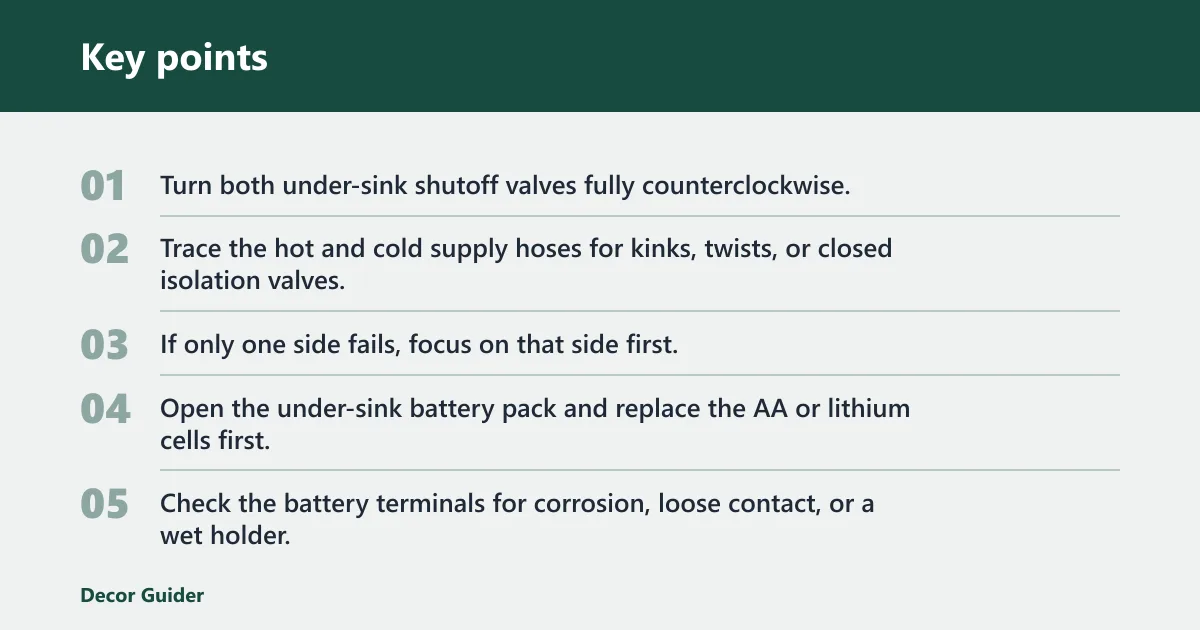
- Turn both under-sink shutoff valves fully counterclockwise.
- Trace the hot and cold supply hoses for kinks, twists, or closed isolation valves.
- If only one side fails, focus on that side first, because one blocked line can make the faucet seem dead.
Suppose the cold side works and the hot side does not. That usually points to a restricted hot supply, a partially closed valve, or a clogged inlet screen on that side, not a failed faucet body.
Check the battery pack or power supply
- Open the under-sink battery pack and replace the AA or lithium cells first.
- Check the battery terminals for corrosion, loose contact, or a wet holder.
- If the model is hardwired, verify the plug-in adapter or low-voltage connector is seated and dry.
Low batteries can sometimes cause a sensor faucet to stop working, respond late, or click without opening. In manufacturer manuals, the practical clue is often a weak LED, delayed response, or no response at all after activation. Corrosion usually appears as white, green, or blue crust on the battery terminals, or as darkened contacts in a damp holder. A weak power supply can look like a plumbing fault when the real issue is electrical.
Confirm the problem is isolated to one sink
- Test another bathroom sink or nearby fixture.
- If only one faucet is affected, keep troubleshooting at that sink.
- If several fixtures fail at once, the issue is more likely upstream in the home supply.
How do you fix a touchless faucet?
Clean the sensor window, then check power, alignment, and the solenoid path. Touchless faucet troubleshooting from Moen, Delta, and Chicago Faucets consistently follows the same order: power first, then sensor conditions, then the valve that actually opens flow. If the faucet clicks but no water comes out, the solenoid or water path is the stronger suspect than the sensor alone.
Clean the sensor window and clear obstructions
- Wipe the sensor window with a soft cloth.
- Use a little vinegar on soap scum or water spots, then dry the area.
- Remove any bottle, soap dispenser, or sponge that blocks the sensor path.
Check sensor alignment and reflective interference
- Look for a shifted sensor housing or loose mounting nut.
- Move reflective objects, polished fixtures, or bright lighting that may confuse sensing.
- Test the faucet again after each change so you can see which adjustment mattered.
Reflective interference often shows up as a faucet that turns on when nothing is nearby, or fails to respond until a hand is held at an odd angle or much closer than normal. Chrome trays, mirrored backsplash tile, glossy soap dispensers, and even strong direct lighting can bounce infrared or confuse some sensor designs. A common first-timer mistake is cleaning the sensor and stopping there. If the sensor is clear but the faucet still triggers on its own, reflective nearby objects or a loose sensor position may be the real issue.
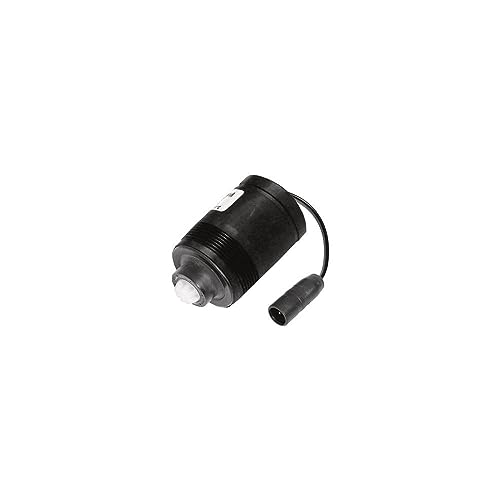
Test the battery pack, controller box, and solenoid
- Replace the batteries first, even if the faucet still shows signs of power.
- Check the controller box for secure, dry low-voltage connectors.
- Listen for a solenoid click; if it clicks with no flow, inspect the water path and solenoid valve for blockage or failure.
Touchless models may be battery-powered or hardwired. If the power source is correct and the sensor is clean, the next likely fault is the solenoid valve that opens and closes water flow. A healthy solenoid usually makes a crisp click when energized; a failing one may chatter, hum briefly, or click repeatedly without opening. If the faucet has proper power but no click at all, controller output or wiring becomes more likely than the valve itself.
Why does a touch faucet stop responding?
A touch faucet usually fails in the sensing and control chain, not at the spout alone. The touch input may be intermittent, and manufacturer guidance for touch faucets commonly treats inconsistent activation as a signal-path problem, not just a plumbing fault. The check order is touch surface, controller box, wiring, then solenoid response.
Inspect capacitive sensing conditions
- Dry the faucet body and your hands before testing the touch response again.
- Remove mineral film or soap residue from the sensing area.
- Confirm the faucet is not being affected by another conductive object touching the body.
Check wiring, connectors, and grounding conditions
- Inspect low-voltage connectors under the sink for looseness or corrosion.
- Verify the controller box is mounted dry and secure.
- Re-seat any unplugged connector before replacing parts.
Touch faucets rely on capacitive sensing, so grounding and moisture conditions matter more than they do on standard faucets. A wet cabinet, a loose connector, or a poor ground path can make the control seem random. If touch response returns after drying the body or reseating a connector, the controller was likely fine and the issue was signal quality.
Reset the controller before replacing parts
- Use the model’s reset or power-cycle step in the manual.
- Restore power, then retest the faucet after the reset completes.
- Replace the controller or solenoid only if the model still fails after the reset and connection check.
Many touch faucet manuals advise a power reset after battery replacement or a wiring check. If the faucet behaves normally after a reset, that is strong evidence against a hard mechanical failure. If it still ignores touch input but the solenoid responds during a manual test, the control board is more likely than the valve.
Why is my faucet weak or sputtering instead of flowing normally?
Weak flow usually means a restriction, not a dead faucet. Manufacturer troubleshooting for standard and electronic faucets points to aerators, strainers, and supply-side restrictions before the faucet body. Start at the outlet side, then move back toward the supply side if cleaning does not restore flow.
Should I clean the aerator if my faucet is not working?
Yes, if flow is weak, sputtering, or uneven. Remove the aerator, rinse out mineral buildup, and reinstall it. If the aerator is scaled beyond cleaning, replace it rather than forcing debris farther into the outlet path.
- Unscrew the aerator or outlet screen by hand if possible.
- Rinse out grit and mineral flakes.
- Reinstall it and test the faucet before moving on.
Say your faucet runs in a thin spray for two seconds, then returns to normal only after the aerator is cleaned. That points to an outlet-side restriction, not a bad cartridge. If flow improves briefly and then fades again, look next at the inlet screen or supply line for recurring debris.
Check filters, inlet screens, and supply restriction
- Inspect any inlet screens or inline filters under the sink.
- Confirm the supply hoses are not kinked or partly closed.
- Verify hot and cold supply pressure by testing each side separately.
Do not jump to the cartridge before checking the outlet and supply path. A partially closed valve or clogged inlet screen can make one side weak even when the faucet body is fine.
Common mistakes
Most repeat failures come from skipping the easy checks or mixing faucet types. The order matters because the wrong sequence wastes time and can lead to the wrong repair.
- Skipping the aerator and inlet screens when flow is weak
- Replacing the cartridge before checking supply hoses and shutoff valves
- Ignoring a dead battery pack in a sensor faucet
- Cleaning the sensor but not checking alignment or reflective interference
- Mixing touch, touchless, and standard faucet steps into one path
- Replacing a solenoid before confirming power and water supply
When do you need to replace a faucet solenoid or cartridge?
Replace the solenoid when the faucet clicks but still has no water after you have confirmed power, open valves, and a clear water path. Replace a cartridge only after cleaning the aerator, checking inlet screens, and ruling out supply-side restriction. If the fault returns immediately, the internal valve is likely failing.
Replacement cost varies by model, so the practical test is simple: if cleaning, reconnecting, and resetting do not change the symptom, repair may no longer be practical for that part. As a threshold, repeated no-flow after correct power and supply checks favors replacement; weak flow that improves with cleaning favors repair.
Frequently asked questions
Why does my faucet have no water but other sinks do?
That usually means the problem is isolated to one sink. Check the under-sink shutoff valves, the supply hoses, and any inlet screen on that faucet. If other sinks work normally, the home supply is less likely to be the cause than a local restriction or failed valve.
How do I fix a bathroom faucet that won’t turn on?
Open both shutoff valves fully, replace the batteries if the faucet is electronic, and check the connector under the sink. Then clean the sensor window or aerator, depending on the faucet type. If the faucet still does nothing, the controller or solenoid may need service.
Why is my touchless faucet not responding?
Clean the sensor window, remove nearby obstructions, and replace the batteries first. If the faucet still will not respond, inspect sensor alignment, power connections, and the controller box. A hardwired model also needs a dry, secure low-voltage connection to work properly.
What should I check first when a faucet stops working?
Start with the symptom, then check the easiest cause for that faucet type. For most touchless models, that means batteries or power. For standard faucets, it means the shutoff valves and supply lines. For weak flow, begin with the aerator before moving deeper.
Can low batteries cause a sensor faucet to stop working?
Yes. Low batteries can make a sensor faucet respond slowly, click without opening, or stop working altogether. Replace the AA or lithium cells under the sink first, then retest before opening the controller box or solenoid area.
Products related to this article
Sponsored / affiliate links. As an Amazon Associate I earn from qualifying purchases. I may earn additional commission from eligible campaigns.