How To Remove A Samsung Tv Stand Safely
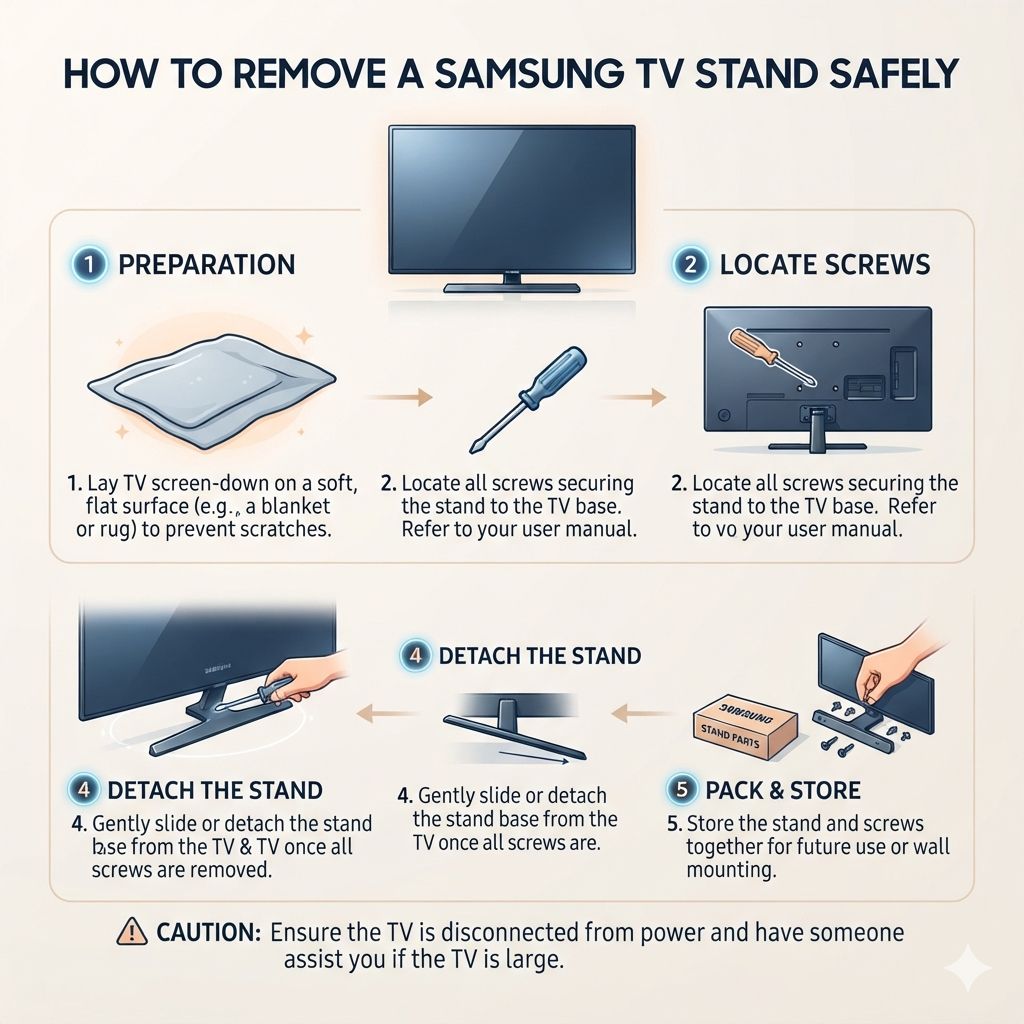
Removing a Samsung TV stand involves identifying the correct screws, using the right tools, and carefully separating the stand from the TV. Always work on a soft, clean surface to avoid damage and ensure you have enough space to move around the television safely.
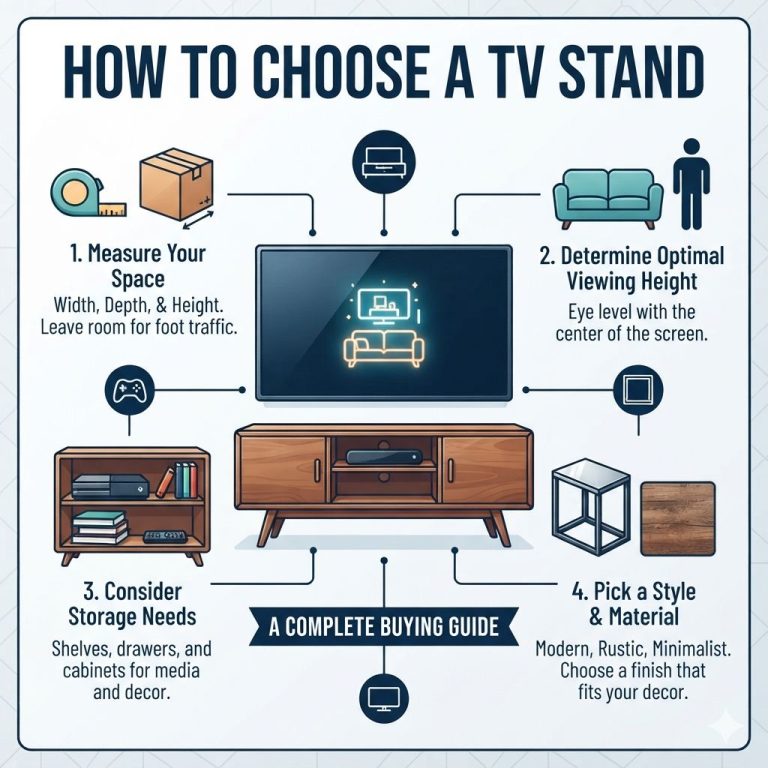
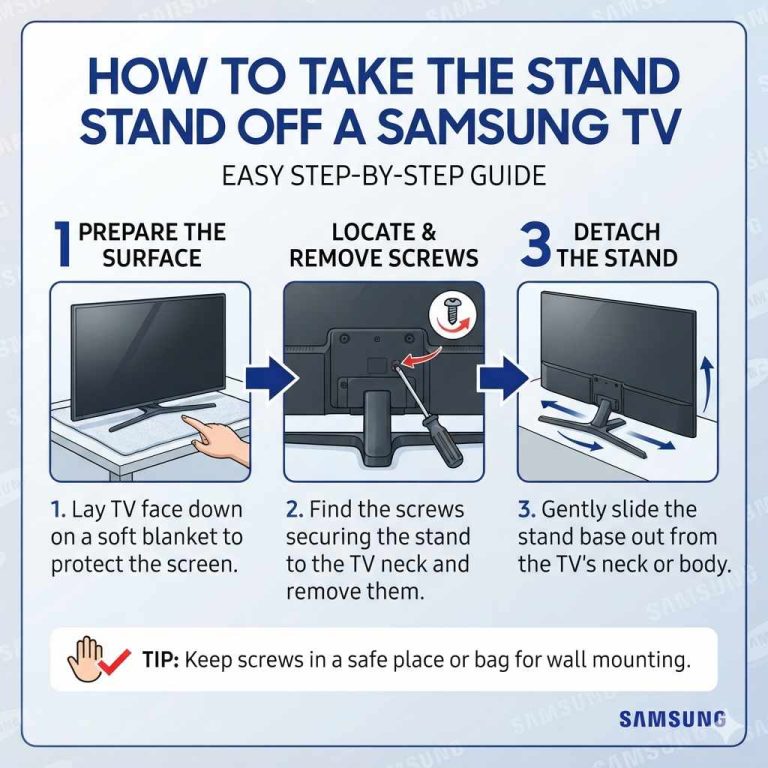
For another TV setup question, How To Take The Stand Off A Samsung Tv gives readers a related next step before choosing or installing furniture.
Understanding Your Samsung TV Stand
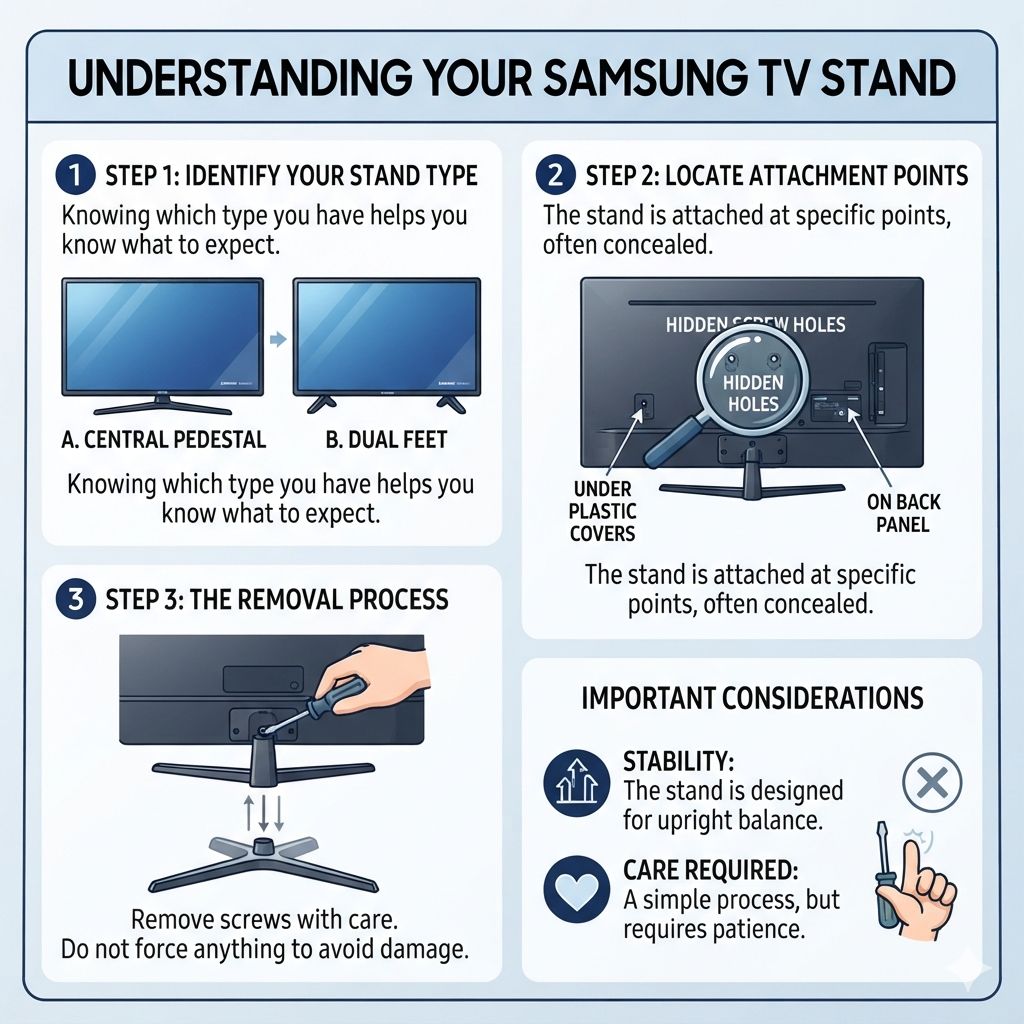
Samsung TVs come with different kinds of stands. Some have a single central pedestal. Others might have two feet, one on each side.
Knowing which type you have is the first step. This helps you know what to expect.
The stand is usually attached to the back of the TV. There are specific screw holes for this. These holes are often hidden.
They might be under plastic covers or directly on the back panel. The stand itself is designed to be stable. It holds the TV upright.
When you want to remove it, you’re essentially undoing this attachment. It’s not usually a complicated process. But it does require a bit of care.
You don’t want to force anything. That’s where problems can start.
Gathering Your Tools and Preparing Your Space
Before you start, make sure you have everything ready. This saves you from stopping halfway through. It makes the whole process smoother.
You’ll need a few basic tools.
The most important tool is a screwdriver. Most Samsung TV stands use Phillips head screws. You might need a few different sizes.
It’s good to have a set of precision screwdrivers. These are small and have various tips. They can fit into tight spots.
You will also need a soft surface to work on. A blanket or a soft rug is perfect. Lay it out on a table or the floor.
This protects your TV screen and the stand parts from scratches. Ensure the area is well-lit. You need to see what you’re doing clearly.
Having a small container for screws is also a good idea. This keeps them from rolling away. You don’t want to lose any.
Labeling the container can help too. You’ll know exactly which screws belong to the stand later.
It’s also wise to have someone help you. Larger TVs can be heavy and awkward. A second pair of hands makes it much safer.
One person can hold the TV steady. The other can work on the screws. This is especially true for bigger screen sizes.
Essential Tools Checklist
- Phillips head screwdrivers (various sizes)
- Soft blanket or rug
- Small container for screws
- Optional: Magnetic screwdriver tip
- Optional: Helper
Step-by-Step: Detaching the Samsung TV Stand
Now, let’s get to the actual removal. Take a deep breath. We’ll go through this slowly.
Your TV is delicate, so gentleness is key.
First, unplug your TV. Make sure all cables are removed. This prevents them from getting tangled or damaged.
Also, ensure the TV is turned off. Safety first, always.
Next, carefully lay the TV down. This is where the soft surface comes in. Place the blanket or rug on your table or floor.
Gently lay the TV face down onto this soft surface. The screen should be completely covered and protected. Make sure the screen doesn’t touch anything hard.
Now, locate the screws holding the stand. These are on the back of the TV. They are usually in a cluster.
You might see some plastic covers over them. Pry these covers off gently. A small flathead screwdriver or even your fingernail can work.
Be careful not to break them.
Once the screws are visible, start unscrewing them. Use the correct size Phillips head screwdriver. Turn the screws counter-clockwise.
If a screw feels tight, don’t force it. You could strip the head. Try a slightly different sized screwdriver, or a bit more gentle pressure.
Keep the screws in your container. You’ll need them if you ever reattach the stand. Some stands have multiple screws.
Take them out one by one. Note if any screws are different lengths. If they are, keep track of where each one came from.
This helps later.
Once all the screws are out, the stand should be loose. It might still be a little stuck. Gently wiggle the stand.
It should come away from the TV. Don’t pull hard. If it’s stuck, double-check for any hidden screws you might have missed.
With the stand free, lift it away carefully. Set it aside. Now your TV is ready to be moved or mounted.
Always hold the TV by its frame, not the screen.
Stand Screw Location Tips
- Look for screw holes near the bottom or middle of the back panel.
- Check for plastic caps that might be hiding screws.
- Some stands have screws that go into the TV’s internal frame.
Common Mistakes to Avoid
Even with clear steps, mistakes happen. Knowing common pitfalls can save you a lot of trouble. It’s easy to rush when you want to get things done.
One big mistake is not unplugging the TV. This is a serious safety risk. Always disconnect power before starting any work.
Another common error is working on an unstable surface. If the TV wobbles, it can easily fall. Use that soft blanket!
Forcing a screw is another problem. If a screw won’t turn easily, stop. You could damage the screw head.
This makes it much harder to remove later. It might even damage the TV’s internal components.
Not having enough space is also an issue. Trying to remove a stand in a cramped corner is difficult. You need room to maneuver.
You need space to lay the TV down safely.
Finally, trying to do it alone with a big TV is risky. Your back will thank you for having help. Trying to lift or balance a large TV by yourself can lead to drops or strains.
Mistake vs. Prevention
- Mistake: Forcing a screw. Prevention: Use correct screwdriver, gentle pressure.
- Mistake: Not unplugging TV. Prevention: Always disconnect power first.
- Mistake: Working on hard surface. Prevention: Use a soft blanket or rug.
- Mistake: Rushing the process. Prevention: Take your time, follow steps.
Types of Samsung TV Stands and Their Differences
Samsung uses a few different stand designs. The exact process can vary slightly. Understanding these differences helps.
It prepares you for what you might see.
Pedestal Stands: These are common. They often have one central stand. It screws into the back of the TV.
Sometimes, there’s a base that attaches to the pedestal. You might need to remove the base first, then the pedestal from the TV. The screws are usually visible on the back of the TV.
Two-Legged Stands: Many newer TVs use two distinct feet. One leg is on the left, and one is on the right. These also screw into the back of the TV.
Each leg might have its own set of screws. They might be attached directly to the TV panel or to a central bracket that then attaches to the TV.
Swivel Stands: Some stands allow the TV to swivel. These are usually pedestal types. The swivel mechanism might add an extra component.
However, the attachment points to the TV itself are generally the same. You’re still looking for screws on the back of the TV panel.
The key is always to look at the back of your TV. The screws are where the stand connects. Even if there are multiple parts to the stand, they all attach to the TV in one place.
This attachment point is where you’ll find the screws.
Dealing with Stubborn Screws or Stands
What if a screw just won’t budge? This can be frustrating. Don’t panic.
There are ways to handle this.
First, ensure you’re using the right size screwdriver. A slightly too small screwdriver can slip. A slightly too large one might not grip properly.
Try a different size if yours feels loose. A magnetic tip can also be a lifesaver. It helps keep the screw from falling out if it starts to loosen.
Sometimes, a little gentle tapping can help. Tap the end of the screwdriver handle lightly with another tool. This can break the seal of any adhesive or corrosion.
Do this very gently. You don’t want to damage the TV.
If the screw head is starting to strip, you might need a screw extractor. These are special tools designed to grip damaged screw heads. They work by biting into the metal.
You can often find them at hardware stores. Follow the instructions carefully.
If the stand itself feels stuck, it might be from pressure. Sometimes, the way the TV was assembled can make it snug. Try wiggling the stand very gently.
Work it back and forth slowly. Don’t use excessive force. If it feels like it will break something, stop and re-evaluate.
In rare cases, a stand might be attached with clips as well as screws. Look closely at the edges of the stand where it meets the TV. Are there any small tabs or clips that need to be pressed or released?
This is less common on Samsung TVs, but it’s worth checking.
Safety Precautions for Large Televisions
Large TVs, anything over 50 inches, require extra caution. They are heavier and more cumbersome. The risk of damage or injury increases.
Always have a helper. This is not optional for big TVs. Two people can lift and support the TV much more safely. Coordinate your movements.
Talk to each other.
Clear your workspace. Make sure there’s plenty of room to move. Remove any furniture or objects that could get in the way. You don’t want to trip or bump into anything.
Lift with your legs, not your back. When you do need to lift the TV, bend your knees. Keep your back straight. This protects your spine.
Never lift a TV by the screen. Always hold the TV by its frame. The screen is fragile and can be easily damaged by pressure.
Be aware of the weight distribution. Older TVs can be top-heavy. Newer, slimmer models have their weight distributed differently. Understand how your specific TV is weighted.
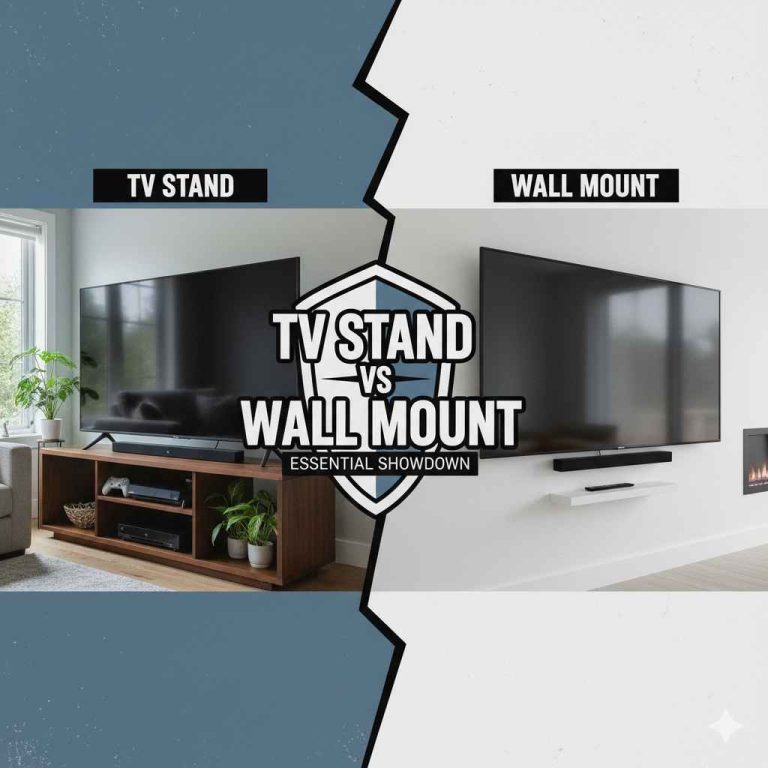
Consider wall mounting. If you’re removing the stand to wall mount, ensure you have the correct mounting bracket. Also, make sure your wall can support the TV’s weight.
Wall Mounting Prep Notes
- Verify your TV’s VESA mounting pattern.
- Ensure the wall mount is rated for your TV’s weight.
- Locate wall studs for secure mounting.
When to Call a Professional
There are times when it’s best to let an expert handle it. If you’re not comfortable with any step, that’s okay. TVs are expensive, and repairs can be costly.
If you have a very large or very old TV, it might be wiser to get help. Older electronics can be more fragile. Newer, expensive models are also worth protecting.
If you encounter a stripped screw that you can’t fix, or if the stand seems welded on, a professional can often help. They have specialized tools and experience.
If you are planning to wall mount and aren’t sure about the process, a professional installer is a great option. They can ensure it’s done safely and securely.
Don’t hesitate to seek help. It’s better to pay a small fee than to risk damaging your TV. You can often find TV repair shops or electronics installers in your area.
Alternatives to Removing the Stand Entirely
Sometimes, you don’t need to remove the entire stand. You might just need to adjust it or make it less wobbly. Or, you might be looking to place the TV on a different surface.
Adjustable Stands: Some stands allow you to adjust the height or tilt of the TV. Check your TV’s manual. You might find that your stand is adjustable and doesn’t need to be removed.
Stability Issues: If your stand is wobbly, check the screws. Tightening them might solve the problem. Ensure the TV is on a level surface.
Sometimes, the surface itself is the issue.
Moving the TV: If you’re just moving the TV to another spot in the room, you might be able to move it with the stand still attached. This requires careful handling and usually a helper. Just ensure the stand is stable and the path is clear.
Universal Mounts: If you’re replacing the original stand with a different one, like a soundbar-friendly stand or a universal tabletop mount, the removal process is usually the same. You’ll be unscrewing the original stand.
Think about your end goal. Does it truly require full stand removal? If so, proceed with the steps.
If not, there might be simpler solutions.
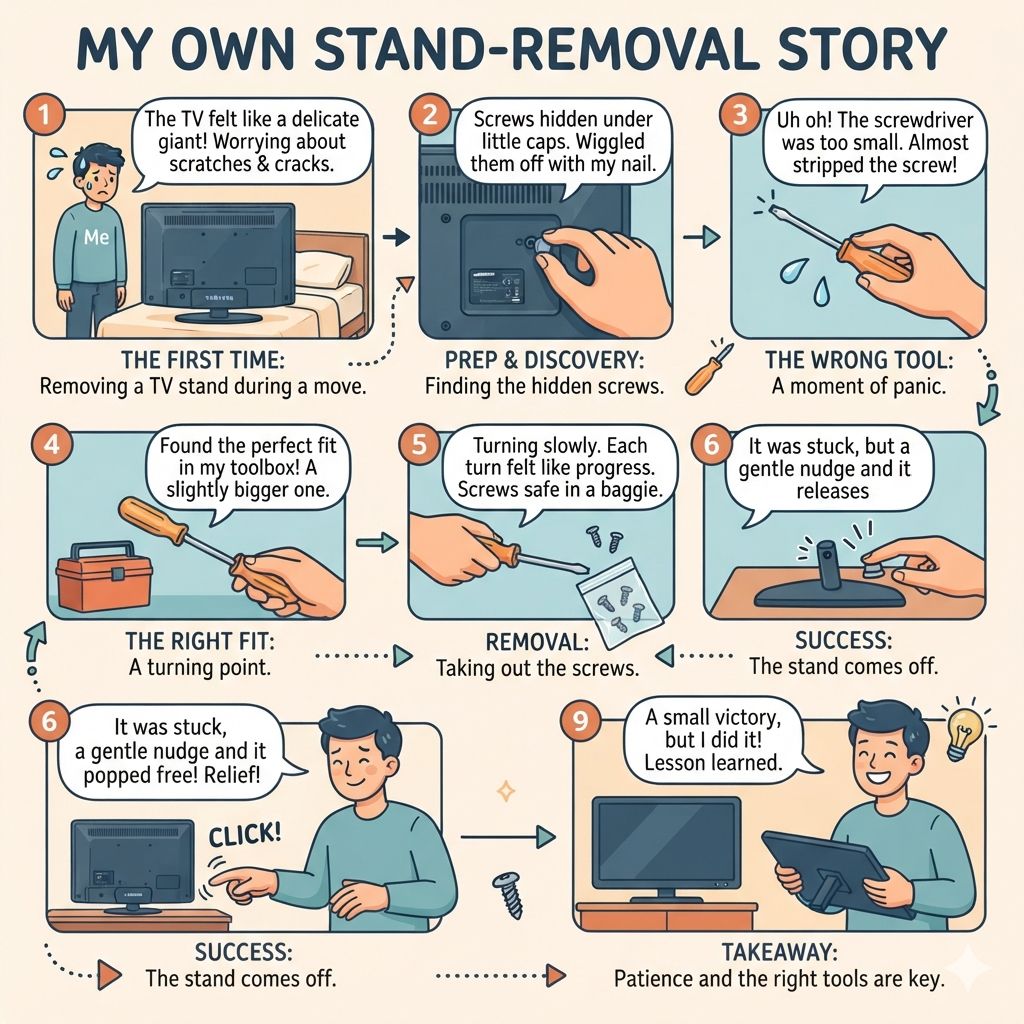
My Own Stand-Removal Story
I remember the first time I had to remove a TV stand. It was a big, older Samsung model. I was moving apartments.
The TV felt like a giant, delicate slab of glass. I was so worried about scratching the screen. Or worse, hearing that awful cracking sound.
I’d watched a few videos, but they all seemed so quick. My hands were sweating. I laid the TV face down on my bed.
The mattress felt soft, but I still wasn’t sure. I found the screws. They were hidden under little plastic caps.
I wiggled the caps off with my fingernail.
Then came the screws. I grabbed what I thought was the right screwdriver. It was too small!
It kept slipping. I started to panic a little. What if I stripped the screw?
I rummaged through my toolbox. Ah, there it was. A slightly bigger one.
It fit perfectly.
I turned the screws counter-clockwise. Slowly. Each little turn felt like progress.
I put them in a plastic baggie. Once all four screws were out, the stand was loose. But it didn’t just fall off.
It was stuck. I gently nudged it. It came free with a soft click.
Relief washed over me. It was a small victory, but I had done it.
Frequently Asked Questions about Samsung TV Stand Removal
How do I know which screws to remove for the stand?
Look at the back of your TV, usually towards the bottom or middle. You’ll see a cluster of screws where the stand attaches. Some might be hidden under plastic covers.
Make sure you’re removing the screws that are part of the stand assembly, not other parts of the TV casing.
Can I remove the stand while the TV is standing up?
It is strongly advised against this. Laying the TV face down on a soft surface is much safer. It prevents the TV from falling over and protects the screen.
It also gives you better access to the screws.
What if my Samsung TV stand is wobbly but I don’t want to remove it?
If your stand is wobbly, first check if all the screws are tightened properly. Make sure the TV is on a level surface. Sometimes, a slight adjustment to the stand’s connection or a shim under the TV’s base can help.
If it’s still unstable, you might consider replacing it with a wall mount or a different TV stand.
How much space do I need to remove a TV stand?
You need enough space to comfortably lay the TV down face-first on a soft surface. For larger TVs, you’ll need space to walk around it. Aim for an area at least 3-4 feet wider and deeper than the TV itself, especially if you have a helper.
Are all Samsung TV stands attached the same way?
No, Samsung uses different stand designs. Some have a central pedestal, while others use two separate feet. However, the general principle is the same: the stand attaches to the back of the TV with screws.
You’ll always need to locate these screws to remove it.
Can I reattach the stand later if I remove it?
Yes, you can usually reattach the stand. Make sure you keep all the screws in a safe place. Refer to your TV’s manual or online guides for reattachment if needed.
Ensure all screws are properly aligned and tightened.
Conclusion
Removing a Samsung TV stand is a manageable task. By preparing your space, gathering the right tools, and following these steps carefully, you can do it safely. Remember to always prioritize safety.
Don’t rush the process. With a little patience, you’ll have your TV stand removed without any issues.
Products related to this article
Sponsored / affiliate links. As an Amazon Associate I earn from qualifying purchases. I may earn additional commission from eligible campaigns.