Tv Mount Vs Stand: Which Is The Better Choice?
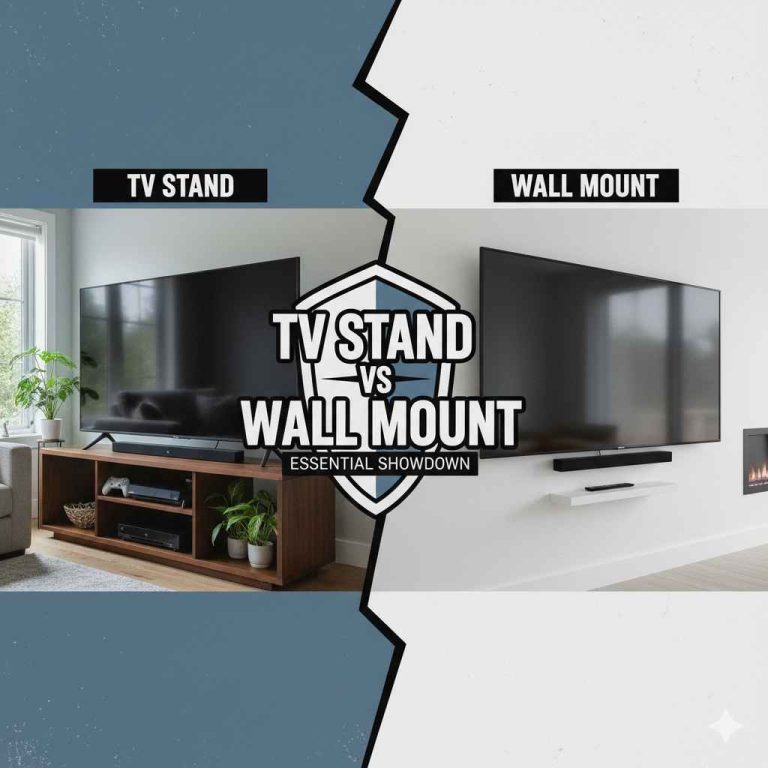
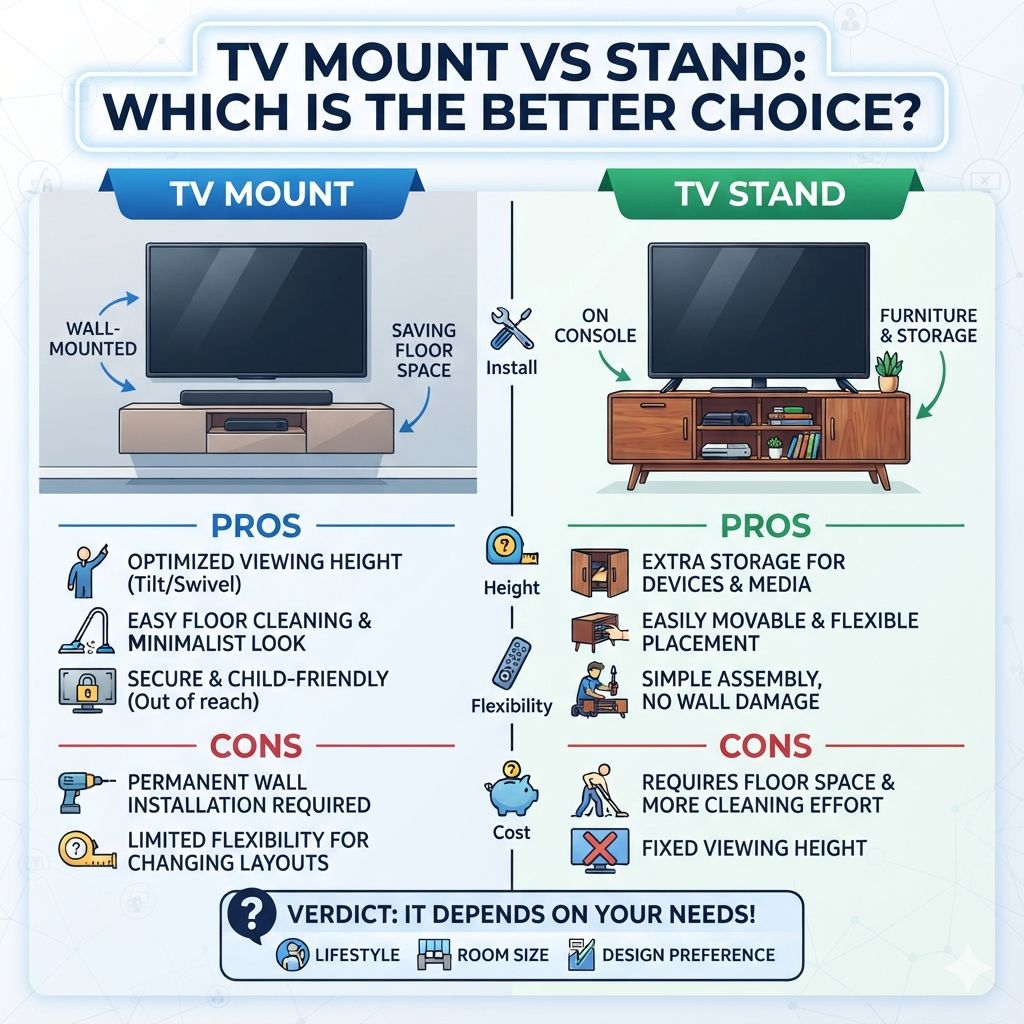
The best choice between a TV mount and a TV stand depends on your space, viewing habits, and style. Wall mounts save floor space and offer flexible viewing angles. TV stands provide stability, storage, and are easier to set up and move. Consider these factors to decide what works best for you.
TV Mount vs Stand: Understanding Your Options
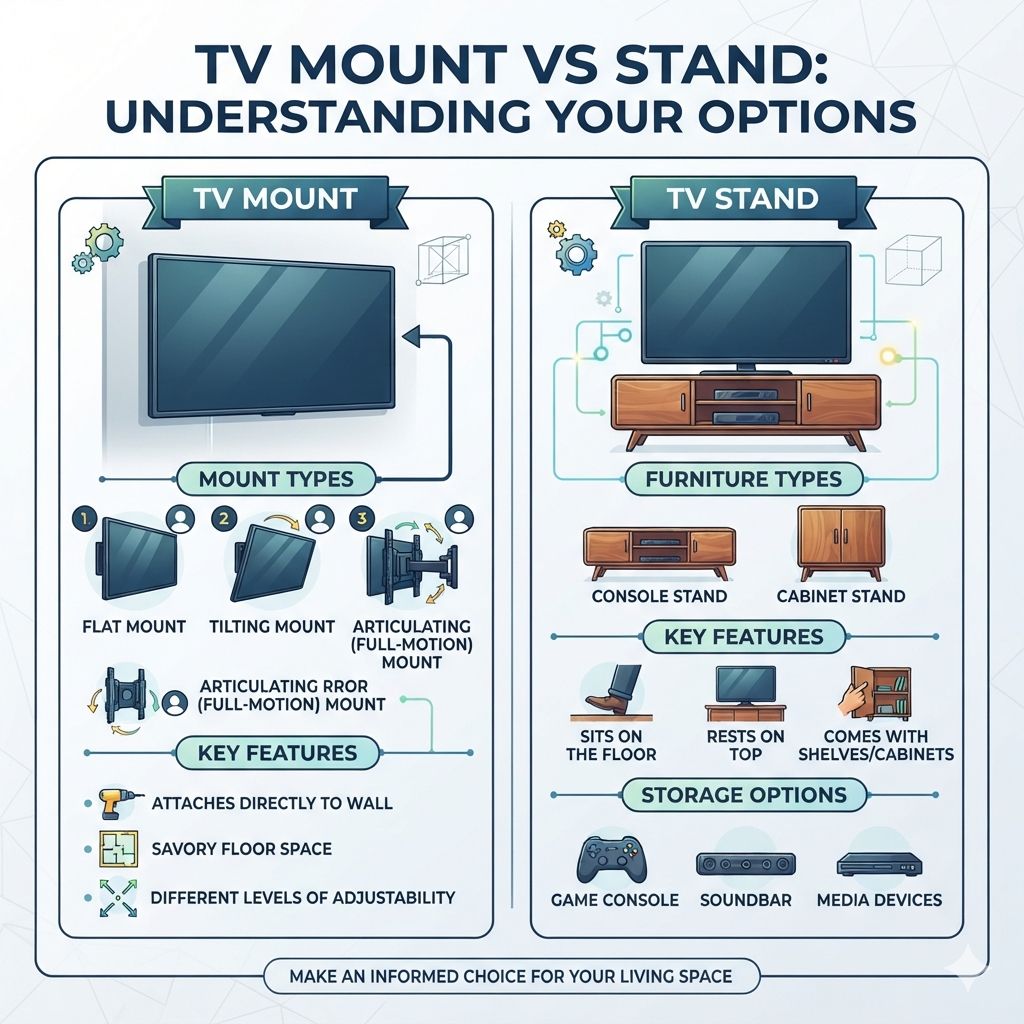
Let’s dive into what each option really means for your living space. A TV mount attaches your television directly to a wall. This can be a flat mount, a tilting mount, or an articulating (full-motion) mount.
Each offers different levels of adjustability.
A TV stand, on the other hand, is a piece of furniture. It sits on the floor. Your TV rests on top of it.
Stands often come with shelves or cabinets. They offer space for other devices like game consoles or soundbars.
The Appeal of Mounting Your TV
Mounting a TV has become super popular. One big reason is space-saving. Think about it.
Your TV isn’t taking up floor space. This can make a small room feel much bigger. It’s a clean look, too.
Wires can be hidden behind the wall. This gives your setup a very neat appearance.
You also get better viewing angles. With a tilting or full-motion mount, you can adjust the TV. You can tilt it down from above.
Or you can swivel it to face different seating areas. This is great if you have an open floor plan or unusual seating arrangements. It means more people can see the screen clearly.
Experience: I remember helping a friend set up her new apartment. The living room was tiny. We mounted her TV on the wall above a low console.
It instantly made the room feel twice as large. We hid all the cables. It looked so modern and clean.
She loved that she could swivel it to watch from the kitchen, too.
There are different types of TV mounts. A fixed mount holds the TV flat against the wall. It’s simple and best if you always sit directly in front of the TV.
A tilting mount lets you angle the TV up or down. This is good if you mount the TV higher than eye level.
Then there are full-motion mounts. These are the most versatile. They extend out from the wall.
They swivel left and right. You can even tilt them. This is fantastic for corner installations or rooms where seating moves around a lot.
They give you the most control over where the TV points.
Key Benefit: Cleaner Look. Wires disappear. Floor space opens up.
It’s a modern aesthetic.
Key Benefit: Flexible Viewing. Tilt, swivel, and extend for the best angle. Perfect for odd room shapes.
Key Benefit: Safety. Mounts secure the TV to the wall. This can prevent tip-overs.
This is especially important in homes with children or pets.
Expert Tip: When choosing a mount, check the VESA pattern. This is the standard hole pattern on the back of your TV. The mount needs to match your TV’s VESA size.
Also, make sure the mount can support your TV’s weight and screen size.
The Case for Using a TV Stand
TV stands are the classic choice. They’ve been around forever. They offer a stable platform for your TV.
You just set it on top. There’s less worry about drilling holes or finding studs in the wall. This makes them a very accessible option.
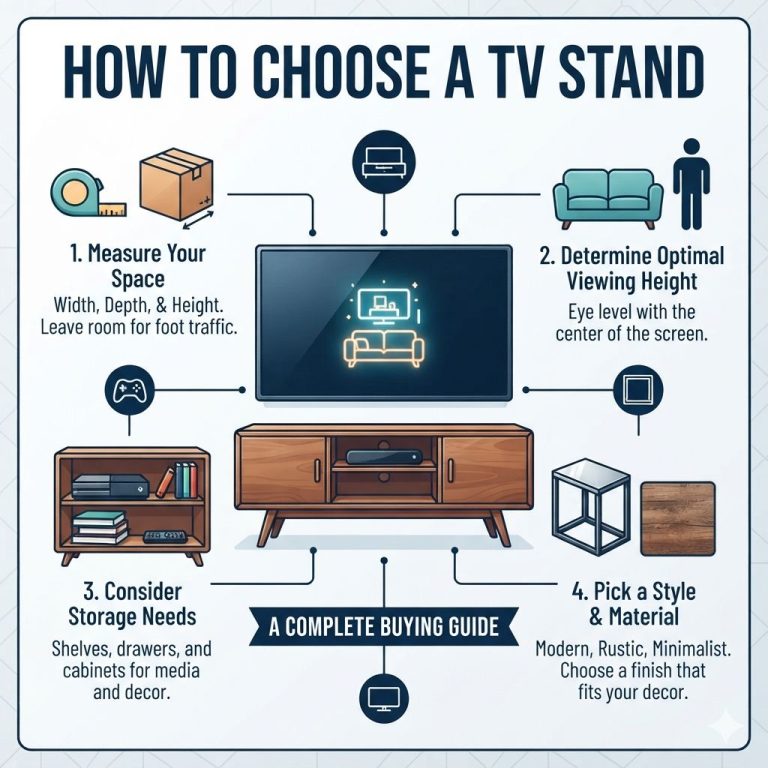
One of the biggest advantages of a TV stand is the storage it provides. Most stands have shelves or cabinets. You can put your cable box, game consoles, DVDs, or even decorative items there.
This helps keep your entertainment area tidy and organized. It also means those devices are right there when you need them.
Stands are also super easy to move. If you want to rearrange your furniture, or even move the TV to a different spot in the room, it’s simple. You just lift it and place it where you want it.
This flexibility is a big win for many people.
Experience: My parents have had the same entertainment center for years. It’s a sturdy wood stand with glass doors. Their TV sits on top.
Below, they keep their DVD player, an old VCR, and lots of old movies. They can easily access everything. Plus, when they moved houses, they just put everything in the stand and rolled it out.
So much easier than taking down a mounted TV.
There are many styles of TV stands. Some are simple, minimalist pieces. Others are large, imposing entertainment centers.
You can find them in wood, metal, glass, or a combination. This means you can usually find one that matches your home’s decor.
Key Benefit: Storage & Organization. Shelves and cabinets hide clutter. Keep remotes, game controllers, and media close.
Key Benefit: Stability & Ease of Setup. No drilling needed. Just place the TV on top.
Simple to put together.
Key Benefit: Portability. Move your TV and all its accessories easily. Great for renters or those who like to redecorate.
Quick Scan Table: TV Stand Features
Stand Features
| Feature | Description |
| Open Shelving | Easy access for devices like game consoles. |
| Closed Cabinets | Hide away media, wires, or other items. |
| Integrated Wire Management | Holes or channels to keep cables neat. |
| Various Styles | From modern to rustic, find a look for any room. |
Comparing the Core Differences
So, we have wall mounts and TV stands. They serve the same main purpose: holding your TV. But how they do it is very different.
Let’s look at the key areas where they contrast.
TV Mount vs. Stand: At a Glance
TV Mount
Pros: Space-saving, clean look, flexible viewing angles, better for small rooms.
Cons: Requires drilling, professional installation may be needed, limited storage.
TV Stand
Pros: Easy setup, storage options, portability, no wall damage.
Cons: Takes up floor space, can look cluttered, viewing angles are fixed.
Space: This is a huge difference. Mounts free up floor space. Stands take it up.
If your room is small, a mount is often a better choice. If you have plenty of room, a stand can work well.
Installation: Mounting a TV requires tools and knowledge. You need to find wall studs for secure support. This can be tricky.
Some people hire professionals. Stands are usually much simpler. You often just attach legs and put the TV on top.
Aesthetics: Mounts offer a sleek, minimalist look. Wires are hidden. The TV seems to float.
Stands can be stylish, but they take up more visual space. They might fit better with traditional decor.
Cost: The cost can vary wildly for both. A basic fixed mount might be cheaper than a simple stand. But a high-end full-motion mount can be very expensive.
Likewise, a basic particleboard stand is cheap, but a solid wood media console can cost a lot.
When a TV Mount is Your Best Bet
Let’s talk about specific situations where a mount really shines. If you have a small living room, mounting is almost always the way to go. It makes the room feel bigger and more open.
You can use the floor space for other furniture or just to move around.
Open concept homes are another great candidate for wall mounts. You can position the TV in a way that works for multiple zones. For example, you can mount it in a corner and swivel it to face the living area or the dining area.
This maximizes its use.
If you have children or pets, a wall mount can be safer. It gets the TV up and out of reach. This reduces the risk of a TV being pulled over.
Of course, you must ensure the mount is installed correctly and securely into the wall studs.
Consider how you watch TV. If you prefer watching from a specific couch and don’t need to adjust the TV often, a fixed or tilting mount is simple and effective. If you have multiple viewing spots or like to angle the TV for different shows or games, a full-motion mount is ideal.
My Experience with a Small Space: I once lived in a studio apartment. Space was my biggest challenge. I mounted my TV on the wall.
It sat above a small bookshelf. This freed up enough floor space to put a small dining table. It felt like I had more room than I actually did.
Expert Insight: Wall studs are crucial. Drywall alone won’t hold a TV mount. You need to find the wooden studs inside your wall.
Most studs are 16 or 24 inches apart. A stud finder tool is very helpful. If you’re unsure, hire a handyman.
Use Case: The minimalist home lover.
Use Case: The home theater enthusiast who wants the screen perfectly placed.
Use Case: Families with young kids or active pets.
Use Case: Rooms with unusual layouts or multiple viewing areas.
Why a TV Stand Might Be Better
Now, let’s look at when a TV stand makes more sense. If you’re a renter, drilling holes in the walls might not be an option. A stand requires no permanent changes.
You can easily pack it up when you move.
Do you have a lot of devices and accessories? Game consoles, soundbars, streaming boxes, Blu-ray players, maybe even a vintage record player? A TV stand with shelves and cabinets is perfect for keeping all these organized and accessible.
It’s the ultimate command center.
If you frequently rearrange your furniture or like to change up your room’s layout, a stand is a lifesaver. You can easily move the entire TV setup. This offers a flexibility that wall mounting just can’t match.
Consider your room’s style. If you have a more traditional or rustic decor, a beautiful wood TV stand can complement the room perfectly. It adds warmth and character.
A wall-mounted TV might look a bit stark in some decor styles.
My Stand Story: For my home office, I use a stand. I have a computer monitor and a TV on it. Below, I keep my printer and some paperwork.
It’s easy to access. When I want to switch from work mode to relax mode, I just turn the TV. It’s simple and functional for my needs.
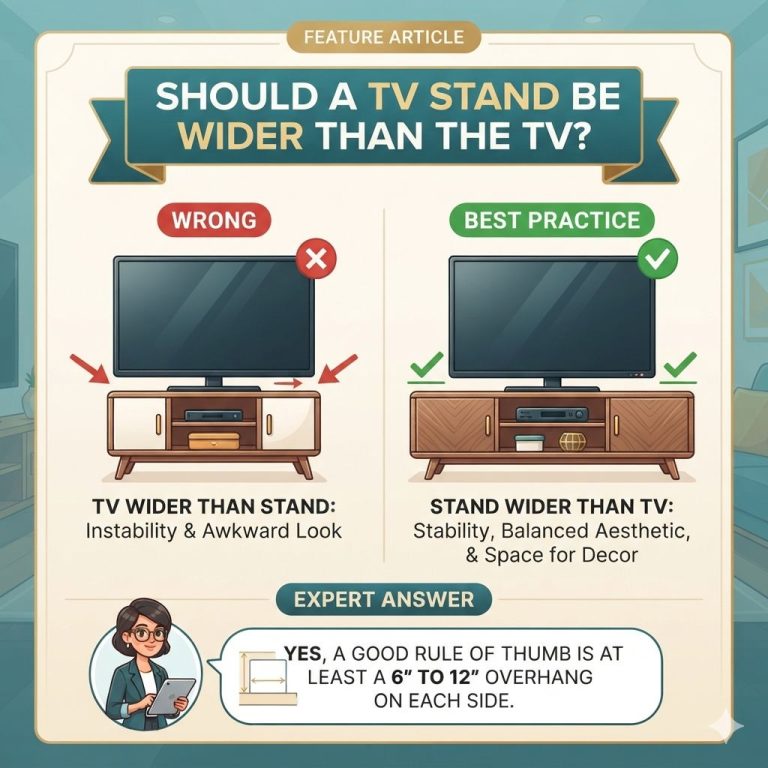
Practical Tip: When buying a stand, make sure it’s wide enough. Your TV should ideally have at least an inch or two of space on either side of its base. This looks better and adds a little safety buffer.
Use Case: Renters or those who move often.
Use Case: People who own many media devices and accessories.
Use Case: Those who like to frequently change their room’s layout.
Use Case: Homes with traditional or cozy decor styles.
Installation and Safety Considerations
Safety is paramount, whether you mount or use a stand. For wall mounts, professional installation is a great option if you’re not comfortable with DIY. They ensure the mount is secured into studs correctly.
They also know how to handle different wall types (drywall, plaster, brick).
What to look for in a mount:
- Weight Capacity: Must exceed your TV’s weight.
- VESA Compatibility: Matches your TV’s mounting holes.
- Material Quality: Sturdy steel is best.
- Adjustability: Fixed, tilt, or full-motion.
- Brand Reputation: Stick to known, trusted brands.
For TV stands, safety comes in the form of stability. Make sure the stand is on a level surface. If it has anti-tip straps, use them.
These straps connect the stand to the wall. They are very effective in preventing accidents, especially in active households.
What to look for in a stand:
- Sturdy Construction: Solid wood or heavy metal is better than flimsy particleboard.
- Weight Limit: Ensure it can support your TV and any items you plan to place on it.
- Stability: Legs should be wide and secure.
- Anti-Tip Hardware: Essential for safety.
Safety First: Quick Checks
Mounts
Check for studs: Use a stud finder.
Use correct hardware: Mount comes with appropriate screws.
Level installation: Ensure TV hangs straight.
Stands
Level surface: Place stand on a flat floor.
Anti-tip straps: Secure stand to wall.
No wobbly parts: Check for loose screws or legs.
Trustworthiness: Always follow the manufacturer’s instructions. If they seem unclear, look for video guides online or consult a professional. It’s better to spend a little extra for peace of mind.
Cost Comparison: What to Expect
The price of both options can range significantly. Let’s break down the general costs.
TV Mounts:
- Fixed Mounts: These are the most basic. They can cost as little as $20 to $50.
- Tilting Mounts: Slightly more complex, these often range from $30 to $100.
- Full-Motion Mounts: The most advanced, offering extension and swivel. These can cost $50 to $200, or even more for premium brands and features.
- Professional Installation: This can add $100 to $250, depending on your location and the complexity of the job.
TV Stands:
- Basic Stands: Simple, smaller stands made from particleboard can be found for $50 to $150.
- Mid-Range Stands: More solid construction, better finishes, and more storage options. Expect to pay $150 to $400.
- High-End Media Consoles: Solid wood, designer pieces, or large entertainment centers can cost $400 to $1000+, or much more.
What does this mean? A basic mount can be cheaper than a basic stand. But a high-end mount can be more expensive than a mid-range stand. Your budget and needs will guide your choice.
Don’t forget to factor in installation costs if you’re not DIYing.
Budgeting Your Choice
Mounts:
Basic: $20 – $50
Mid-Range: $50 – $150
Premium: $150 – $300+
Installation: $100 – $250 (optional)
Stands:
Basic: $50 – $150
Mid-Range: $150 – $400
High-End: $400 – $1000+
What This Means for Your Living Room
Choosing between a mount and a stand isn’t just about the hardware. It’s about how you want your living room to function and feel. A wall-mounted TV is about creating a clean, modern space.
It’s about open sightlines and a minimalist aesthetic.
A TV stand is about practicality and comfort. It’s about having everything within reach. It’s about a cozy entertainment hub.
It can anchor a room’s style. It’s less about a floating screen and more about a grounded setup.
When it’s normal:
- Mount: In a small apartment, above a fi
- Stand: In a family room, bedroom, or any space where storage is a priority.
When to worry:
- Mount: If the wall feels weak, if you can’t find studs, or if the mount seems flimsy.
- Stand: If the stand wobbles, if it looks like it might tip, or if it’s too small for your TV.
Simple checks:
- Mount: Gently tug on the mounted TV to ensure it’s secure.
- Stand: Place a level on the stand to make sure it’s not leaning.
Making Your Final Decision
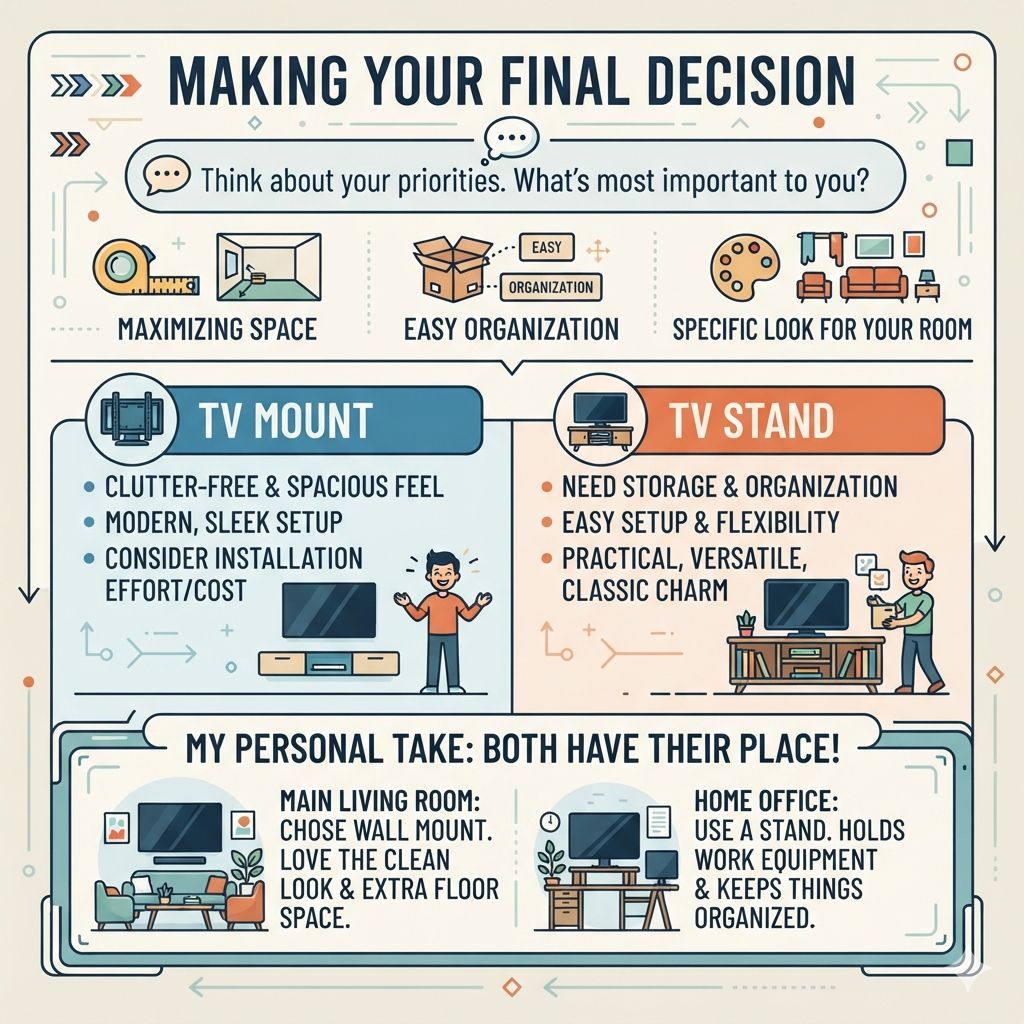
Think about your priorities. What’s most important to you? Is it maximizing space?
Is it easy organization? Is it a specific look for your room?
If you want a clutter-free, spacious feel, a TV mount is likely your best friend. It’s the modern choice for a sleek setup. Just be sure you’re comfortable with installation or factor in the cost of hiring help.
If you need storage, value easy setup, or love to rearrange, a TV stand is a solid choice. It’s practical, versatile, and offers a classic charm.
My Personal Take: For my main living room, I chose a wall mount. I love the clean look and the extra floor space it gave me. But in my home office, I use a stand.
It holds my work equipment and keeps things organized. Both have their place!
Frequently Asked Questions
Can I mount a TV on drywall without studs?
No, you should never mount a TV directly into drywall without hitting studs. Drywall alone is not strong enough to support the weight of a TV and mount. You must find and use wall studs for secure mounting.
If studs aren’t in the right place, consider specialized heavy-duty drywall anchors designed for TVs, but hitting studs is always the safest and most recommended method.
How far away from the wall should a full-motion TV mount be?
This varies by mount. Most full-motion mounts can extend 15-25 inches from the wall. When retracted, they often sit only a few inches away.
Check the mount’s specifications for its maximum extension and retracted distance. It’s designed to be close when not in use but far enough to allow comfortable viewing angles.
Are TV stands safe for large TVs?
Yes, TV stands can be safe for large TVs, provided the stand is rated for the TV’s size and weight. Always check the manufacturer’s weight capacity for the stand and ensure the TV’s base fits securely on the stand’s surface. Using anti-tip straps is also highly recommended for large TVs on stands.
Can I put a soundbar in front of a wall-mounted TV?
It depends on how the TV is mounted. If the TV is mounted flush to the wall, a soundbar in front might block the bottom of the screen. However, many full-motion mounts allow you to position the TV slightly away from the wall, creating space for a soundbar.
Alternatively, some mounts have optional soundbar brackets, or you can place the soundbar on a shelf below the TV if using a low-profile mount.
What is VESA and why is it important for TV mounts?
VESA stands for Video Electronics Standards Association. It’s a set of standards for flat-panel TVs and mounts. The VESA pattern refers to the specific measurements (horizontal and vertical) of the screw holes on the back of your TV.
Mounts are designed to fit specific VESA patterns (e.g., 200x200mm, 400x400mm). Your mount must match your TV’s VESA pattern to attach correctly.
Can I hide wires with a TV stand?
Many TV stands are designed with wire management in mind. They often have cutouts or holes in the back panel to allow cables to pass through neatly. Some also have internal shelves or cabinets where you can tuck away power strips and excess wires, helping to keep the setup tidy and free of visible cords.
Conclusion
Deciding between a TV mount and a stand comes down to your personal needs and your home’s layout. Both offer excellent ways to enjoy your television. Consider space, storage, style, and ease of installation.
Whichever you choose, ensure it’s installed safely and securely for years of great viewing.
Products related to this article
Sponsored / affiliate links. As an Amazon Associate I earn from qualifying purchases. I may earn additional commission from eligible campaigns.