Ergonomic Chair Vs Standing Desk: Which Boosts Productivity More?
Choosing between an ergonomic chair and a standing desk can feel confusing. Both promise healthier work habits, but which one really suits your needs? Many people spend over eight hours a day at a desk. If your body aches or you feel tired, your workspace might be the problem. This article explores the differences, benefits, and drawbacks of ergonomic chairs and standing desks. You’ll learn how each affects your health, productivity, and comfort. By the end, you’ll know which option fits your lifestyle best and how to avoid common mistakes when choosing.
What Is An Ergonomic Chair?
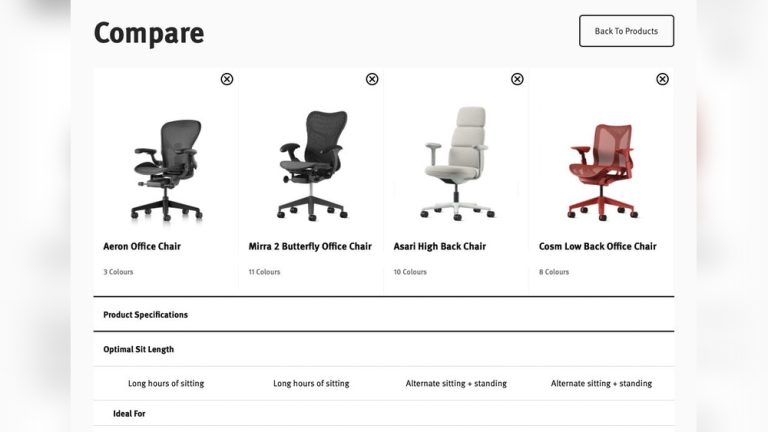
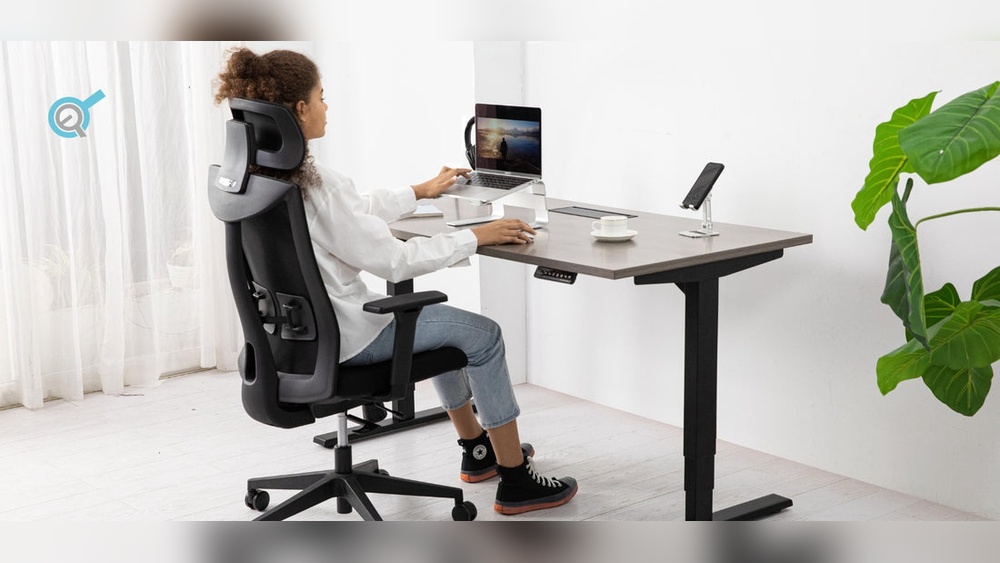
An ergonomic chair is designed to support your body while sitting for long periods. Unlike regular chairs, it helps keep your spine straight and reduces stress on your muscles. Features include adjustable seat height, lumbar support, and armrests. These chairs are built for office work, gaming, or any task that requires sitting.
Key Features
- Adjustable Height: Lets you keep your feet flat on the floor.
- Lumbar Support: Supports the curve of your lower back.
- Armrests: Helps reduce strain on shoulders.
- Tilt and Recline: Lets you change your sitting angle.
- Seat Depth: Helps your thighs rest comfortably.
Most experts agree that a well-designed ergonomic chair can lower your risk of back pain and neck stiffness. According to the Mayo Clinic, proper support and alignment can reduce the impact of sitting for long periods (Source Name).
Common Types
- Task chairs: Basic, affordable, and good for short use.
- Executive chairs: Larger, with more padding and features.
- Gaming chairs: Designed for comfort during long gaming sessions.
What Is A Standing Desk?
A standing desk lets you work while standing up. You can adjust the height so you don’t need to sit. Some models are fixed, while others can switch between sitting and standing positions. Standing desks are popular for people who want to move more during their workday.
Why People Choose Standing Desks
Standing desks became popular after studies showed sitting too long is linked to higher risks of heart disease, diabetes, and obesity. Using a standing desk helps you burn more calories and keeps your muscles active.
Types Of Standing Desks
- Fixed: Always at standing height.
- Adjustable: Lets you switch between sitting and standing.
- Desktop converters: Sits on top of your regular desk and raises your monitor and keyboard.
Many workers report feeling more energetic and less sleepy when using a standing desk. However, standing all day can cause leg fatigue and back pain if not used correctly.
Comparing Ergonomic Chairs And Standing Desks
Both tools can improve your health, but they work in different ways. Here’s a side-by-side look to help you decide which fits your needs.
| Feature | Ergonomic Chair | Standing Desk |
|---|---|---|
| Body Position | Sitting | Standing |
| Muscle Engagement | Low | Moderate |
| Back Support | Excellent | Minimal |
| Energy Levels | Stable | Often increased |
| Risk of Fatigue | Low (with breaks) | High (if standing too long) |
| Cost | Low to high | Moderate to high |
| Space Needed | Small | Larger |
Physical Health Impact
Ergonomic chairs support your back and neck, helping you avoid pain. But sitting for hours can still slow your metabolism and cause other health issues. Standing desks encourage movement and burn more calories, but standing too much can cause sore feet, swollen legs, and back pain.
Pro Tip: If you use a standing desk, start with short periods. Try 20, 30 minutes at a time, then sit for a while. This helps avoid fatigue and pain.
Health Benefits And Risks
Understanding the health effects of each option is important before you decide.
Ergonomic Chair Health Benefits
- Reduces back pain: Good lumbar support lowers pressure on your spine.
- Supports posture: Keeps your shoulders and neck in line.
- Minimizes muscle fatigue: Lets you relax while working.
However, sitting too much can:
- Slow your metabolism.
- Increase risk of heart problems.
- Lead to weight gain.
Standing Desk Health Benefits
- Boosts energy: Moving more helps you feel alert.
- Improves circulation: Standing helps blood flow through your legs.
- Burns more calories: Standing burns up to 50% more calories than sitting, according to Harvard Medical School.
But the risks include:
- Leg and foot pain if standing too long.
- Lower back strain without proper footwear or anti-fatigue mats.
- Poor posture if monitor and keyboard are not at the right height.
Example: Office Worker Experience
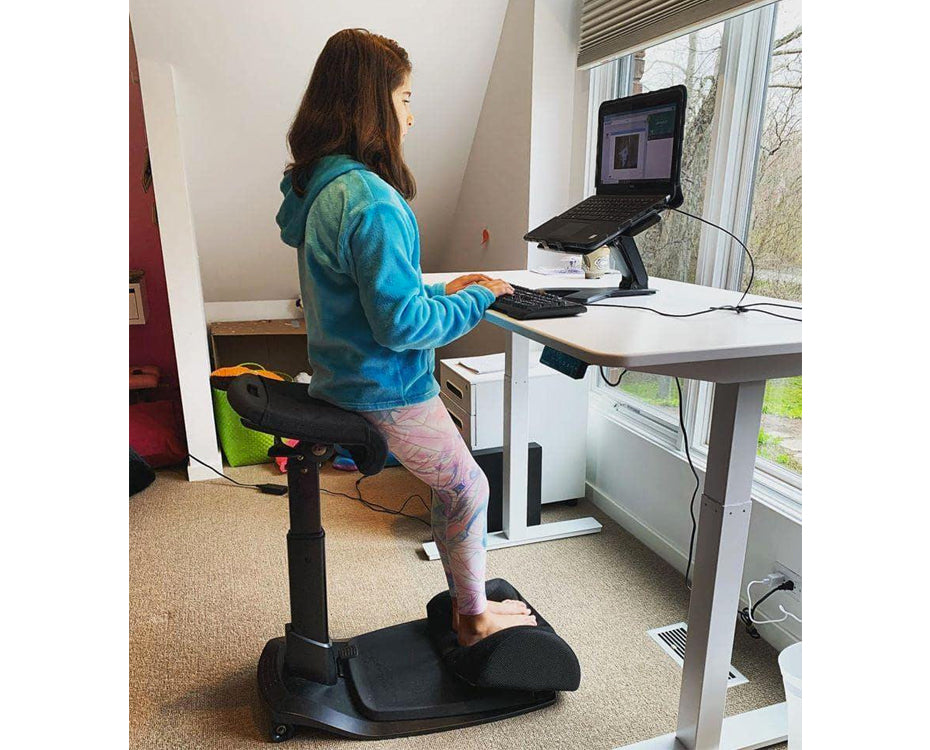
Using an adjustable standing desk for two weeks often leads to less afternoon sleepiness and more focus. But after standing for more than an hour, my feet felt sore. Using a thick mat helped, but I still needed to sit sometimes.
Credit: soinspalliatifspaca.com
Productivity And Comfort
Both ergonomic chairs and standing desks affect how well you work and how comfortable you feel.
Ergonomic Chair Productivity
Sitting comfortably can help you focus on your tasks. You can stay at your desk longer without feeling tired. Many people find it easier to use computers and write while sitting.
Comfort tip: Adjust your chair so your knees are at a 90-degree angle and your arms rest gently on the desk. This prevents strain.
Standing Desk Productivity
Standing desks can boost productivity for some people. You may feel more alert and less likely to get sleepy. Moving around more can help you think clearly. However, typing while standing can feel awkward at first. If your monitor is too low, you may end up with neck pain.
Warning: Poor setup can reduce productivity. Make sure your screen is at eye level and your keyboard is at elbow height.
Real-world Examples And Insights
Office Environments
Many tech companies use standing desks to promote health. Google offers both sitting and standing options in their offices. Employees can choose what works best for them.
Home Workspaces
At home, people often mix ergonomic chairs with desktop standing desk converters. This gives flexibility for different tasks and moods.
Non-obvious Insight 1
Switching between sitting and standing is more effective than choosing only one. Studies from the CDC suggest alternating positions every hour lowers discomfort and boosts focus.
Non-obvious Insight 2
Your footwear matters if you use a standing desk. Wearing shoes with good support or using an anti-fatigue mat can prevent leg pain.

Credit: newtralchair.com
Cost And Buying Considerations
Ergonomic Chair Costs
Prices for ergonomic chairs vary. Basic models start around $100, while high-end chairs can cost over $800. Features like mesh backs, adjustable lumbar, and 4D armrests raise the price.
Standing Desk Costs
Standing desks range from $200 for simple converters up to $1,000 for motorized adjustable desks. Fixed-height desks are cheaper, but less flexible.
| Product Type | Low Price | High Price | Features |
|---|---|---|---|
| Ergonomic Chair | $100 | $800+ | Adjustable height, lumbar support |
| Standing Desk Converter | $200 | $400 | Manual adjustment, space-saving |
| Full Standing Desk | $400 | $1,000+ | Motorized, programmable heights |
What Really Matters When Choosing
- Workspace size: Make sure the desk fits your room.
- Adjustability: Choose chairs or desks that let you change positions.
- Budget: Don’t overspend on features you won’t use.
- Durability: Check for strong materials and good warranties.
Common Buyer Mistakes
- Buying a chair without lumbar support.
- Choosing a desk that is not adjustable.
- Ignoring the importance of footwear and mats for standing desks.
Practical Setup Tips
Setting up your workspace correctly is key to getting the most from your ergonomic chair or standing desk.
Ergonomic Chair Setup
- Adjust seat height so your feet are flat.
- Set lumbar support at your lower back.
- Keep monitor at eye level.
- Use armrests to support your elbows.
Standing Desk Setup
- Raise desk so elbows are at 90 degrees.
- Place monitor at eye level.
- Use an anti-fatigue mat.
- Alternate sitting and standing every hour.
Pro Tip: Try standing for 20, 30 minutes, then sitting for 30, 40 minutes. Use reminders or apps to help you switch positions.
Hybrid Solutions: The Best Of Both Worlds
Many experts now recommend mixing sitting and standing throughout your day. This is called a sit-stand routine.
Why Hybrid Setups Work
Alternating between sitting and standing reduces the risks of both. You get the comfort of an ergonomic chair and the movement benefits of a standing desk.
How To Build A Hybrid Workspace
- Get an adjustable desk or a desktop converter.
- Use a quality ergonomic chair.
- Change positions every 30, 60 minutes.
- Stretch or walk during breaks.
Example: In my experience, switching every hour helped me stay comfortable and focused. Using a timer as a reminder can lead to back pain improvements after a week.
Ergonomic Chair Vs Standing Desk: Which Is Right For You?
Choosing between an ergonomic chair and a standing desk depends on your needs, work habits, and health.
Who Should Choose An Ergonomic Chair?
- You have back or neck problems.
- You work long hours on a computer.
- You need comfort and support.
Who Should Choose A Standing Desk?
- You want to move more during the day.
- You feel tired or sluggish while sitting.
- You have space for a larger desk.
When To Use Both
If possible, use both tools and alternate. This gives you flexibility and protects your health.

Credit: chairsfx.com
Frequently Asked Questions
What Are The Long-term Effects Of Using Only A Standing Desk?
Standing all day can lead to chronic leg pain, swollen feet, and varicose veins. Over time, these issues can impact your mobility and comfort. Experts suggest mixing sitting and standing to avoid these problems. If you must stand for hours, wear supportive shoes and use a mat.
Is It Possible To Improve Posture With A Standing Desk?
Yes, a standing desk can help improve posture if set up correctly. The monitor should be at eye level and the keyboard at elbow height. But poor setup can cause slouching or forward head posture. Regular stretching helps maintain good alignment.
Can Ergonomic Chairs Help With Existing Back Pain?
Ergonomic chairs can reduce back pain if they fit your body and support your spine. Adjust the lumbar support, seat height, and armrests for best results. For severe back pain, consult a medical professional before making changes to your workspace.
Are There Any Risks For People With Health Conditions?
People with joint issues, arthritis, or circulation problems should be careful with standing desks. Standing too long can worsen these conditions. If you have medical concerns, ask your doctor for advice before changing your desk setup.
What Is The Best Way To Transition To A Standing Desk?
Start by standing for short periods, about 20 minutes at a time. Slowly increase your standing time each week. Use a mat and wear comfortable shoes. Listen to your body; if you feel pain, sit down or stretch. Gradual changes help your body adjust.
Deciding between an ergonomic chair and a standing desk isn’t simple. Both options have unique benefits and risks. The best choice depends on your work habits, health, and comfort needs. For most people, a hybrid approach, mixing sitting and standing, works best.
Remember, proper setup and regular movement matter more than the tool itself. Consult a health professional for advice if you have special health concerns. With the right equipment and habits, your workspace can support your body and help you work better every day.
Products related to this article
Sponsored / affiliate links. As an Amazon Associate I earn from qualifying purchases. I may earn additional commission from eligible campaigns.