Gaming Chair Vs Computer Chair: Which Is Best for You?
When you spend long hours at your desk, whether for gaming or work, your chair becomes a big part of your daily comfort and health. Many people wonder: what is the real difference between a gaming chair and a computer chair? Are those bright, racing-style seats really worth the hype, or is a simple office chair just as good? Understanding these differences helps you choose the best seat for your body, your activities, and your budget.
Some people buy gaming chairs for the cool look, while others stick with classic computer chairs for their simple design. But there is more to the story than just style. Both types of chairs offer unique features, advantages, and sometimes surprising drawbacks.
In this guide, you’ll find a clear comparison, practical advice, and some lesser-known tips that can help you make an informed decision.
What Is A Gaming Chair?
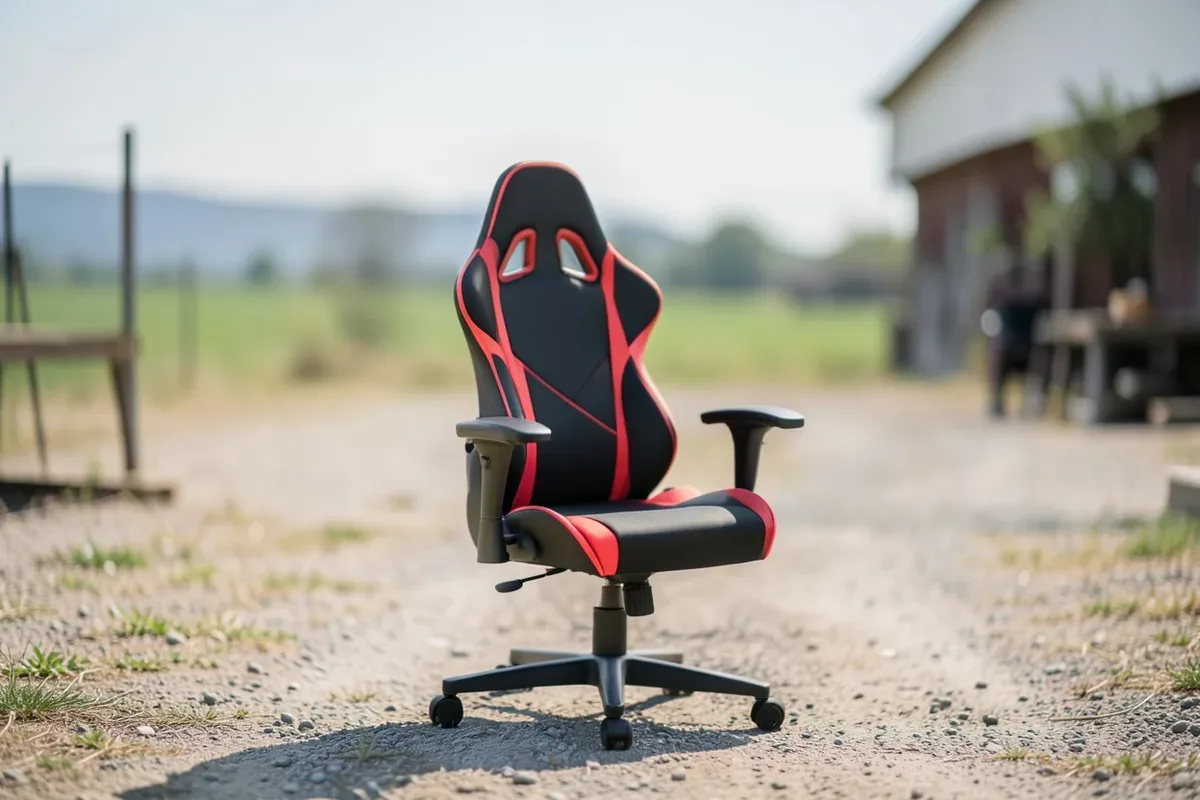
A gaming chair is designed mainly for people who play video games for many hours. Most gaming chairs have a bold look, with bright colors and shapes inspired by racing car seats. But their design is not just about appearance. These chairs usually include special features to support your body during long sessions.
Key Features Of Gaming Chairs
- Bucket seat design: The sides curve up, like a racing car seat, to keep you in place.
- High backrest: Supports your whole back, from hips to head.
- Adjustable armrests: Often move in four directions (up, down, left, right, and angled).
- Removable pillows: Small cushions for your neck and lower back.
- Tilt and recline: Many can lean back up to 180 degrees or more.
- Material: Usually covered in synthetic leather (PU/PVC), sometimes fabric.
Gaming chairs try to combine style with comfort, especially for people who sit for long periods. However, not every feature is useful for everyone.
Who Typically Uses Gaming Chairs?
- Gamers: Especially those who stream or play for long hours.
- Content creators: YouTubers, Twitch streamers, and podcasters.
- Anyone wanting a bold look: Some people choose gaming chairs for their unique style.
What Is A Computer Chair?
A computer chair (also called an office chair) is designed for working at a desk. These chairs focus on simple, professional looks and ergonomic support. You’ll find them in most offices, schools, and home workspaces.
Key Features Of Computer Chairs
- Ergonomic design: Supports good posture, with adjustable seat height and backrest.
- Mesh or fabric material: Allows airflow to keep you cool.
- Simple appearance: Usually black or gray, with clean lines.
- Adjustable lumbar support: Built-in curve for your lower back.
- Swivel and wheels: Easy to move around.
Computer chairs are built for comfort and efficiency during work. They may not stand out visually, but they often support your body well for tasks like typing or video calls.
Who Typically Uses Computer Chairs?
- Office workers: Anyone working at a desk for hours.
- Students: For homework, online classes, or studying.
- Home users: People who want a comfortable, simple chair.
Side-by-side Comparison: Gaming Chair Vs Computer Chair
To make things clearer, here’s a direct comparison of the main features:
| Feature | Gaming Chair | Computer Chair |
|---|---|---|
| Appearance | Bold, colorful, racing style | Simple, professional, neutral colors |
| Back Support | High back, extra pillows | Adjustable lumbar, ergonomic shape |
| Armrests | Highly adjustable (3D/4D) | Usually adjustable (up/down) |
| Material | Synthetic leather, sometimes fabric | Mesh, fabric, sometimes leather |
| Recline/Tilt | Can recline up to 180° | Usually tilts up to 120° |
| Price Range | Mid to high | Low to high |
Comfort And Ergonomics
Comfort is the number one reason people buy a chair. But comfort is not just about soft cushions, it’s about how your chair supports your body over time.
Gaming Chair Ergonomics
Most gaming chairs offer a bucket seat and a tall back, which can help you relax. The removable pillows for neck and lower back support are a big selling point. But, in my experience, these pillows do not fit everyone’s body perfectly. Sometimes, they push your head or back forward in an unnatural way, especially if you’re taller or shorter than average.
Another point: bucket seats keep you in place, but they can be uncomfortable for people who shift position often. The side bolsters may press against your thighs if you like to sit cross-legged.
Computer Chair Ergonomics
Computer chairs often focus on built-in lumbar support and a gentle curve in the backrest. These features help keep your spine in a healthy position. Many computer chairs use mesh backs for breathability, which is especially helpful if you live in a hot climate or sweat easily.
The shape of a computer chair usually allows you to move and shift positions more freely. The seat is flat, and the armrests are simple, so you won’t feel squeezed.
Which Is Better For Long Hours?
If you need to sit for 6, 8 hours a day, an ergonomic computer chair usually offers better long-term support. Gaming chairs are comfortable at first but can cause discomfort if the pillows don’t fit your body.
Pro Tip: Try sitting in both types of chairs for at least 30 minutes before buying. What feels good for five minutes may not work for a whole workday.
Adjustability And Customization
Both gaming and computer chairs offer ways to adjust the fit. However, the level of customization can be different.
Gaming Chair Adjustments
- Armrests: Many gaming chairs have 3D or 4D armrests (move in multiple directions).
- Backrest Recline: Can often recline almost flat (up to 180°).
- Seat Height: Adjusts up and down.
- Tilt Lock: Lets you rock or lock the chair in place.
Computer Chair Adjustments
- Armrests: Usually move up and down, sometimes in and out.
- Lumbar Support: Often adjustable up/down or in depth.
- Backrest Tilt: Tilts backward, but usually not as far as gaming chairs.
- Seat Depth: Some high-end models let you slide the seat forward/back.
Most people find that computer chairs give more useful ergonomic adjustments, especially for lower back support and seat depth. Gaming chairs focus more on dramatic recline and flashy armrest movement, which is fun but not always practical.
Style And Aesthetics
How your chair looks can matter, especially if you stream on camera or want your room to have a certain vibe.
Gaming Chair Style
Gaming chairs are easy to recognize: bright colors, sharp angles, racing stripes, and big logos. They often stand out in a room and make a statement. If you want your setup to look exciting or match your favorite game, a gaming chair fits the bill.
Computer Chair Style
Computer chairs are more subtle. They blend in with most rooms and look professional. If you work from home or share your space, a computer chair is less likely to attract attention.
Example: Many Twitch streamers use gaming chairs because viewers expect that look. But business video calls often look more professional with a simple computer chair.

Credit: chairsfx.com
Durability And Materials
How long a chair lasts depends on the materials and build quality.
Gaming Chair Materials
Most gaming chairs use PU leather (synthetic leather). It looks and feels smooth at first, but can crack or peel after a couple of years, especially if you sweat or move a lot. Some higher-end models use real leather or strong fabric, but these cost more.
The frame is usually metal, which is sturdy. The wheels and base are often plastic but can be upgraded.
Computer Chair Materials
Office chairs often use mesh for the backrest, which is strong and lets air flow through. The seats are padded with foam and covered in fabric or leather. High-end computer chairs, like the Herman Miller Aeron, can last over 10 years with proper care.
Warning: Cheap chairs, whether gaming or computer, often use weak plastics and thin foam. Always check user reviews about long-term durability before buying.
Price And Value
Both chair types come in a wide price range, but you get what you pay for.
Gaming Chair Price Range
Most gaming chairs cost between $150 and $500. Premium models with real leather or special features can go higher. You often pay more for the brand and style than for true ergonomic value.
Computer Chair Price Range
Computer chairs start around $70 for simple models and go up to $1,500+ for top ergonomic brands. Mid-range chairs ($200, $400) often offer the best mix of comfort and value. Expensive chairs usually last longer and offer better support.
Here’s a comparison of price and value:
| Price Range | Gaming Chair Features | Computer Chair Features |
|---|---|---|
| $70, $150 | Basic design, PU leather, limited adjustments | Basic mesh or fabric, simple adjustability |
| $150, $400 | 3D/4D armrests, pillows, bold style | Better lumbar support, mesh back, ergonomic shape |
| $400+ | Premium materials, advanced features | High-end ergonomics, top build quality |
Health Impacts
Your chair can affect your back, neck, and even your mood. Poor seating can cause pain, fatigue, and lower productivity.
Gaming Chairs And Health
The high backrest and pillows on gaming chairs can support your spine, but only if they fit your body. If the pillows are in the wrong place, you may slouch or strain your neck. Many users report that after a few hours, they need to adjust often to stay comfortable.
Computer Chairs And Health
A well-designed computer chair with adjustable lumbar support can reduce lower back pain and help you sit with better posture. Mesh backs improve airflow, which helps you stay cool and focused.
Pro Tip: Even the best chair cannot fix poor posture if you do not take breaks. Stand, stretch, and move every 30, 60 minutes.
Real-world Use Cases
Some tasks are better with a gaming chair, others with a computer chair.
When A Gaming Chair Makes Sense
- Streaming/gaming for hours: The high back and style fit the scene.
- Leaning back to watch movies: The deep recline is great for relaxing.
- If you want a bold setup: Adds style to your room.
When A Computer Chair Is Better
- Office work or studying: Ergonomic design helps you stay focused.
- Video calls and meetings: Looks professional and neutral.
- Hot climates: Mesh back keeps you cool.

Credit: www.youtube.com
Common Mistakes When Choosing A Chair
Many buyers regret their choice because they focus on the wrong things. Here are mistakes to avoid:
- Choosing style over comfort: A cool-looking chair means nothing if you can’t sit for long.
- Not trying before buying: Online photos don’t show how a chair feels.
- Ignoring material quality: Cheap PU leather can crack or smell bad over time.
- Forgetting about size: Some chairs are too big or too small for your body.
- Skipping adjustability: Fixed armrests or backrests can cause pain.
Non-obvious Insights Most People Miss
- Seat Pan Depth Matters: If your thighs are not fully supported, your legs may ache. Many gaming chairs have a fixed seat pan, while some computer chairs let you adjust it.
- Pillow Placement Is Not Universal: The removable lumbar and neck pillows on gaming chairs often need DIY adjustments to fit properly. Sometimes, they don’t match your spine’s natural curve.
- Breathability Is Key: If you sweat easily or live in a warm area, mesh computer chairs provide much more comfort over time compared to synthetic leather gaming chairs.
- Wheels and Casters Vary: Many gaming chairs come with plastic casters that work poorly on carpet. Office chairs often have better wheels or let you upgrade to rollerblade-style casters for smooth movement.

Credit: www.ign.com
Which Chair Should You Buy?
It depends on your main use:
- For gaming and streaming: A gaming chair looks great and supports long sessions, if the pillow fit works for you.
- For work, study, or mixed use: An ergonomic computer chair is usually healthier and more versatile.
- If budget is limited: You can find good office chairs with basic ergonomic support for less money than most gaming chairs.
Pro Tip: If you’re unsure, choose a chair with a simple design and adjustable features. Add a removable cushion if you need extra support, it’s easier to add comfort than to fix a bad chair.
If you want to explore more ergonomic research, the OSHA Ergonomics page offers detailed guidelines for desk workers.
Frequently Asked Questions
Is A Gaming Chair Good For Working From Home?
Gaming chairs can work for home offices, but most are not designed for long hours of typing or paperwork. Their pillows and bucket seats may not fit everyone’s body. If you need to sit all day, a good ergonomic computer chair is usually better.
Can A Computer Chair Be Used For Gaming?
Yes, many computer chairs are great for gaming, especially ergonomic models with good lumbar support. They may not look as bold as gaming chairs, but they often offer better long-term comfort.
Why Are Gaming Chairs More Expensive Than Some Computer Chairs?
Gaming chairs often cost more due to their design, branding, and extra features like reclining up to 180° or 4D armrests. However, you can find high-end computer chairs that are even more expensive because of advanced ergonomic technology and build quality.
How Do I
Products related to this article
Sponsored / affiliate links. As an Amazon Associate I earn from qualifying purchases. I may earn additional commission from eligible campaigns.