How Do Hash Tables Work? Beginner-Friendly Guide
Ever felt like your computer is slow or that finding information takes too long? It’s often because of how data is stored. One of the smartest ways to store data is using something called a hash table.
For a related storage or furniture fix, How To Open An Office Drawer Without A Key helps readers compare the next practical option.
For a related kitchen decision, How Does A Smart Lock Work? Access adds another practical detail to check.
It sounds techy, but it’s actually quite simple. This guide will break down how hash tables work, making it easy for anyone to understand. We’ll explore why they are so fast and where you see them in everyday tech.
Hash tables are a way to store data so you can find it super fast. They use a special math trick to put data in places where it’s easy to get back later. This makes things like searching, adding, or removing data happen almost instantly.
What Is a Hash Table?
Think of a hash table like a super-organized filing cabinet. But instead of using labels on folders, it uses math to know exactly where to put things. This helps you find what you need in a flash.
It’s a data structure. That means it’s a way to hold and organize information.
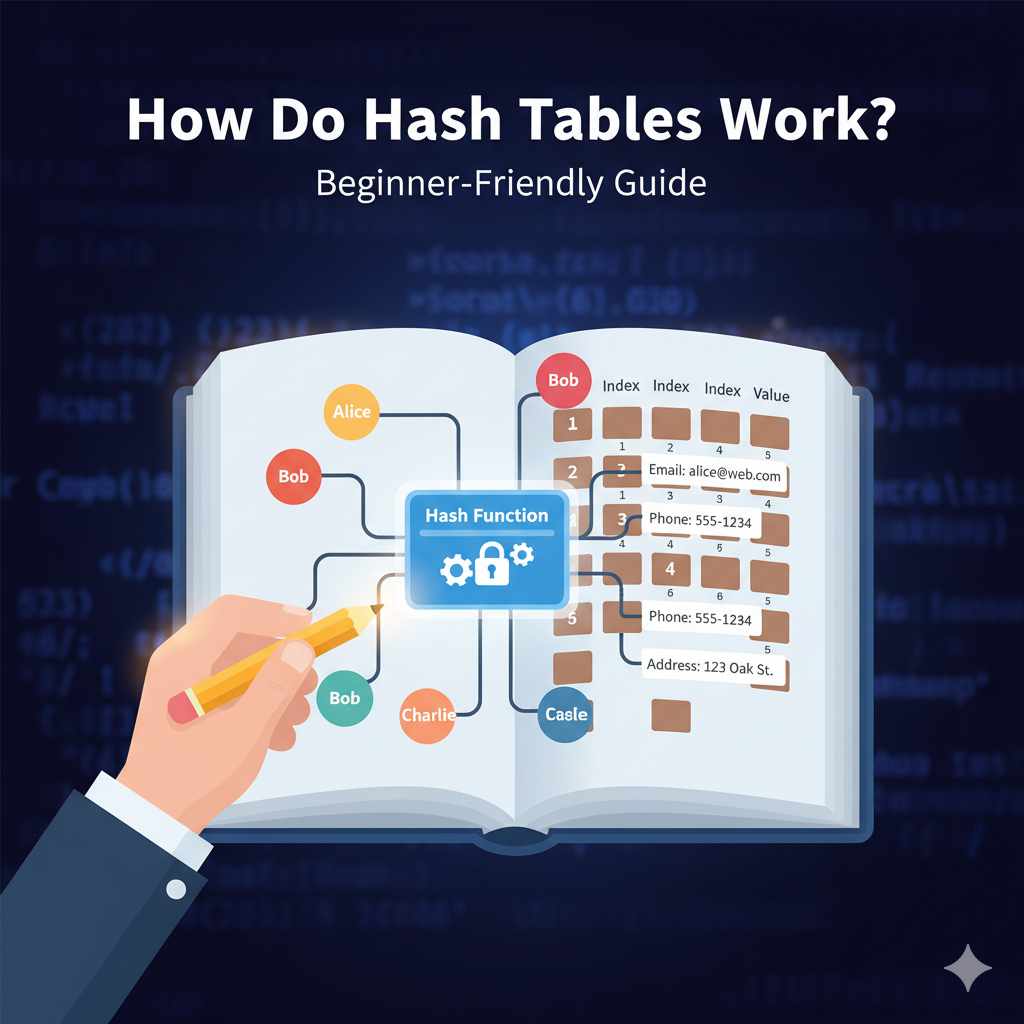
A hash table has two main parts. It has an array, which is like the main set of drawers in our filing cabinet. And it has a hash function.
This is the clever math trick.
The Array: Our Drawer System
The array is a list of storage spots. We call these spots “buckets” or “slots.” Each bucket can hold one or more pieces of data. When you want to store something, the hash table looks at the item and decides which bucket it belongs in.
It does this using the hash function.
Imagine you have a big book. You want to store each word from that book in the filing cabinet. The array is like having 100 drawers.
Each drawer is numbered from 0 to 99.
The Hash Function: The Magic Ticket
The hash function takes your data and turns it into a number. This number then tells the hash table which bucket to use. It’s like a special ticket that leads you straight to the right drawer.
A good hash function spreads the data out evenly among the buckets.
For our book example, if the word is “apple,” the hash function might turn “apple” into the number 15. So, “apple” goes into drawer number 15. If the word is “banana,” it might become the number 82.
So, “banana” goes into drawer 82.
Putting It Together: Storing Data
When you add data, like a name and a phone number, the hash table does this:
- It takes the name (this is called the “key”).
- It sends the key through the hash function.
- The hash function spits out a number.
- This number is the index for the array (our drawer number).
- The name and phone number (this is the “value”) are stored in that specific bucket.
This process makes storing data very quick. It doesn’t matter how much data you have; finding the right bucket is usually just one step.

Why Are Hash Tables So Fast?
The main reason hash tables are fast is their direct access. Unlike lists where you might have to check each item one by one, a hash table often goes straight to the right spot. This is thanks to the hash function.
In computer terms, this speed is often described as having a time complexity of O(1). This means the time it takes to do something (like find data) doesn’t grow much, or at all, as you add more data. It’s like magic for big amounts of information.
Most of the time, finding, adding, or removing data takes the same amount of time. It’s very predictable. This is a huge advantage over other ways of storing data.
Key Concepts at a Glance
Hash Table: A data structure for storing data efficiently.
Array: The main storage area with numbered “buckets” or “slots.”
Hash Function: A tool that turns data (keys) into numbers (indices).
Key: The identifier for a piece of data.
Value: The actual data being stored.
Bucket/Slot: A specific location in the array where data is stored.
Time Complexity: How speed changes with data size (O(1) is very fast).
The Problem: Collisions Happen!
So far, it sounds perfect, right? But there’s a catch. What happens if the hash function gives the same number for two different keys?
This is called a “collision.” It’s like two different words both pointing to the same drawer.
For example, if our hash function turns “apple” into 15 and also turns “apricot” into 15, they both want to go into drawer 15. Our simple filing cabinet analogy breaks a bit here.
Collisions are normal in hash tables. A good hash function tries to make them happen as rarely as possible. But they can’t be avoided completely, especially as you fill up the table.
How Do We Handle Collisions?
When a collision happens, we need a way to store both pieces of data so we can still find them. There are a few common methods for this.
1. Separate Chaining (The Linked List Approach)
This is a very popular way to deal with collisions. Instead of just putting one item in a bucket, each bucket can hold a list of items. This list is often a “linked list.”
Imagine drawer 15 now has a small notepad. When “apple” goes into drawer 15, we write “apple” and its info on the notepad. If “apricot” also hashes to 15, we just add “apricot” and its info to the same notepad, perhaps below “apple.”
When you search for “apricot,” the table first sends “apricot” to drawer 15. Then, it looks through the list in that drawer. It checks each item on the notepad until it finds “apricot.”
This works well. The lists in each bucket usually stay short if the hash function is good and the table isn’t too full. Searching a short list is still very fast.
2. Open Addressing (The Probing Method)
This method is different. When a collision happens in open addressing, we don’t use a list. Instead, we look for another empty spot in the array itself.
It’s like if drawer 15 is full when “apricot” arrives. We then look at drawer 16. If drawer 16 is also full, we look at drawer 17, and so on.
We “probe” for the next available slot.
There are different ways to “probe”:
- Linear Probing: Just check the next spot (15, 16, 17.). This can sometimes lead to “clustering,” where full spots bunch up.
- Quadratic Probing: Check spots like 15, 15+1^2 (16), 15+2^2 (19), 15+3^2 (24). This spreads things out a bit better.
- Double Hashing: Use a second hash function to decide how far to jump. This is often the most effective but more complex.
When you need to find data using open addressing, you start at the original hashed spot. If it’s not there, you follow the same probing pattern until you find your data or an empty spot (which means the data isn’t there).
Collision Handling Styles
Separate Chaining: Each bucket holds a list of items. Think of a small linked list within each drawer.
Open Addressing: If a spot is full, find another empty spot in the main array. It’s like looking for the next available desk in an office.
- Linear Probing: Try the next spot, then the next, and so on.
- Quadratic Probing: Jump with increasing steps.
- Double Hashing: Use a second hash function for the jump size.
What Makes a Good Hash Function?
The performance of a hash table heavily relies on its hash function. A good hash function should:
- Be fast to compute.
- Distribute keys evenly across all buckets.
- Produce the same output for the same input every time.
Think about it: if the hash function always sends everything to bucket #5, then that one bucket becomes a very long list (in separate chaining) or a huge cluster (in open addressing). This makes lookups slow, defeating the purpose of a hash table.
For example, a very simple (and bad) hash function might just take the first letter of a word. If you’re storing lots of words starting with “s,” they would all go to the same place. A better function uses more of the key’s information, like summing up the character codes and then using the modulo operator to fit it into the array size.
Example: Let’s say our array has 10 buckets (indices 0-9). We have a word “cat”.
- ‘c’ has a code of 99.
- ‘a’ has a code of 97.
- ‘t’ has a code of 116.
Sum = 99 + 97 + 116 = 312.
Now, we use the modulo operator (%) to get a number between 0 and 9. 312 % 10 = 2.
So, “cat” would go into bucket 2.
This is a basic idea. Real-world hash functions are more complex to ensure better distribution and fewer collisions.
Hash Function Goals
Speed: Quick calculation is vital. The hash function itself shouldn’t slow things down.
Even Distribution: Spread keys out fairly across all buckets to avoid crowding.
Determinism: Always give the same number for the same input. No surprises!
Collision Minimization: Aim to produce unique numbers for different keys as much as possible.
Load Factor: When Is the Table Too Full?
The “load factor” is an important concept. It tells us how full the hash table is. It’s calculated as: (Number of items stored) / (Total number of buckets).
If the load factor gets too high, collisions become more frequent. This can slow down operations. For example, if you have 10 buckets and 10 items, the load factor is 1.0.
If you have 10 buckets and 20 items, and you’re using separate chaining, each bucket would have, on average, 2 items. If you’re using open addressing, it becomes very crowded.
When the load factor reaches a certain point (often around 0.7 or 0.75), the hash table might need to be “resized.” This means creating a larger array and rehashing all the existing items into the new, bigger table. This is an expensive operation but necessary to maintain speed.
Resizing is like getting a bigger filing cabinet. You have to take everything out of the old cabinet, sort it again, and put it into the new, larger one. It takes time, but then you have much more space, and things can be organized efficiently again.
Load Factor Quick Guide
What it is: A measure of how full the hash table is.
Calculation: (Number of Items) / (Number of Buckets)
Why it matters: High load factors increase collisions and slow down operations.
Action: When load factor gets high, the table is resized to a larger capacity.
Where Do You See Hash Tables in Action?
Hash tables are everywhere in computing, even if you don’t see them directly. They are the backbone of many fast operations.
1. Dictionaries and Maps in Programming
Most programming languages have built-in data structures called “dictionaries” or “maps” (like Python’s `dict`, Java’s `HashMap`, or JavaScript’s `Object` and `Map`). These are almost always implemented using hash tables. They let you store data as key-value pairs, just like we’ve described.
Need to look up a user’s profile by their username? A hash table makes it instant.
2. Databases
Databases use hash tables (or similar hashing techniques) for indexing. When you search for a record in a large database, the database system uses an index to quickly find the relevant data. Hash indexes can provide very fast lookups, especially for exact matches.
3. Caching
Caching is storing frequently used data in a faster, more accessible place to speed up future requests. Web browsers cache images and web pages, and servers cache database queries. Hash tables are perfect for this because they allow for very quick checks to see if the requested data is already in the cache.
Imagine a coffee shop. They keep popular pastries at the front counter (the cache). When you order, they first check the counter.
If it’s there, great! You get it fast. If not, they go to the back storage (the main database).
A hash table is like the index that tells them exactly where on the counter or in the back storage to look.
4. Symbol Tables in Compilers
When a computer program is compiled, the compiler needs to keep track of all the variable names, function names, and other identifiers. This is done using a “symbol table,” which is often built with hash tables. This helps the compiler quickly find information about each identifier as it processes the code.
5. Sets
Sets are collections of unique items. Hash tables are commonly used to implement sets because they can quickly check if an item is already present, ensuring uniqueness. Adding an item to a set or checking for its existence is very efficient.
Personal Experience: The Time I Almost Broke Our Order System
I remember one time, early in my career, I was working on a system that handled online orders for a small bakery. It was a simple system, but it was critical. We used a hash table to store customer order details, keyed by their order ID.
One busy Saturday morning, orders started flooding in. Everything seemed fine. Then, suddenly, our customer service team started reporting that some orders couldn’t be found.
People were calling to check on their cakes, but the system showed no record. Panic started to set in.
I rushed to my desk, my heart pounding a little. I started digging into the logs. I could see orders being added, but when someone tried to look them up later using the order ID, the system would sometimes say “not found.” It was baffling.
The hash table was supposed to be our fastest lookup mechanism!
I started looking at the hash function we were using. It was a custom one, not a standard library one. As I traced the code, I found a subtle bug.
When the order ID was a very long string, our hash function would sometimes produce the same hash value for two different, but similar, long order IDs. This caused a collision that wasn’t being handled gracefully in our specific open addressing scheme. The data was essentially lost in the collision, or at least very hard to retrieve.
It turned out that a few very long, auto-generated order IDs were causing this specific collision. I felt a wave of relief mixed with embarrassment. We quickly fixed the hash function and updated the table.
The system immediately started finding all the orders again. That day taught me how crucial a well-designed hash function and robust collision handling are. Even a small oversight can cause big problems.
Real-World Example: A Supermarket Checkout
Scenario: You’re buying groceries. The cashier scans an item.
Behind the Scenes: The item’s barcode is the “key.” The store’s computer system uses a hash table (or similar) to quickly look up the “value”—the item’s name, price, and if it’s on sale.
Hash Table Role: It instantly finds the price and name, then adds it to your total. Without it, the cashier would have to manually look up each item in a giant price book, making checkout incredibly slow.
What Does This Mean for You?
Understanding hash tables helps you appreciate how the technology you use every day works. It explains why searches are fast, why apps load quickly, and why you can store so much information without your devices grinding to a halt.
When It’s Normal
It’s normal for hash tables to be the engine behind fast lookups. When you type a search query and get results in milliseconds, or when you open an app and it loads its settings instantly, a hash table is likely involved. It’s also normal for collisions to happen; that’s why good handling methods are built-in.
When to Worry (or Rather, When Developers Worry)
Developers worry if the hash table’s performance starts to degrade. This usually happens when:
- The hash function is poorly chosen and causes too many collisions.
- The load factor becomes too high, and the table needs resizing too often.
- There’s a bug in the collision resolution logic.
For an end-user, this might manifest as an application becoming sluggish, searches taking longer, or even data seemingly disappearing (like in my bakery story). These are signs that the underlying data structures might be under strain.
Simple Checks (for Developers)
If you were a developer working with a hash table, you’d look at:
- Load Factor: Is it consistently high?
- Collision Rate: How often are collisions occurring?
- Performance: Are operations taking longer than expected?
These checks help diagnose if the hash table is still working optimally.
Hash Table vs. Other Structures
Array: Fast access if you know the index. Slow for searching if you only know the value. Fixed size.
Linked List: Good for adding/removing items. Very slow for searching (must check one by one).
Hash Table: Very fast for adding, removing, and searching (on average). Handles collisions. Dynamic resizing.
Quick Tips for Understanding Hash Tables
When thinking about hash tables, keep these simple ideas in mind:
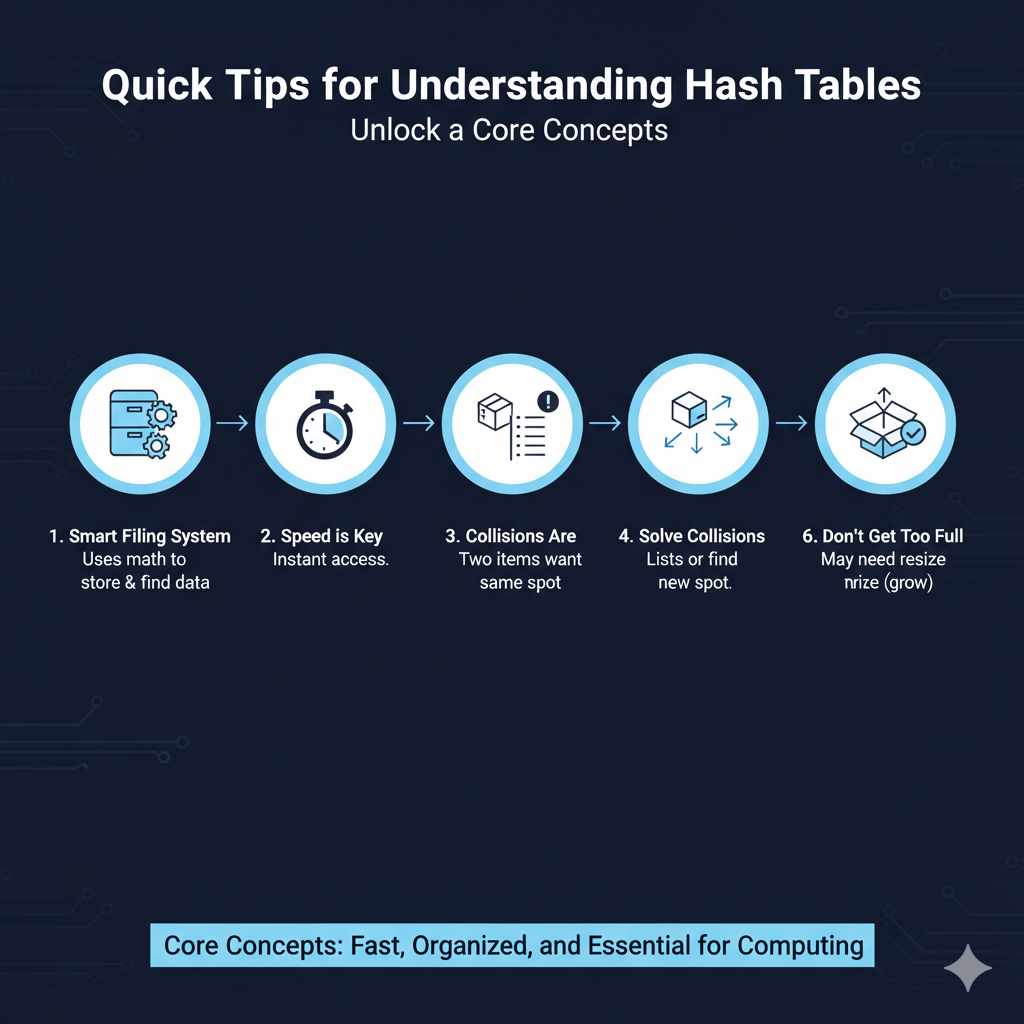
- It’s a smart filing system. It uses math to know where to put and find things.
- Speed is key. It’s designed to get you to your data almost instantly.
- Collisions are normal. Like two things needing the same spot.
- Different ways to solve collisions. Using lists or finding another spot.
- A good math trick (hash function) is vital. It spreads things out.
- Don’t let it get too full. Sometimes it needs to get bigger.
These simple points cover the core of how hash tables work and why they are so important in computing.
Frequently Asked Questions about Hash Tables
What is the main benefit of using a hash table?
The main benefit is speed. Hash tables allow for very fast average-case time complexity for quick access is needed.
Can a hash table store duplicate keys?
Typically, a standard hash table is designed to store unique keys. If you try to insert a key that already exists, the behavior depends on the implementation: it might update the value associated with that key, or it might disallow the insertion. If you need to store multiple values for the same key, you would usually store a list or another collection as the value.
What happens if a hash table runs out of space?
When a hash table’s load factor gets too high, it usually triggers a process called “resizing.” The table creates a new, larger array and then rehashes all the existing key-value pairs into this new, bigger array. This process can be time-consuming but ensures the table can continue to operate efficiently.
Is a hash table the same as an array?
No, they are different. An array stores elements in contiguous memory locations, accessed by an index (like a numbered list). A hash table uses an array internally, but it adds a hash function to map keys to indices.
This allows for fast lookups based on a key, rather than just a numerical position.
How does a hash table handle non-numeric keys like strings?
Hash tables use hash functions to convert non-numeric keys (like strings, objects, etc.) into numerical values. This number is then used to determine the index in the underlying array where the data should be stored or retrieved. The hash function ensures that the same string will always produce the same number.
What is the worst-case scenario for a hash table?
The worst-case scenario for a hash table occurs when many keys hash to the same bucket, leading to many collisions. If a poorly designed hash function maps almost all keys to the same spot, operations like searching could degrade to O(n) time complexity (like searching a linked list), where ‘n’ is the number of items. This is why choosing a good hash function and managing the load factor are critical.
The Takeaway on Hash Tables
Hash tables are a fundamental data structure that powers much of our digital world. They offer a remarkable balance of speed and flexibility. By understanding their core mechanics—the array, the hash function, and collision handling—you gain insight into how efficient data management works.
They are a testament to how clever algorithms can solve complex problems, making our technology faster and more responsive.
Products related to this article
Sponsored / affiliate links. As an Amazon Associate I earn from qualifying purchases. I may earn additional commission from eligible campaigns.