TV Stand Assembly Problems: Causes and Simple Fixes
Many TV stand assembly problems come from one of four errors: missing fasteners, flipped panels, misaligned cam locks, or an uneven floor. Fix the exact fault, not the whole unit. Left alone, those mistakes can leave the stand leaning, strain the joints, and let a mounted TV shift or tip if the stand is not designed for that mount and weight load. This guide shows how to identify each symptom and correct the build error that caused it.
What TV stand assembly problems look like


Start with the symptom, not the manual. A wobble usually points to loose joints, an uneven floor, or a frame built out of order. Leaning, sticky drawers, and misaligned cabinet doors often mean the stand is square in one place and off in another.
Look at where the problem appears. If the whole unit rocks, suspect the base, side panels, or leveling feet. If only one drawer or door binds, the frame may be fine but the hardware that guides that part may be installed wrong or out of alignment.
A build error is different from a damaged part. A loose cam lock can often be corrected. A cracked panel, split joint, or bent bracket is a stop sign because the TV stand frame may no longer support shelves, doors, or the TV safely.
TV stand troubleshooting matrix
| Symptom | Likely cause | Quick test | Fix | Disassemble and rebuild? |
|---|---|---|---|---|
| Wobble when touched | Loose cam locks, uneven floor, or unfinished frame order | Press each corner and watch for movement at the panel joints | Seat cam locks fully, tighten hardware with the included Allen wrench, then level the unit before final tightening | Maybe, if the wobble remains after leveling and retightening |
| Stand leans to one side | Reversed side panel, uneven floor, or missing leveling support | Check whether both side panels match the manual and compare the top edge to a level surface | Correct panel orientation, then use floor leveling or adjustable feet if the floor is uneven | Yes, if a side panel is flipped or the frame order is wrong |
| Cabinet doors misaligned | Uneven frame, hinge misalignment, or sag from loose fasteners | Open and close each door slowly to see where it rubs | Square the frame, then adjust hinges after the stand is level | Usually not, unless the frame itself is out of square |
| Drawer sticks or will not close | Drawer slides misinstalled or not parallel | Remove the drawer and check whether both slides catch at the same point | Realign the slides and confirm the drawer box sits square in the opening | Sometimes, if the slide mounting points were installed in the wrong holes |
| Cam lock spins or pulls free | Crossed cam bolt, stripped cam lock, or incomplete seating | Inspect whether the cam bolt head fully engages the cam | Reset the joint, reseat the cam lock, and replace damaged hardware if available | Yes, if the lock will not hold after reseating |
| Hardware missing from box | Incomplete hardware kit | Inventory the screws, brackets, bolts, hinges, and drawer slides before proceeding | Pause the build and request the missing part before load-bearing assembly continues | Yes, if the missing part is structural or essential to the current step |
| Frame cracked or joint split | Damage during assembly or excessive load | Look for visible cracks, bowed panels, or joints that no longer pull tight | Stop using the stand and verify whether the unit still meets the manual’s rating | Yes, and often the safer choice is replacement |
Why is the stand wobbling?
A wobbling TV stand is often caused by one of three things: a fastener is loose, the floor is uneven, or the frame was tightened before it sat square. Loose cam locks are a common culprit because they join panels. If they are not fully seated, the stand can rock even when every screw looks installed.
Suppose a 55-inch flat-pack stand rocks only when you press the front-left corner. That pattern often points to a corner that is not fully seated or a foot that is not touching the floor. If the same motion shifts the whole cabinet, the base is likely not square yet.
Loose cam locks and fasteners
Cam locks should sit fully flush and turn until the joint pulls tight. If they are loose, the TV stand frame can flex at the panel seams. That flex becomes wobble once shelves or doors add weight. Use the included Allen wrench, and any other tool the hardware calls for, for the fasteners the manual specifies, then recheck the joint after each adjustment without overtightening.
Look for crossed cam bolts. If the bolt head did not enter the cam cleanly, the lock may turn but never clamp the panels together. That problem often shows up as a joint that feels tight on one side and loose on the other.
Uneven load distribution
Heavy items stored on one side can make the stand lean even when the frame is assembled correctly. The weight limit can vary by model, and it should not be exceeded. Keep the TV, soundbar, game console, and décor within the manufacturer’s listed limit and spread them across the intended shelf positions.
A stable setup improves safety around TVs, shelves, drawers, and media equipment. If a shelf is overloaded on one side, the stand may twist slightly and open gaps elsewhere. That is a load issue, not a screw issue.
Floor leveling and final tightening
A level surface matters before final tightening because it lets the frame settle in its natural position. On uneven floors, use floor leveling methods allowed by the manual, such as adjustable feet or shims. Place shims carefully so they support the stand evenly, because poorly placed shimming can reduce stability. Then retighten the hardware after the stand no longer rocks.
Do not treat leveling as a later step. If the stand is forced square while one leg hangs in the air, the frame can bind and the doors or drawers may stop lining up later.
Why do parts not align?
Misalignment usually comes from the wrong order, the wrong orientation, or a part installed in the wrong holes. If the side panels are reversed, the drawer openings, hinge holes, or back panel slots can land out of position. Drawer slides and cabinet doors are the first places the mistake shows up.
Check the frame from the base up. The TV stand frame should go together in the order shown by the manual, with the base and side panels forming the main rectangle before doors, drawers, and shelves are added. If that core frame is off, the rest will never line up cleanly.
Reversed side panels or wrong panel order
Reversed side panels can look almost correct until the final steps. Hole placement, edge banding, and cutouts often reveal the orientation. If a shelf will not sit flush or a back panel will not fit, stop and confirm that the left and right panels are not swapped.
For larger entertainment centers, one reversed section can throw off several connected bays. Do not force the back panel or doors into place. That can strip fasteners and lock the cabinet into a twisted shape.
Misplaced drawer slides
Drawer slides need alignment on both sides. If one rail sits higher, farther back, or on the wrong face of the panel, the drawer box can bind before it closes. Remove the drawer, compare both slides to the manual, and confirm that the mounting points match the intended holes.
A common first-timer mistake is installing one slide in the mirror position of the other. The drawer may start smoothly and then jam halfway in. That is a hardware placement issue, not a sign that the drawer itself is defective.
Cabinet doors out of square
Cabinet doors require hinge alignment, and they often sag if the supporting panels are uneven. First square the stand. Then adjust the hinges only after the frame sits level and the doors can hang from a stable opening. If the panel itself is racked, hinge adjustment alone will not solve it.
Say your stand has two cabinet doors and the right door scrapes the bottom rail. That usually means the opening is not square or the hinge position is off. Correct the frame first, then recheck the gap and swing on both doors.
How do you fix drawers, doors, and cam locks?
Start with the hardware that moves. Drawer slides, cabinet doors, and cam locks are the most common post-build adjustment points because they react quickly to small alignment errors. If the frame is stable and within the weight limit, these parts can often be corrected without tearing down the whole stand.
Drawer slides that bind
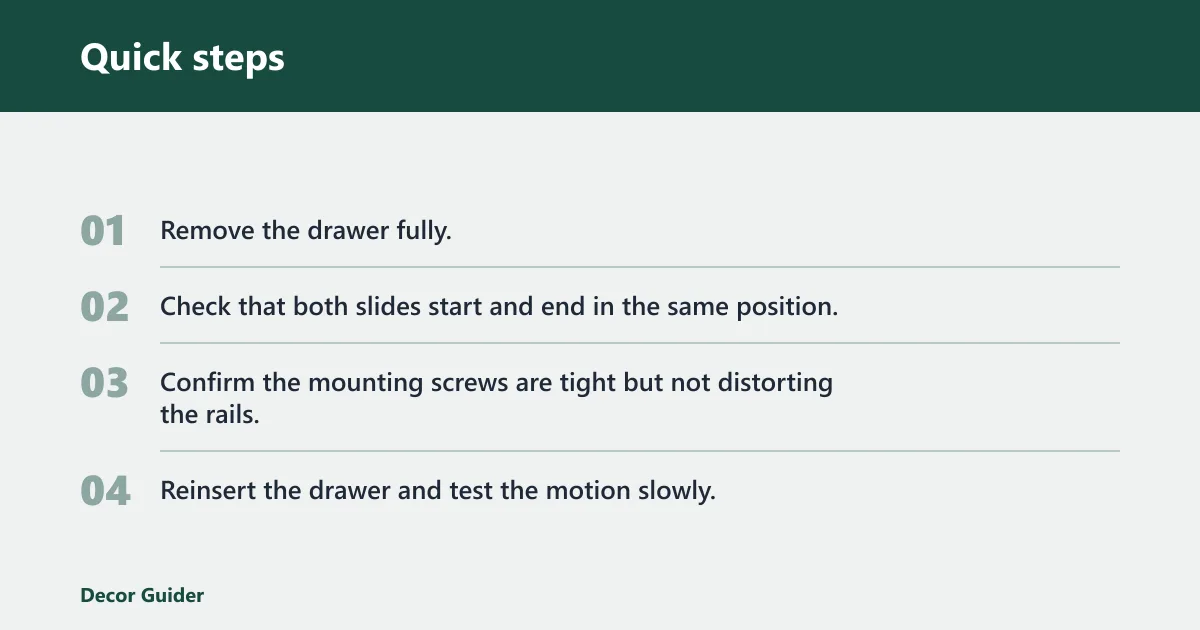
Drawer slides bind when they are not parallel, not seated in matching holes, or installed on the wrong cabinet face. Pull the drawer out, inspect both slides, and make sure the metal parts track at the same height and depth. If the slides are correct but the drawer still drags, the opening may be slightly out of square.
- Remove the drawer fully.
- Check that both slides start and end in the same position.
- Confirm the mounting screws are tight but not distorting the rails.
- Reinsert the drawer and test the motion slowly.
Cabinet doors that sag or rub
Cabinet doors that sag usually need hinge correction after the frame is settled. If one door rubs the side panel or center stile, the opening may be uneven. Tighten the hinge screws first, then confirm the door swings cleanly without forcing it. If the cabinet opening is warped, the door can only be corrected so far.
Cam locks that will not seat properly
How do you fix loose cam locks on a TV stand? First verify that the cam bolt is in the correct hole and has not been crossed. Then turn the cam until the panel pulls tight. A cam lock that spins without gripping may be stripped, damaged, or engaging the wrong bolt length. Replace the part if the manual or hardware kit provides a spare.
Do not keep tightening a cam that has already stripped. That can crush the panel edge and weaken the joint. If the lock fails after one careful reset, treat it as a rebuild or replacement issue, not a minor adjustment.
When should you stop and rebuild?
Stop and rebuild when the problem is structural, not cosmetic. Missing hardware, stripped fasteners, broken joints, or any frame issue that affects the stated load rating are reasons to pause. The same applies when a damaged panel or cracked joint makes the stand unsafe to load.
If the hardware kit is incomplete, do not substitute screws or bolts at random. The manual typically advises checking that all parts and hardware are included before starting, and the stand should not move from assembly mode to use mode until that check is done.
Missing hardware or stripped fasteners
A missing bracket can stop the build at a critical step, especially in a corner TV stand or a larger entertainment center with several shelves. Stripped fasteners are similar. If the screw no longer holds and the hole will not grip, the joint may not carry the load it was designed for.
Frame damage or cracked panels
Any visible frame damage is a safety stop. A cracked panel, split corner, or bent bracket can spread under the TV’s weight and the stored media equipment. Proper assembly helps prevent structural issues and collapse risk, but damaged parts can defeat that protection even if the rest of the unit is correct.
Load rating or tipping safety concerns
Never exceed the weight or size limits specified in the manual. If the stand already feels unstable, or if the planned TV and storage load would push it beyond that limit, stop and reassess before use. In homes with children or pets, wall anchoring is often the safer choice because it adds tip resistance.
Wall anchoring does not replace correct assembly. It adds protection against tipping. That matters most for tall units, fireplace TV stands, and larger entertainment centers with top-heavy storage or a mounted screen.
Tools, leveling, and safety checks
The included Allen wrench is often the main assembly tool, and many kits rely on it for tightening bolts and cam hardware. Keep basic hand tools nearby, but do not assume the Allen wrench is enough if the hardware or instructions call for a screwdriver or another driver. Check the hardware kit first so you know what is present before assembly starts.
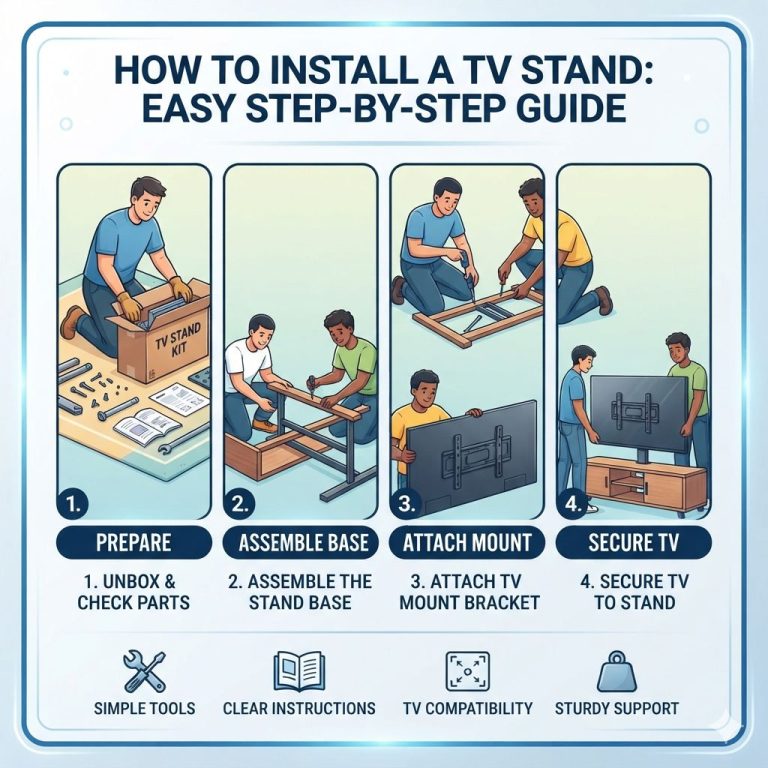
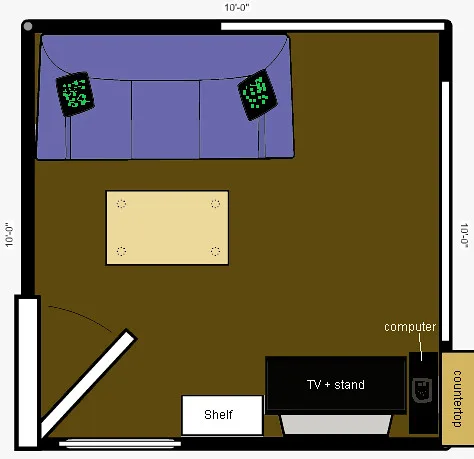
The typical assembly process starts with reviewing the room and final placement area. That matters because the stand should be built where it will sit, or at least near its final position, so you can check the floor, the wall clearance, and the door swing before the last fastener is tightened.
Level surface and floor leveling
A level surface helps the stand sit properly before final tightening. If the floor slopes or has a high spot, the frame can twist and create alignment errors later. Use the leveling method the manual allows. If the model has adjustable feet, set them to remove rock before tightening the final hardware.
For uneven floors, floor leveling is not cosmetic. It changes how the stand carries load. A cabinet that rests evenly is less likely to lean, bind, or pull its doors out of alignment over time.
Wall anchoring for added tip resistance
Wall anchoring is recommended for safety in some setups, especially where children or pets could pull on doors or shelves. It is most relevant when the stand is tall, narrow, or carrying a TV near the top. Follow the manufacturer’s instructions for anchoring hardware and wall type.
Flat-pack stands often need the most attention to panel order and cam locks. Fireplace TV stands add insert and ventilation considerations, so do not block the airflow openings the manual identifies. Larger entertainment centers usually fail at alignment first because their many shelves and doors multiply small mistakes.
Frequently asked questions
How do I know if my TV stand is assembled correctly?
A correctly assembled TV stand sits level, does not rock, and keeps doors and drawers moving without rubbing. The cam locks should be fully seated, the joints should feel tight, and the unit should stay within the manual’s weight limit. If the frame twists or leans, something still needs correction.
What tools do I need to assemble a TV stand?
The included Allen wrench is often the main tool, and many kits also use a screwdriver for hinges or slides. Check the hardware kit before starting so every screw, bracket, bolt, hinge, and drawer slide is accounted for. Use only the tools the manual calls for on your model.
How do I level a TV stand on an uneven floor?
Set the stand in its final location, then check whether it rocks. If the manual allows adjustable feet or shims, use them to remove the movement before final tightening. A level surface reduces wobble, helps doors and drawers align, and keeps the TV stand frame from twisting under load.
Why is my TV stand wobbling after assembly?
Wobble after assembly usually comes from loose cam locks, uneven load distribution, or floor issues. Check the joints first, then confirm the stand sits flat on the floor. If the wobble remains after retightening and leveling, the frame may be built out of order or a part may be damaged.
What should I do if TV stand parts do not align?
Stop forcing the parts together. Confirm the side panels are not reversed, the frame order matches the manual, and the drawer slides are mounted on the correct sides. If the cabinet doors or back panel still refuse to fit, the build likely needs a partial or full rebuild before use.
When should I hire TV stand assembly service?
Use assembly service when the stand is large, the instructions are difficult to follow, or the build includes drawers, doors, or fireplace components that need careful alignment. TV stand assembly services help set up media furniture with fewer mistakes, and they can be a practical choice if frame damage or missing hardware makes the job harder.
Products related to this article
Sponsored / affiliate links. As an Amazon Associate I earn from qualifying purchases. I may earn additional commission from eligible campaigns.