
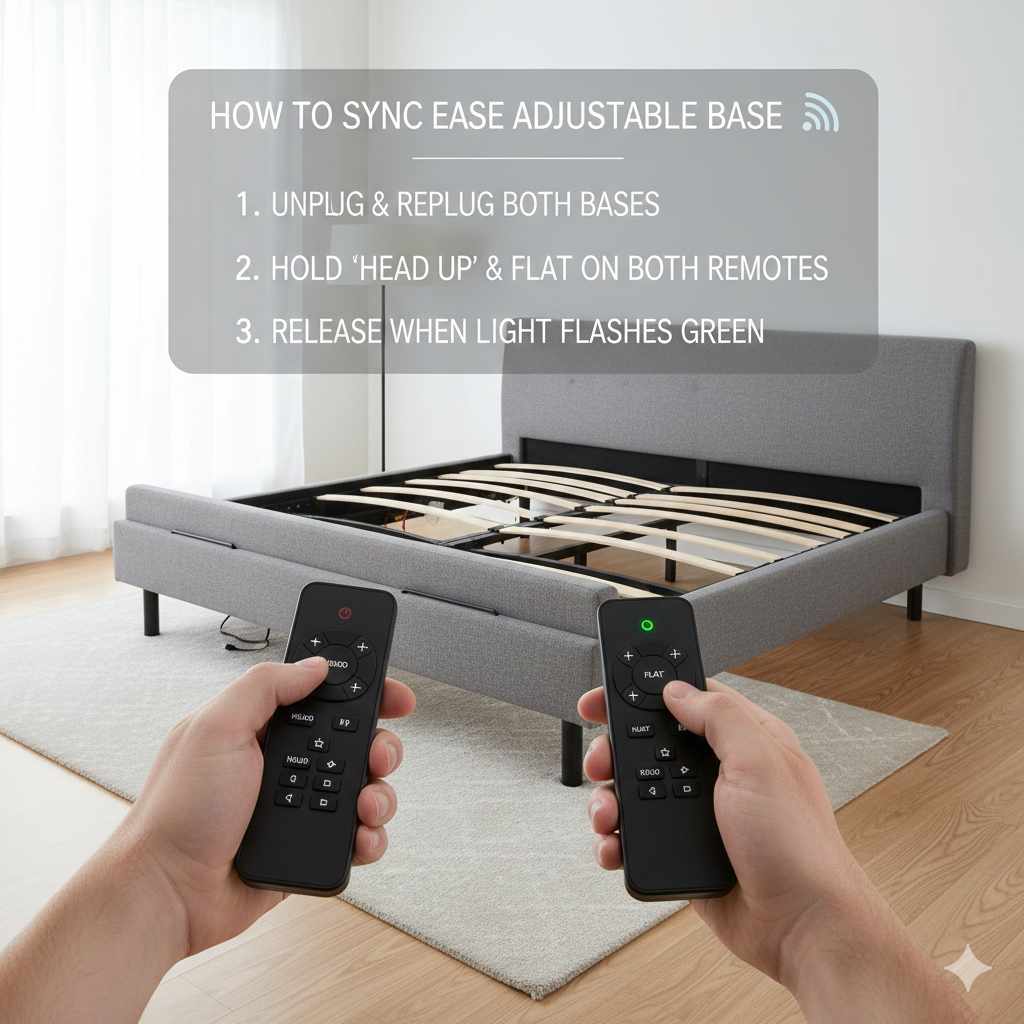
To sync an Ease adjustable base, ensure both base halves are fully lowered, then press and hold the ‘Head Down’ and ‘Foot Down’ buttons simultaneously on both remotes for about 10–15 seconds until you hear a beep or see the base reset.
Welcome! If you recently moved your adjustable bed or had a power flicker, you might notice one side of your split king or queen base is moving while the other stays put. That is frustrating! It means the two sides have lost their synchronized signal, which is common with many adjustable bed systems, especially those using the “Ease” technology.
Don’t worry. Getting them talking to each other again is usually a quick fix you can do right now. We are going to walk through the steps simply, avoiding confusing technical terms. By the end of this guide, your adjustable base will be moving perfectly in unison again. Let’s get your comfort back on track!
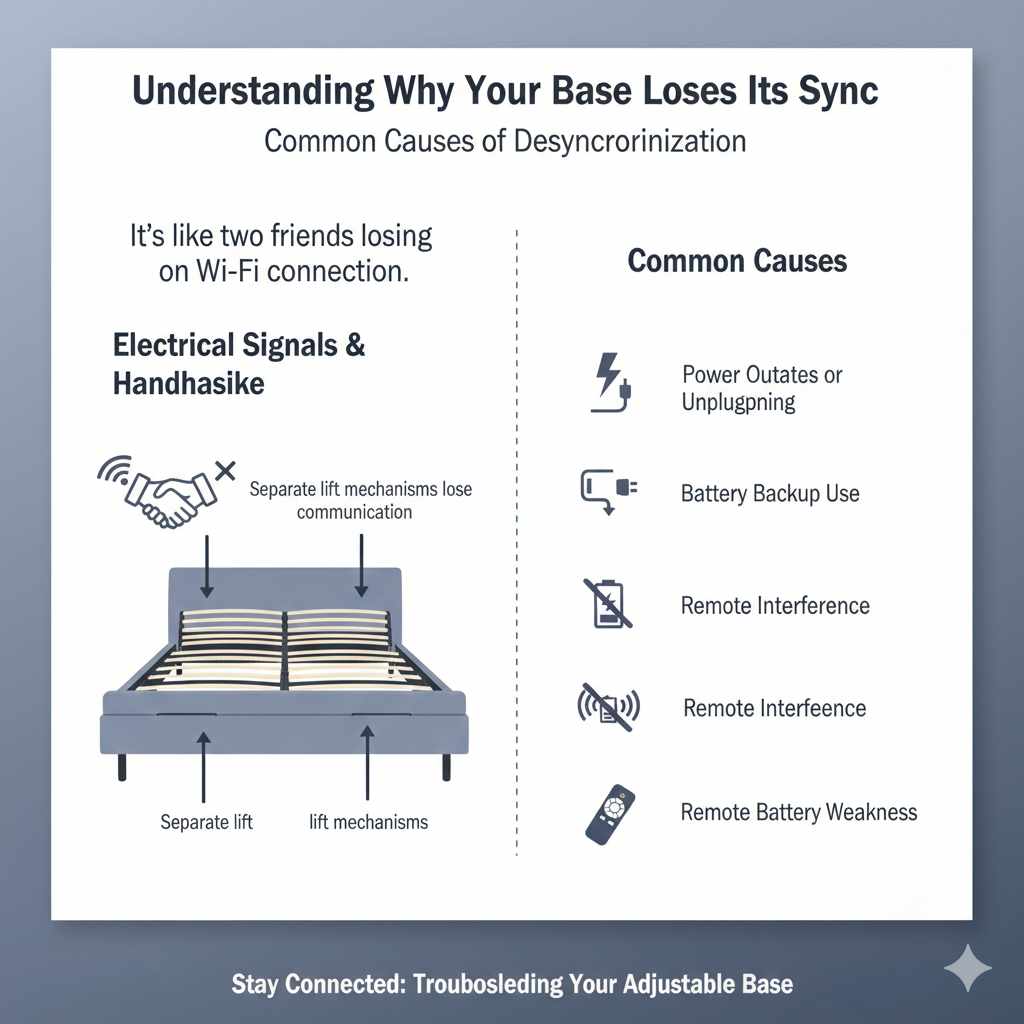
Understanding Why Your Base Loses Its Sync
Adjustable bases are clever pieces of machinery, but they rely on simple electrical signals. When these signals get interrupted, the two separate lift mechanisms—even if they look like one unit—can forget they are supposed to work together. This is called ‘losing synchronization’ or ‘losing handshake.’
Common Causes of Desynchronization
It is helpful to know why this happens so you can potentially avoid it next time. Think of it like two friends who lose the Wi-Fi connection—they just stop communicating properly.
- Power Outages or Unplugging: If the power goes out briefly, or if you physically unplug the base for cleaning or moving, the control box often defaults to an unsynced state.
- Battery Backup Use: If your base ran on its backup battery during a power outage, the subsequent reconnection might cause a momentary system hiccup.
- Remote Interference: Although less common, sometimes nearby electronics can temporarily disrupt the wireless connection between the remote and the control box, leading to a loss of sync.
- Remote Battery Weakness: Weak batteries in the remote can cause erratic signals, sometimes leading the system to believe it needs a re-sync.
Split Base vs Single Base Syncing
It is important to know what kind of setup you have. The syncing process we discuss below is almost always necessary for:
- Split King or Split California King Beds: These use two separate mattresses, two separate control boxes, and usually two separate remotes that are paired together for synchronous movement.
- Bases That Have Been Separated: If you have a standard king base that you separated into two twins for moving and then put back together, they must be re-synced.
If you have a standard, single queen or king base that uses one control unit, you usually don’t need this reset procedure. If one side stops moving on a single unit, it’s more likely a mechanical issue or a simple remote battery replacement.
Preparation: Getting Ready for the Sync Process
Before we press any buttons, taking a moment to prepare ensures the process goes smoothly the first time. This sets the stage for a successful reset. Think of this as checking your tire pressure before a long road trip!
Necessary Checks Before You Begin
We need to confirm a few things are in order:
- Check Power Connections: Make absolutely sure the power cords for both sides of the adjustable base (if you have a split system) are securely plugged into working wall outlets. Do not use power strips for adjustable bases if you can avoid it; direct wall power is best for consistent operation.
- Check Remote Batteries: Take a quick look at the batteries in the remote control you are using for the side that is not moving. If they look old or weak, replace them now. Strong batteries are key to sending a clear reset signal.
- Ensure the Surface is Clear: Make sure nothing is trapped underneath the bed frame or underneath the head/foot sections (like blankets, cords, or pets!). The base needs to move freely during the reset cycle.
- Locate the Control Box (Optional but Helpful): Sometimes, you might need to briefly access the actual control box underneath the mattress foundation to check blinking lights, but for basic syncing, the remote is what we focus on.
Tools (Or Lack Thereof) You Will Need
The best part about this fix? You likely won’t need any tools at all! This is a purely electronic reset.
| Item | Purpose | Do I Need It? |
|---|---|---|
| Remote Control | To send the sync command. | Yes, must be functional. |
| New AAA Batteries | To ensure strong transmission signal. | Recommended if remote seems slow. |
| A Helper (Recommended) | To press buttons on the second remote simultaneously. | Highly recommended for split bases. |
Pro Tip from Dustin: If you have a split bed, having your partner or a friend ready to press the buttons on the other remote at the exact same time makes this process almost foolproof.
The Proven Guide: How To Sync Ease Adjustable Base
This sequence is the standard, industry-proven method for re-establishing communication between the two halves of your split adjustable base or resetting a single base that is acting confused. We will focus on the most common technique used by manufacturers that utilize the “Ease” or similar wireless platforms.
Step 1: Fully Lower Both Sides to the Flat Position
This is the most critical starting point. The base control box needs a known, static starting position to recalibrate itself. If one side is raised when you start, it complicates the process.
- Take Remote A (controlling Side 1) and press and hold the Head Down button until the section stops moving.
- Take Remote B (controlling Side 2) and press and hold the Head Down button until that section stops moving flat on the floor/frame.
- Double-check that both sections are as flat as they can possibly go—ideally, they should both be at zero degrees.
Step 2: Locate the Sync Buttons on Both Remotes
The “sync” command is usually not a single button labeled “SYNC.” Instead, it’s a specific combination of two buttons pressed together. While manufacturers vary slightly, the most common synchronization pattern involves holding down the two “movement” stop buttons simultaneously.
On most common adjustable base remotes (often resembling the ‘Ease’ style), you are looking for the two deepest downward buttons:
Step 3: Execute the Simultaneous Sync Command (The Heart of the Fix)
This action tells the two independent control boxes linked to your single platform to re-establish their wireless pair. Speed and coordination matter here.
- Have one person ready at Remote A and another person ready at Remote B.
- On the count of three (or just quickly!), both people must press and hold the Head Down button AND the Foot Down button on their respective remotes at the exact same time.
- Continue holding both buttons down continuously.
- Watch the Base: After approximately 10 to 15 seconds of holding these buttons, the base should react. The entire unit (both sides) may slightly move up and down, twitch, or you might hear a distinct BEEP or click from the control boxes.
- Once you hear the beep or see movement, release the buttons immediately.
If the base moved or beeped, congratulations—the sync was successful! If nothing happened after 20 seconds, release the buttons, wait 30 seconds, and try the process again, focusing on making the button press as simultaneous as possible.
Step 4: Test the Synchronization
Never assume the fix worked until you test it! We need to confirm both sides are now reacting identically.
- Test Side 1: Use Remote A to raise the head slightly. Did both sides raise equally?
- Test Side 2: Use Remote B to raise the foot slightly. Did both sides raise equally?
- Test Flat Command: Press the “Flat” or “Zero Gravity” preset on either remote. Both sides should move together perfectly to the flat position.
If both sides move together smoothly, you are done! If they still move independently, it means the sync signal was not received clearly. You will need to repeat Steps 1 through 3 one more time, perhaps trying a different remote if you have two dedicated ones.
Troubleshooting If Syncing Fails: Advanced Tips
Sometimes, even following the steps perfectly doesn’t yield instant results. If your base refuses to sync after two or three attempts, don’t get discouraged. We move to slightly more involved resets.
Rechecking the Master Remote Connection (If Applicable)
Some advanced systems use one remote as the “master” that then broadcasts to the other side. If your model uses this system, you may need to find the specific sequence to “pair” the remotes together first, before syncing the base halves.
This pairing sequence often involves plugging the base in, pressing a small “learn” or “pair” button on one control box, and then immediately pressing a specific sequence (like pressing the Raise/Lower buttons in order) on the Master Remote.
Where to Find Your Specific Pairing Button: This is often hidden under the plastic casing near the main power input. Always consult your specific owner’s manual if you suspect remote pairing is the issue, as these sequences are highly model-specific. You can often find digital copies on the manufacturer’s support website.
The Full Power Cycle Reset
If the button combination doesn’t work, a hard electrical reset can sometimes clear the memory banks of the control boxes, allowing them to accept the new sync command cleanly.
- Unplug Everything: Unplug both control boxes completely from the wall socket.
- Wait Patiently: Wait a full 10 minutes. This allows any residual power stored in the capacitors within the electronics to fully drain away. This is crucial for a true hard reset. For reference on electrical safety, organizations like the CDC offers general safety guidelines, reminding us that completely disconnecting power is always the first safety step.
- Plug Back In: Plug both units back into working wall outlets.
- Attempt Sync Again: Immediately go back to What You Need to Do: Step 1 and perform the Head Down/Foot Down sync procedure again.
Checking for Obstruction Sensors (Safety Mechanism)
Many modern adjustable bases have built-in safety features that stop movement if the base detects unexpected resistance. If the base thinks something is physically blocking the movement, it might refuse to accept the sync command.
If you use memory foam or a very heavy mattress, try briefly removing the mattress entirely off the base frame and attempting the sync sequence with the bare metal frame only. If it syncs successfully with no mattress on top, the issue might be related to the weight distribution or the physical resistance of your specific mattress combination.
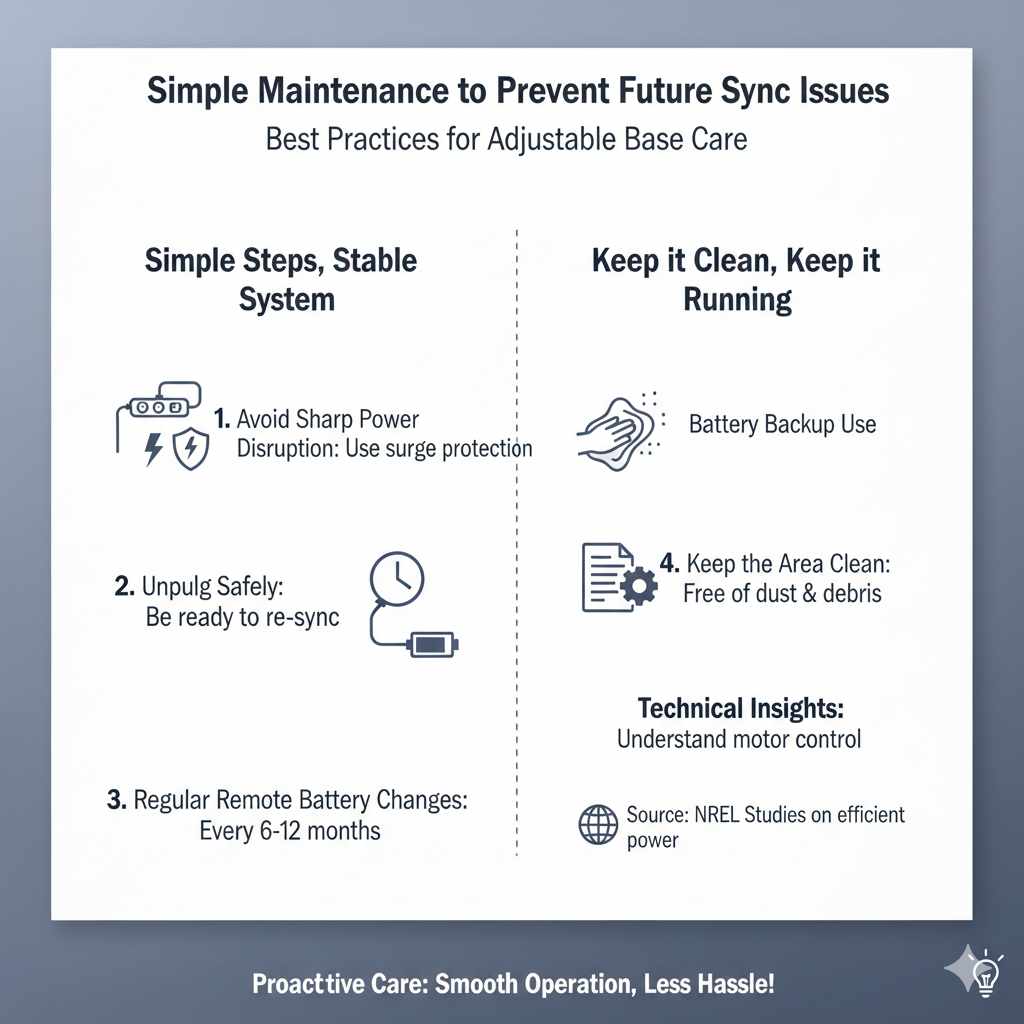
Simple Maintenance to Prevent Future Sync Issues
Once you have your base perfectly synced, a little proactive care can keep it that way. Keeping things simple ensures you get the best long-term performance without constant tinkering.
Best Practices for Adjustable Base Care
- Avoid Sharp Power Disruption: Try your best to avoid letting the power go out by using good surge protection, especially in areas prone to bad weather.
- Unplug Safely: If you must unplug the base (e.g., for deep cleaning or vacuuming), make a mental note to immediately get the sync procedure ready for when you plug it back in.
- Regular Remote Battery Changes: Change your remote batteries every 6–12 months, regardless of whether they seem dead. Weak batteries are a silent source of signal disruption.
- Keep the Area Clean: Ensure the moving joints and wheels underneath the base are free of dust and debris. Smooth motion means less strain on the motors and control electronics.
For more technical insights into how these electronic components operate, you can sometimes find helpful non-proprietary information from engineering sites; for example, understanding basic motor control principles, often discussed in introductory electrical courses, can help simplify why these signals are so important. For instance, the National Renewable Energy Laboratory (NREL) occasionally publishes studies on efficient power draw in home electronics, which reinforces the benefit of good power consistency.
Frequently Asked Questions (FAQs) for Beginners
Q1: My base is a King, but it does not have two boxes. Why is it not moving together?
A: If you have a standard King size adjustable base (not a Split King), it should only have one control box. If one side isn’t moving, the issue isn’t a sync problem but likely a motor failure on the dead side or a loose wire connection leading to one actuator. Check the wiring harness connection securely.
Q2: I pressed the sync buttons, but nothing happened at all. What now?
A: If you saw zero movement or heard no beep after 20 seconds, try the Full Power Cycle Reset (unplugging everything for 10 minutes). If it still fails, it often means one remote is not communicating with its corresponding control box, meaning you might need to reset or pair the remotes first, usually involving a physical button on the control box itself.
Q3: Do I need a specific remote to sync my base?
A: Yes, you need the remote(s) that are currently paired (or supposed to be paired) with your base’s control box(es). If you lost the original remote, you might need a universal replacement remote programmed specifically for your brand, as the sync sequence relies on that remote’s internal signal settings.
Q4: Can I sync my base using a smartphone app instead of the remote?
A: Many newer bases, especially those branded with “Smart” features, use Wi-Fi or Bluetooth modules. If your base has an associated app, you should check the app settings—there is often a “Recalibrate” or “Reset Connection” option within the app interface which replaces the button press method.
Q5: How long should the entire sync procedure take in total?
A: If successful, the actual button-holding part takes about 15 seconds. From start (flat position) to finish (successful test movement), you should be done in under five minutes, provided the power cycling step wasn’t necessary.
Final Thoughts: Getting Your Adjustable Base Back in Sync
Losing synchronization on your Ease adjustable base might feel like a major malfunction—but in most cases, it is nothing more than a temporary communication hiccup. Whether the issue was caused by a power outage, unplugging the base, weak remote batteries, or simple wireless interference, the fix is usually quick and completely doable at home.
By making sure both sides are fully lowered, holding the Head Down and Foot Down buttons simultaneously for 10–15 seconds, and confirming the reset with a beep or slight movement, you can restore your split base to perfect unison in just minutes. No tools. No service appointment. No stress.