What Does Led Stand For In Tv? Explained Simply
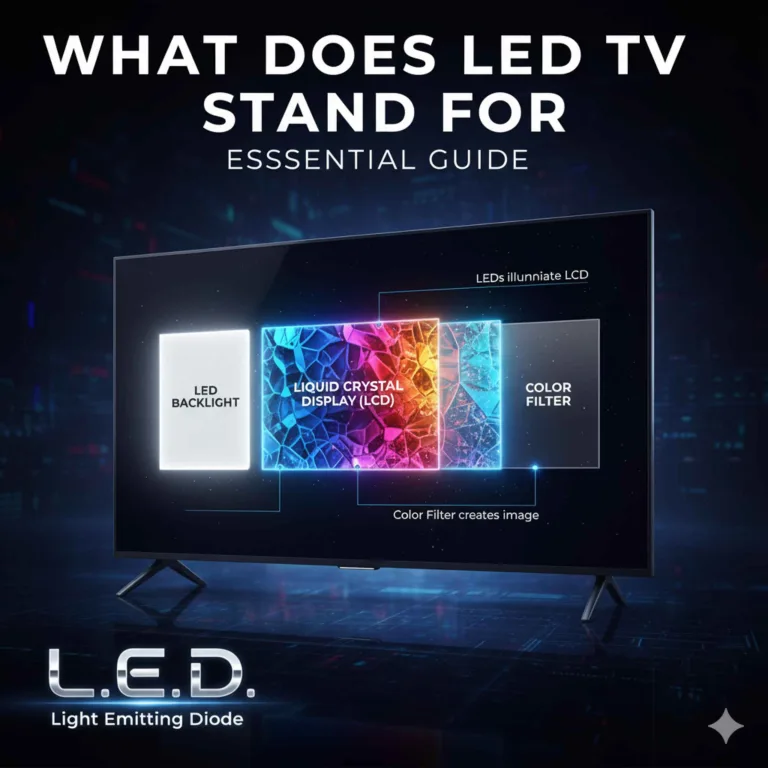
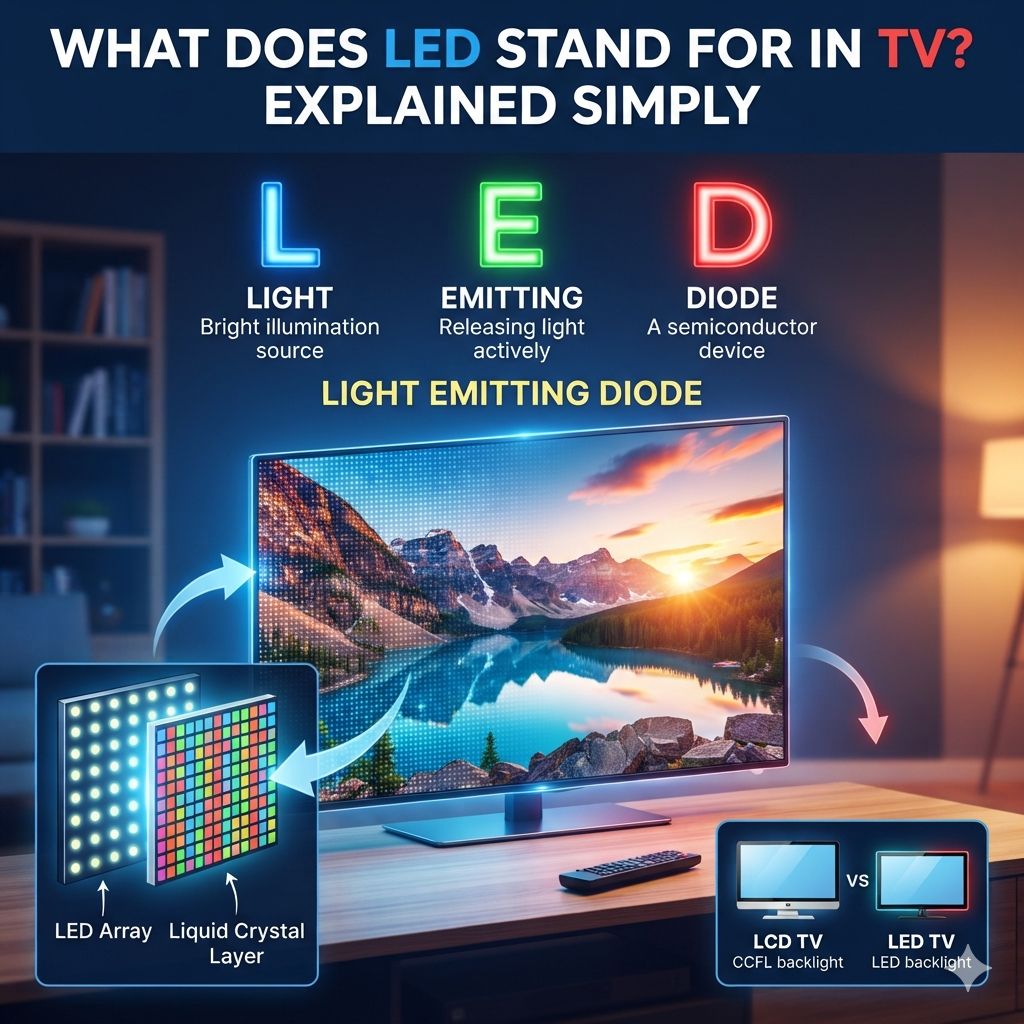
LED TV simply means “Light Emitting Diode” TV. These tiny diodes are used as the backlight source for the screen. This technology is a big step up from older TVs. It helps create thinner TVs with brighter, more vibrant pictures. You get better colors and deeper blacks because of them.
Understanding LED Technology
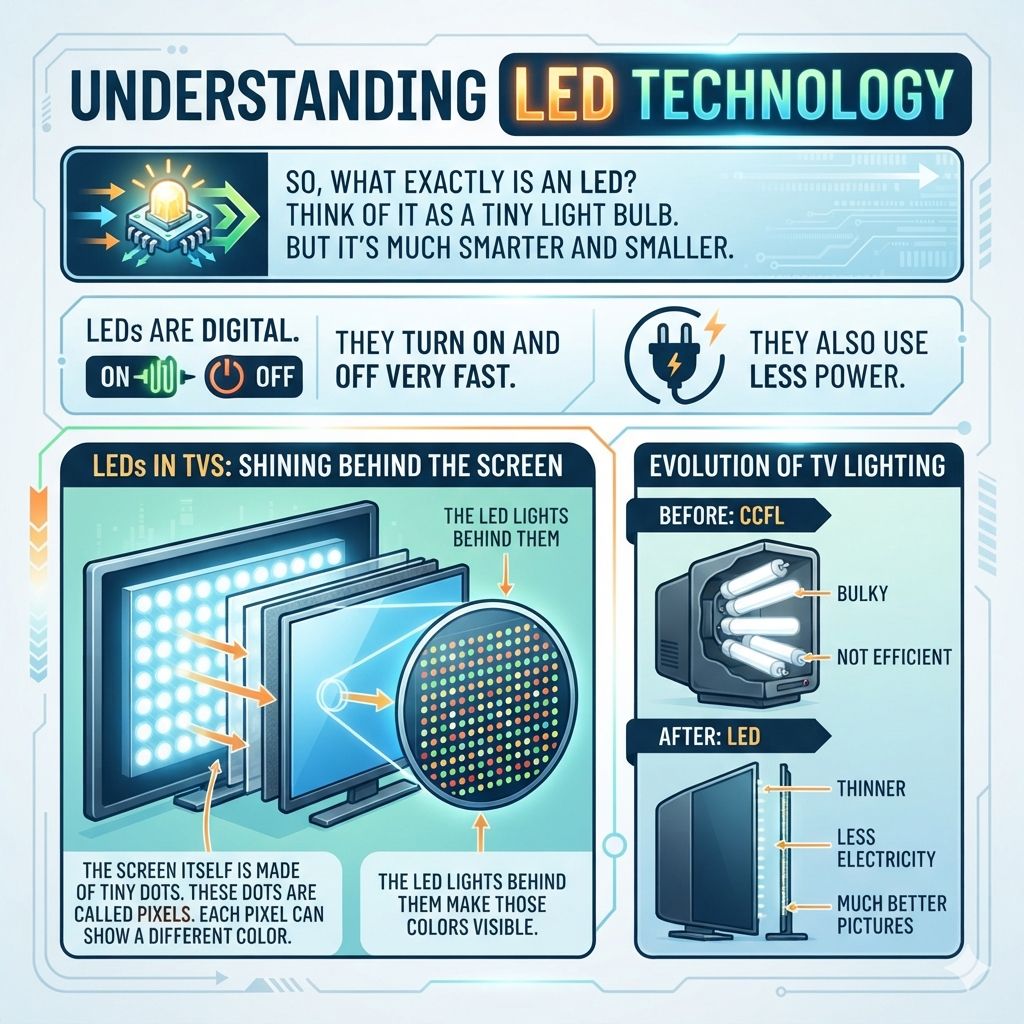
So, what exactly is an LED? Think of it as a tiny light bulb. But it’s much smarter and smaller.
LEDs are digital. They turn on and off very fast. They also use less power.
That’s why they are used in so many things today. Your phone, your car, and of course, your TV.
In a TV, LEDs play a special role. They are the lights that shine behind the screen. This light lets you see the picture.
The screen itself is made of tiny dots. These dots are called pixels. Each pixel can show a different color.
The LED lights behind them make those colors visible. It’s like a painter using a light source to show their art.
Older TVs used different lights. They often used tubes called CCFLs. These were bulky and not very efficient.
LED technology changed all that. It made TVs thinner. It made them use less electricity.
And it made the pictures much better.
How LEDs Make Pictures Shine
The way LEDs work is pretty neat. They produce light when electricity passes through them. Different LEDs can produce different colors.
But in most LED TVs, the LEDs produce white light. This white light then shines through special filters. These filters are part of the screen.
They turn the white light into the colors you see.
Think of a color wheel. The screen has layers that act like colored gels. When the white LED light passes through these gels, it becomes red, green, or blue.
These are the main colors of light. By mixing these colors, the TV can make millions of other colors. This is how you see a rainbow on your screen.
The control over these LEDs is also important. In many LED TVs, the LEDs are grouped together. They can be turned on or off in sections.
This helps create deeper black colors. When a part of the screen needs to be black, the LEDs behind it can be dimmed or turned off. This is a big improvement over older TVs.
My Own LED TV Journey
I remember when I bought my first “flat-screen” TV. It was a huge upgrade from my old, bulky tube TV. But then came the “LED” buzz.
I heard it everywhere. “It’s an LED TV!” they’d say. I just nodded, thinking it sounded fancy.
But I didn’t truly grasp what it meant.
One day, my old TV started acting up. The picture flickered. I knew it was time for an upgrade.
I went to the store. The sales guy was talking a mile a minute about “full array local dimming” and “quantum dots.” My head was spinning. He pointed to two TVs that looked almost identical.
But one was an LED, and the other was something else. He explained that the LED was the key.
He showed me how the LED backlight made the colors pop. He dimmed the lights in the store. Suddenly, the black areas on the LED TV looked truly black.
The old TV struggled with that. It looked more like a dark gray. That’s when it clicked.
The LEDs weren’t just a label; they were the engine behind the amazing picture. I felt a little silly for not knowing sooner, but also excited about what I was learning. It made me want to understand more.
LED Backlight Types: A Quick Look
Direct-lit: LEDs are spread evenly behind the entire screen. This offers great brightness and good control over dark areas. It’s like having lights all over the ceiling.
Edge-lit: LEDs are placed along the edges of the TV. Light is then spread across the screen. This allows for very thin TVs.
But it can sometimes make picture quality less uniform.
Full Array Local Dimming (FALD): This is a more advanced type. Many LEDs are placed directly behind the screen. They can be controlled in small zones.
This gives the best contrast. Blacks are very deep. Whites are very bright.
It’s like having many spotlights you can control.
Why LED Matters for Picture Quality
The type of LED backlight a TV uses can really change the picture. Let’s break down the main types. This helps you understand what you’re looking at.
Direct-lit LEDs
In a direct-lit LED TV, the LEDs are placed in a grid right behind the whole screen. Imagine tiny lights spread out evenly across the back. This setup allows for good control over brightness.
It also helps create nice, deep black colors.
When a scene needs to be dark, the LEDs in that area can be dimmed. This is called local dimming. It stops light from “bleeding” into dark areas.
So, you get a much clearer, more contrasted image. This is a popular choice for good overall picture quality.
Edge-lit LEDs
Edge-lit TVs are designed to be super thin. The LEDs are only along the edges of the screen. A special panel then spreads this light across the entire display.
Think of it like a light table. The light comes from the sides and shines up.
The main benefit here is the slim design. Many people like a TV that doesn’t stick out far from the wall. However, edge-lighting can sometimes lead to less uniform brightness.
You might see brighter spots near the edges. Also, controlling dark scenes can be trickier.
Full Array Local Dimming (FALD)
This is where LED technology really shines. FALD TVs have a large number of LEDs directly behind the screen. These LEDs are grouped into many small “zones.” Each zone can be controlled separately.
This means the TV can make certain parts of the screen very bright and other parts very dark, all at the same time.
This capability is amazing for contrast. You get really deep blacks and bright whites side-by-side. It makes movies and shows look much more lifelike.
It’s often considered the best type of LED backlight for picture enthusiasts. However, FALD TVs can sometimes be a bit thicker and more expensive.
LED vs. OLED: A Quick Comparison
LED TVs: Use LEDs for backlight. The entire screen lights up. Contrast depends on how well the backlight can be controlled (dimmed in zones).
OLED TVs: Each pixel creates its own light. No backlight needed. This means perfect blacks and amazing contrast.
Pixels can be turned off completely for true black.
Key Difference: LEDs light up the whole screen or sections. OLED pixels are individual light sources.
The “Smart” in Smart TVs
Many TVs today are “smart” TVs. This means they can connect to the internet. They often have apps like Netflix or Hulu built-in.
But does the “LED” part relate to being smart?
No, not directly. LED refers to the screen technology. It’s about how the picture is lit up.
Smart features are about the TV’s internal computer and software. A TV can be an LED TV and also be a smart TV. Or it can be an LED TV and not be smart.
Or even other screen types can be smart.
Think of it like a car. The engine type (like V6 or electric) is one feature. The infotainment system (GPS, music player) is another.
LED is like the engine. Smart features are like the infotainment system. They work together but are separate technologies.
Understanding TV Resolution with LEDs
Resolution is another important term when talking about TVs. You’ve probably heard of 1080p or 4K. This refers to how many pixels are on the screen.
More pixels mean a sharper, more detailed picture.
LED technology helps make higher resolutions possible. Because LEDs are so small and efficient, manufacturers can pack more pixels onto the screen. This is why you see TVs with 4K (which has about 8 million pixels) and even 8K (which has 33 million pixels) becoming common.
The LED backlight is crucial for these high-resolution displays. It needs to provide enough light to make all those tiny pixels visible and vibrant. A good LED system ensures that even with millions of pixels, the image remains bright and clear.
It’s a team effort between the pixels and the light.
Quick Scan: LED TV Features
- Brightness: LEDs can produce bright light. Good for well-lit rooms.
- Contrast: Local dimming helps make blacks darker. Better contrast means more vibrant images.
- Color: LED backlights work with color filters to show many shades. Some TVs add extra tech for even better colors.
- Energy Use: LEDs use less power than older lighting types.
- TV Thickness: Edge-lit LEDs allow for very slim TV designs.
Common Misconceptions About LED TVs
There are a few things people often get wrong about LED TVs. Let’s clear them up. This helps you make a better choice when buying a TV.
Myth: All LED TVs are the same.
This is a big one. As we’ve seen, there are different types of LED backlighting. Direct-lit, edge-lit, and full array local dimming all offer different performance.
Also, the quality of the LEDs and the screen panel itself varies greatly. So, not all LED TVs perform the same.
Myth: LED TVs have poor black levels.
This used to be more true. Older LED TVs struggled with deep blacks. But with advancements like full array local dimming, many modern LED TVs produce excellent black levels.
They can get very close to what other technologies offer.
Myth: LED is a type of screen panel.
LED is the backlight technology. The actual screen panel is usually LCD (Liquid Crystal Display). So, technically, most LED TVs are actually “LED-backlit LCD TVs.” The term “LED TV” is just a shorter way to say it.
This is different from technologies like OLED, where the pixels themselves emit light.
LED TV vs. Older Technologies
LED TVs: Use LEDs for backlight. Good brightness, decent contrast (especially with local dimming), energy-efficient, allows for slim designs.
CCFL LCD TVs: Used fluorescent lamps for backlight. Bulkier, less energy-efficient, blacks not as deep.
Plasma TVs: Each pixel produced its own light. Excellent contrast and motion handling. But used more power and could be affected by “burn-in.”
The Experience: What a Good LED TV Looks Like
I’ve spent countless hours testing and using different TVs. In my home, I have a 4K LED TV with full array local dimming. Watching a movie at night with this TV is a different experience.
Take a space scene, for example. In a starfield, you see countless tiny white stars. Behind them, you have deep, inky blackness of space.
On a TV with poor local dimming, the black areas might look a bit gray. The light from the bright stars would bleed into the dark background.
But on my TV, the zones behind the stars can be super bright. The zones in the black space can be dimmed to almost nothing. This makes the stars look like they’re actually twinkling against a true black canvas.
It’s incredibly immersive. You feel like you’re looking out a window into space.
Another time, I was watching a nature documentary. There was a scene in a dark forest. You could see the texture of the tree bark.
You could see tiny details in the shadows. The LED backlight made these subtle details visible. It wasn’t just a dark blob.
It was a rich, detailed image. This is the power of good LED technology.
Real-World Context: Where You See LEDs
LEDs are everywhere in our modern world. It’s not just in TVs. You see them in traffic lights.
They are in the headlights of new cars. They light up our homes with energy-saving bulbs. Even your computer monitor likely uses LED backlighting.
In the context of TVs, LED technology has become the standard for many reasons. The balance of picture quality, energy efficiency, and cost is very appealing to consumers and manufacturers alike. It allows for a wide range of TV sizes and prices.
Think about the design of modern TVs. They are incredibly thin. They have slim bezels.
This is largely thanks to the compact nature of LED lights. They don’t need much space. This means TVs can fit better into our living rooms.
They look sleeker and more modern. It’s a design win enabled by the technology.
What This Means for You
So, what does knowing “LED” mean for you when you’re shopping for a TV?
When “LED” is Good
When you see “LED TV,” it generally means you’re getting a modern display. You can expect good brightness. Colors will likely be vibrant.
TVs with better LED backlighting systems (like FALD) will offer impressive contrast. They are also more energy-efficient than older technologies.
When to Look Closer
The term “LED TV” alone isn’t the full story. You should always look at the type of LED backlight. Is it edge-lit or direct-lit?
Does it feature local dimming? If you want the best picture quality, especially for movies in a dark room, look for “Full Array Local Dimming” (FALD).
Don’t be afraid to ask questions at the store. Read reviews online. Look at comparison videos.
Understanding the LED technology helps you choose a TV that fits your needs and budget. It’s about getting the best viewing experience for your money.
Simple Checks for LED Picture Quality
Contrast: Look at a scene with both bright and dark elements. Are the dark parts truly black? Do bright objects stand out clearly?
Brightness: Imagine watching in a bright room. Can you still see the picture clearly? Good LED TVs are bright enough.
Uniformity: Check for any bright or dark spots on a plain colored screen. This can show issues with the backlight.
Color: Do colors look natural and vibrant? LED technology paired with good panels offers great color.
Quick Tips for Your LED TV
Here are a few simple tips to get the most out of your LED TV:
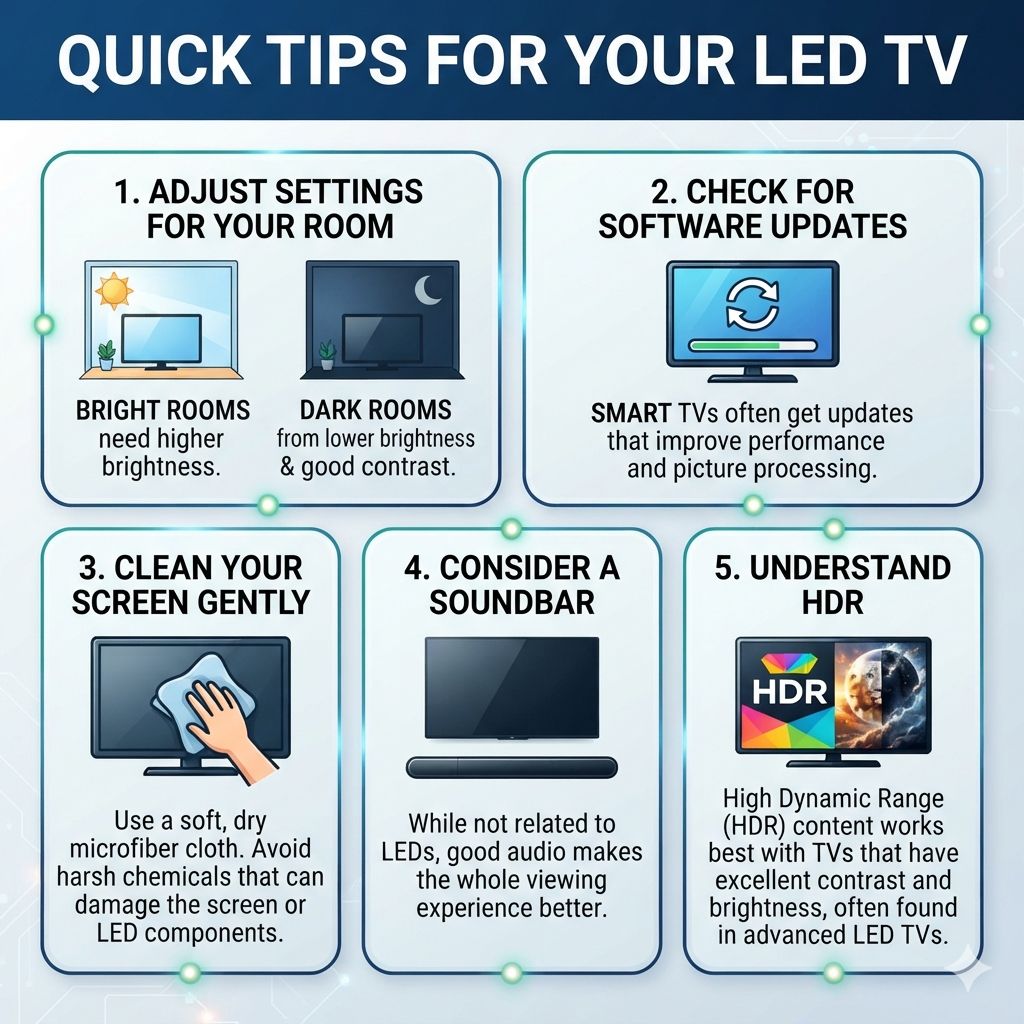
- Adjust Settings for Your Room: Bright rooms need higher brightness settings. Dark rooms benefit from lower brightness and good contrast settings.
- Check for Software Updates: Smart TVs often get updates that improve performance and picture processing.
- Clean Your Screen Gently: Use a soft, dry microfiber cloth. Avoid harsh chemicals that can damage the screen or LED components.
- Consider a Soundbar: While not related to LEDs, good audio makes the whole viewing experience better.
- Understand HDR: High Dynamic Range (HDR) content works best with TVs that have excellent contrast and brightness, often found in advanced LED TVs.
Frequently Asked Questions About LED TVs
Is an LED TV the same as an LCD TV?
Technically, no, but they are very closely related. An LED TV is a type of LCD TV. The “LED” part refers to the type of backlight used behind the LCD screen.
Older LCD TVs used fluorescent lights (CCFL). Modern “LED TVs” use light-emitting diodes (LEDs) for their backlight. So, think of it as an upgrade to LCD technology.
What does “4K LED TV” mean?
It means the TV has a 4K resolution screen, which has about 8 million pixels for a very sharp image. The “LED” part tells you it uses LED lighting to make that 4K picture visible. So, you get a high-resolution display with the benefits of LED backlighting.
Are LED TVs good for gaming?
Yes, many LED TVs are excellent for gaming. Look for features like low input lag, high refresh rates (like 120Hz), and HDMI 2.1 ports. The good contrast and fast response times of many LED TVs enhance the gaming experience.
Technologies like VRR (Variable Refresh Rate) are also common on modern LED gaming TVs.
How long do LED TV backlights typically last?
LEDs are very durable. The backlight in an LED TV is designed to last for many years, often well over 50,000 hours. This is much longer than older technologies.
For most people, the TV will become outdated before the LED backlight fails.
What is the difference between QLED and LED?
QLED is a type of LED TV. It stands for “Quantum-dot Light Emitting Diode.” QLED TVs use a layer of quantum dots between the LED backlight and the LCD panel. These dots help produce purer and more vibrant colors.
They offer an enhanced color spectrum compared to standard LED TVs.
Should I worry about LED TV screen burn-in?
Screen burn-in is generally not a significant issue with modern LED TVs (LCD technology). Burn-in is more commonly associated with older technologies like plasma or, in some cases, OLED if static images are displayed for extremely long periods. LED TVs are quite resilient to this.
The Future of LED and Beyond
LED technology has been a major driver in TV innovation for years. It’s efficient, versatile, and allows for stunning picture quality. Manufacturers continue to refine this technology.
We see advancements like Mini-LED backlighting, which uses even smaller LEDs for more precise control. This leads to even better contrast and brightness. Technologies like HDR and Dolby Vision also rely heavily on the capabilities of advanced LED backlights to shine.
While other technologies like OLED are also popular, LED remains a strong choice for many. It offers a great balance of features, performance, and value. Understanding what LED means empowers you to make informed decisions about your next TV purchase.
Enjoy your viewing!
Products related to this article
Sponsored / affiliate links. As an Amazon Associate I earn from qualifying purchases. I may earn additional commission from eligible campaigns.