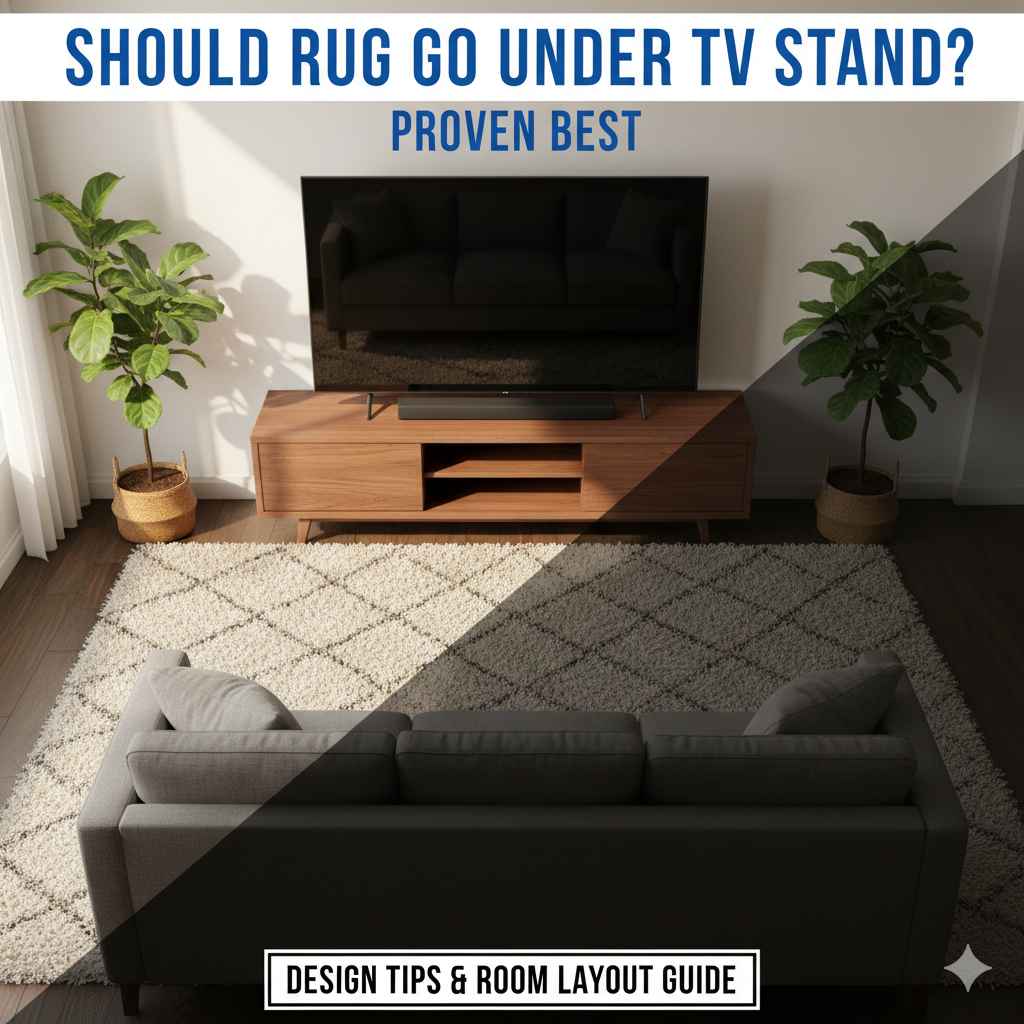
For the best look and safety, the rug should generally extend well past the sides and front of your TV stand, ensuring the stand rests completely on the rug. This anchors the furniture, defines the space, and prevents tripping hazards from the rug edges meeting the stand legs.
Figuring out where to place furniture on a rug can feel tricky. You want your living room to look great, but you don’t want to spend time guessing about furniture placement. Should the big TV stand sit half on the rug, or completely on it? This simple question makes a big difference in how your whole room feels.
Don’t worry, this is a very common design puzzle! Getting this right makes your room look polished and expensive. We are going to walk through the easy, proven best practices for rug placement under your media center. You will learn exactly how to anchor that stand confidently and safely.
Let’s look at why this placement matters and how to measure it perfectly so you can feel great about your setup.
The Big Question: Should Rug Go Under TV Stand? The Simple Answer
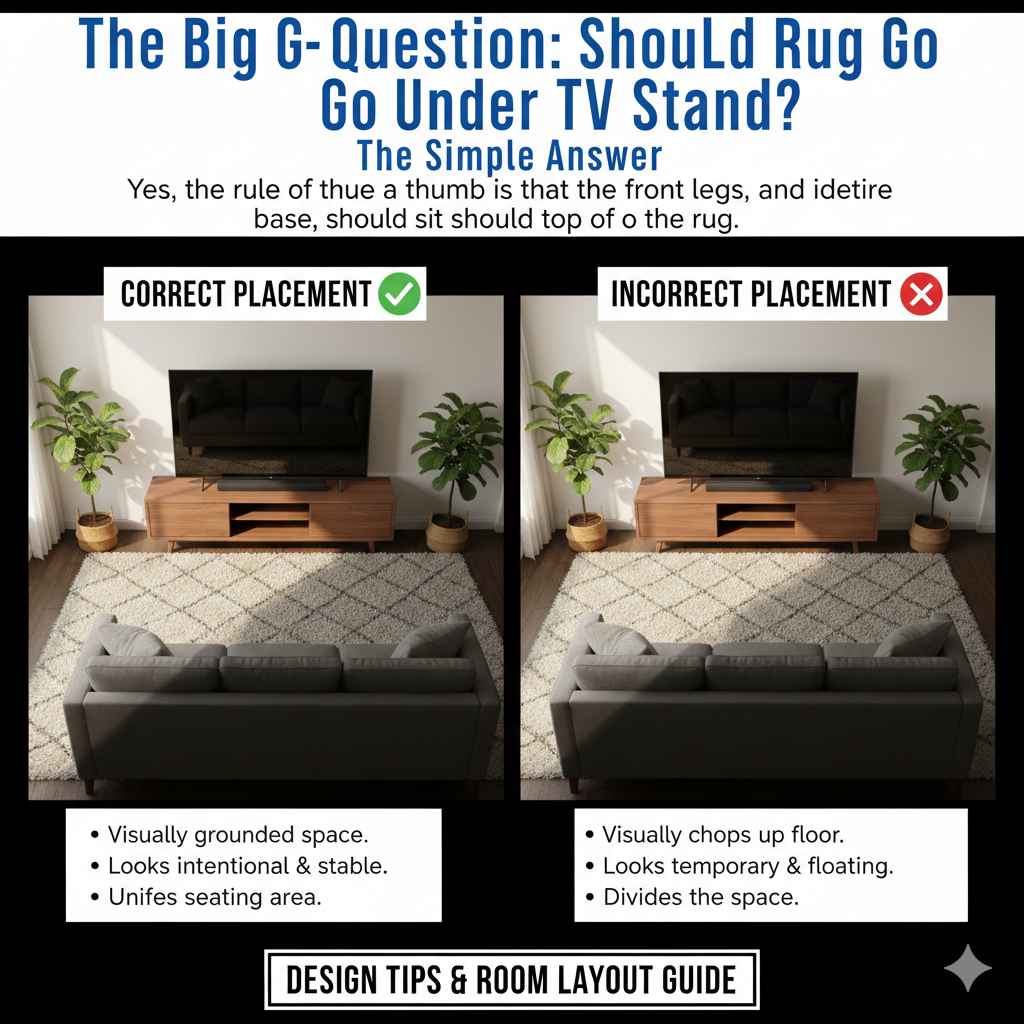
Yes, the rule of thumb for almost all living room furniture, including your TV stand or media console, is that the front legs—and ideally the entire base—should sit on top of the rug. This isn’t just about looks; it’s about creating a visually grounded space.
Think of the rug as the foundation for your seating area. When the TV stand sits entirely on that foundation, it looks intentional and stable. When the stand is half on and half off, it visually chops up the floor space and can make the furniture look temporary or like it’s floating.
Why Rug Placement Under the TV Stand Matters So Much
In interior design, we use rugs to define zones. In a large living room, the rug tells your eye, “This is the entertainment space.” If the TV stand, which is a key part of that space, isn’t fully on the rug, the zone gets blurry.
1. Visual Anchoring and Stability
A heavy piece of furniture, like a large TV stand, needs visual weight to feel secure. When the entire stand rests on the rug, it anchors the unit to the floor. This creates a strong visual line. It prevents the stand from looking like it is precariously balanced on the edge of the carpet.
2. Preventing Trips and Snags
This is a safety point, and safety always comes first. If the rug is too small, the front legs of the stand might sit on the rug while the back legs sit on the bare floor. As people walk around, the rug can creep or shift under the weight. When the stand sits firmly on the rug, it helps keep the rug flat and secure, minimizing the risk of someone tripping over an upturned edge.
3. Achieving Proper Scale
Room scale is crucial. A rug that is too small makes the entire furniture arrangement look cramped. When the rug is large enough to encompass the TV stand and the main seating pieces (like the sofa or chairs facing the TV), the room feels balanced and properly proportioned. This is especially important for modern, large-screen TVs.
The Proven Best Placement: Three Common Scenarios
How you place the rug depends heavily on the size of your rug relative to your TV stand and the room layout. Here are the three main scenarios, ranked from ideal to least recommended.
Scenario 1: The Ideal Placement (Fully Anchored)
This is the professional decorator’s choice. The rug is large enough so that the entire TV stand sits securely on top of it. The rug should extend at least 6 to 12 inches past the sides and front of the stand.
- Pros: Maximum visual grounding, high-end polished look, best safety.
- Cons: Requires a very large rug, which might not fit all spaces or budgets.
Scenario 2: The Acceptable Compromise (Front Legs On)
If you have a large TV stand but a moderately sized rug, you aim to get at least the front two legs of the stand firmly on the rug. This is often done so the main seating area (sofa/chairs) fits well, even if the rug doesn’t span the entire depth of the stand.
- Pros: Works well for defining the seating area when the rug size is limited.
- Cons: The back legs are on the bare floor, which can sometimes look slightly disconnected.
Scenario 3: The Placement to Avoid (No Contact or Edge Contact)
This happens when the rug is too small, and the TV stand sits completely next to it or has only the very front edge touching the rug. This makes the TV setup look disconnected from the main seating arrangement.
- Pros: None, from a design or safety perspective.
- Cons: Creates a floating, unbalanced look; increases tripping risk.
Step-by-Step Guide: Measuring for Perfect Rug Placement
Don’t guess! Using simple measurements ensures you choose the right rug size. Think about your TV stand dimensions first. If you are buying a new rug, use these measurements.
Tools You Will Need:
- Tape Measure (The longer, the better!)
- Painter’s Tape (To temporarily mark out the area)
- A Helper (To hold the tape measure steady)
Step 1: Measure Your TV Stand
Measure the exact width (side to side) and depth (front to back) of your TV stand. Be sure to measure to the very outside edge of the legs or base.
Example: If your stand is 60 inches wide and 18 inches deep.
Step 2: Determine the Minimum Rug Width
For a good look, you want the rug to be wider than the stand, even if you can’t put the whole thing on. For anchoring, aim for at least 12 inches of rug extending past the stand on each side.
Calculation: Stand Width + 12 inches (Left) + 12 inches (Right) = Minimum Rug Width.
Example: 60 inches + 12 inches + 12 inches = 84 inches wide.
Step 3: Determine the Minimum Rug Depth (Front-to-Back)
This is the most important part for the “under” rule. You need enough depth so the entire stand rests on the rug, plus extra room for the viewing area.
For optimal grounding, aim for the rug to extend at least 10 inches past the front edge of the stand.
Calculation: Stand Depth + 10 inches (Front Extension) = Minimum Rug Depth.
Example: 18 inches (Stand Depth) + 10 inches (Front Extension) = 28 inches deep.
Step 4: Check the Seating Area (If Applicable)
If the rug is also anchoring your sofa, ensure the front legs of the sofa are sitting at least 2/3rds onto the rug, and the rug extends well past the coffee table area. The rug size is often dictated by the seating arrangement, not just the TV stand.
Rug Size Guide for TV Setups
Since standard TV stand sizes vary widely (from small 40-inch units to massive 80-inch consoles), matching the rug is key. Here is a quick reference table based on standard rug dimensions:
| TV Stand Width (Approximate) | Ideal Rug Width (For Full Anchor) | Best Rug Size Recommendation |
|---|---|---|
| Under 48 inches (Small Console) | 60 – 72 inches | 5′ x 8′ or 6′ x 9′ |
| 48 to 72 inches (Medium/Standard Console) | 72 – 96 inches | 8′ x 10′ or 9′ x 12′ |
| Over 72 inches (Large Media Center) | 108 inches or more | 10′ x 14′ or larger |
Design Tips: Making the Rug and TV Work Together
Once you know where the rug should go, let’s talk about how to make it look perfect. Remember, we want your setup to look balanced and intentional, not like an accident.
Tip 1: Consider the Viewing Angle
When you sit down to watch TV, where are your feet? If the rug doesn’t extend out far enough past the TV stand, your feet might land on bare floor while you watch. Try to ensure the front edge of the rug is at least as far out as where you naturally place your feet (under the coffee table).
Tip 2: Match Texture to Function
TV areas see a lot of foot traffic and potential spills (popcorn, drinks!). Choose a rug material that is durable. Low-pile rugs or wool blends are often better than very high, shaggy styles, as they are easier to clean and the TV stand won’t sink unevenly into the fibers.
For reference on durability and cleaning, the Consumer Reports often provides good guidance on testing rug materials for wear and tear.
Tip 3: Alignment is Everything
Even if the rug is the right size, if it’s crooked, the whole arrangement looks off. Ensure the rug is parallel to the TV wall. Use the edges of the room or the stand itself as your guide. A simple alignment check ensures your visual lines are crisp.
Tip 4: Don’t Forget the Other Furniture
The rug needs to pull the whole seating arrangement together. If the rug only fits under the TV stand and leaves the sofa entirely off, it hasn’t done its job. A common mistake is buying a rug that is only big enough for the coffee table. Aim for the rug to accommodate at least the front legs of all primary seating.
For instance, if your sofa is 8 feet long, you want the rug to extend under at least 6 feet of that sofa length.
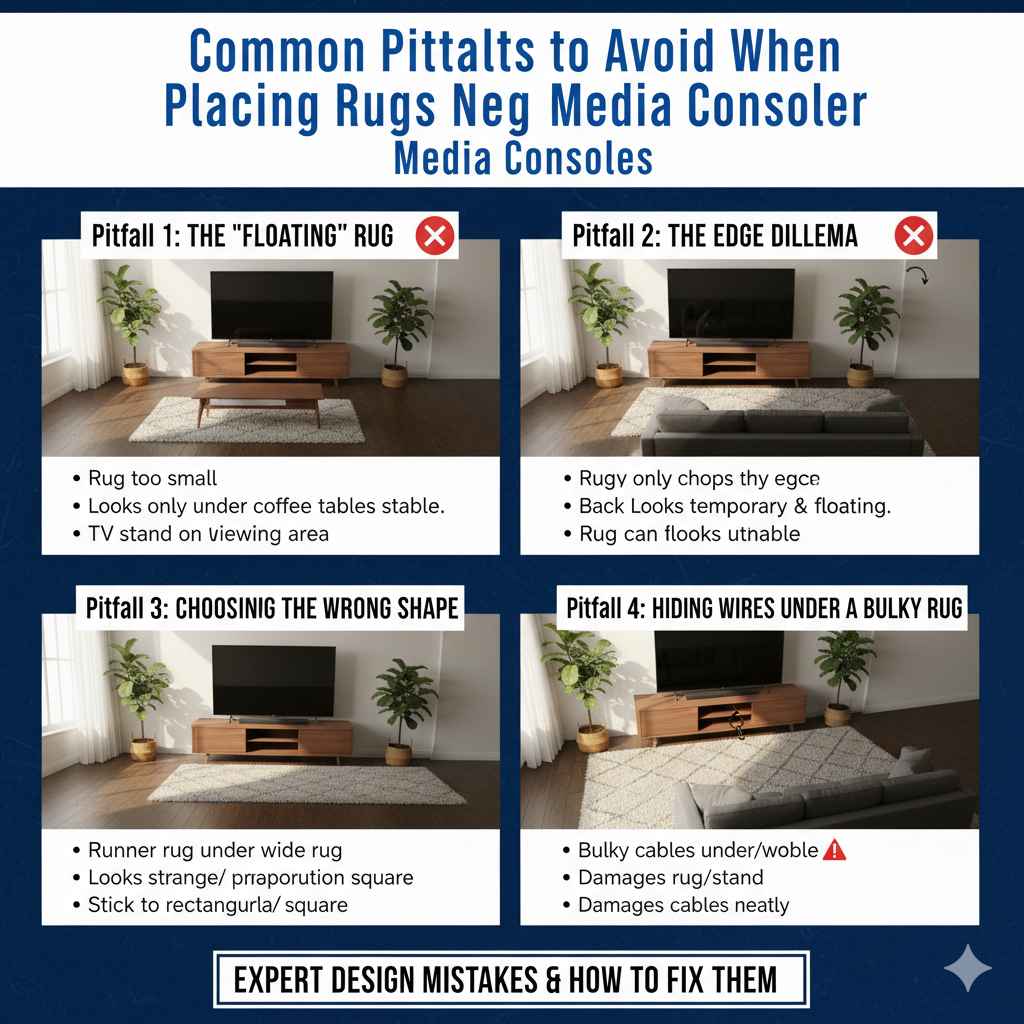
Common Pitfalls to Avoid When Placing Rugs Near Media Consoles
Sometimes knowing what not to do saves the most time. Here are the common mistakes homeowners make when setting up this central part of the living room.
Pitfall 1: The “Floating” Rug
This happens when the rug is too small and sits entirely centered under the coffee table, leaving the TV stand completely off the rug. This separates the viewing experience from the relaxation area.
Pitfall 2: The Edge Dilemma
This is placing the TV stand so that only the very edge of the rug touches the front legs, or worse, the front legs are on the rug and the back legs are on the bare floor. This looks unstable and causes the rug to bunch up near the stand.
Pitfall 3: Choosing the Wrong Shape
While rectangular rugs are standard, if you have a very long, narrow TV stand, an extra-long runner shape (if used for a hallway) might look strange under a wide console. Stick to standard rectangular or square rugs that complement the overall rectangular shape of the TV setup.
Pitfall 4: Hiding Wires Under a Bulky Rug
Some people try to use a thick rug to hide cords running from the TV to the stand. While routing cables is important, placing a heavy cable directly under the TV stand on a thick rug can cause an uneven pressure point. This may damage the rug or cause the stand to wobble slightly over time. Secure cables neatly along the back of the stand first, perhaps using Department of Energy recommended home efficiency practices for routing things neatly along walls, before placing the rug.
Expert Placement Summary Table: Best Practices
To make this easy to remember, here is a quick comparison of the recommended placement strategy.
| Element | Best Placement Rule | Why It Works |
|---|---|---|
| TV Stand Legs | Sit entirely on the rug. | Creates visual grounding and stability. |
| Rug Width | Extend 6–12 inches past each side of the stand. | Ensures the entire console is anchored. |
| Rug Depth (Front) | Extend at least 10 inches past the front edge. | Keeps viewing feet comfortable and anchors the front space. |
| Rug Height | Match the height/pile to the traffic level. | Thicker rugs look luxurious but lower pile is easier to clean around heavy furniture. |
FAQ: Beginner Questions About Rugs and TV Stands
Q1: Does the rug need to match the exact width of the TV stand?
No, it should be wider. If the rug is the exact same width as the stand, it looks too cramped and boxy. Aim for the rug to be wider by at least 12 inches on each side to give it breathing room.
Q2: What if I have a very long, low TV stand that is too wide for any standard rug?
If your stand is exceptionally long, focus on the anchoring principle for the middle section. Ensure the front legs of the stand are on the rug, and the rug extends well past the main viewing area (coffee table zone). You may need a custom-sized rug or the use of two coordinating, layered rugs to achieve the width, though layering requires extra care to prevent slipping.
Q3: Can I put a small round rug under a square TV stand?
Generally, this is discouraged. Rectangular furniture looks best anchored by a rectangular rug that follows the lines of the console. A round rug might visually compete with the straight lines of the TV stand, making the area look confused unless the round rug is very large and encompasses the entire seating arrangement.
Q4: How do I stop my rug from slipping when the TV stand is on it?
Always use a high-quality rug pad designed for your floor type (hardwood, tile, carpet). A good pad not only prevents slippage but also adds a bit of cushioning, which helps protect your floor underneath the heavy stand. You can find durable non-slip pads made from felt and rubber composites.
Q5: Is it okay if the rug bumps up against the wall under the TV stand?
If the wall is flush against the back of the TV stand, that is usually fine. The key is the front edge. The rug should pull away from the wall enough so that when the TV stand sits on it, the rug doesn’t get trapped tightly between the stand and the wall, which can cause bunching.
Q6: Does this rule apply to the sofa, too?
Absolutely! The sofa should definitely have its front legs on the rug. If you have a large sectional, the entire front edge of the sectional should rest on the rug. This ties the entire media viewing grouping together cohesively.
Conclusion: Grounding Your Entertainment Hub
Making the decision about where the rug goes under your TV stand is much simpler when you rely on the principle of anchoring. The proven best method is ensuring the TV stand sits completely on top of the rug, extending well past its sides and front.
This placement choice elevates the look of your room instantly. It moves your setup from looking temporary to looking thoughtfully designed. Take those few minutes to measure your stand, calculate the extra space needed for anchoring, and select a rug size that supports that vision. By making the rug the stable foundation for your media center, you build confidence in your decorating skills and create a safer, more inviting living space. You’ve got this!