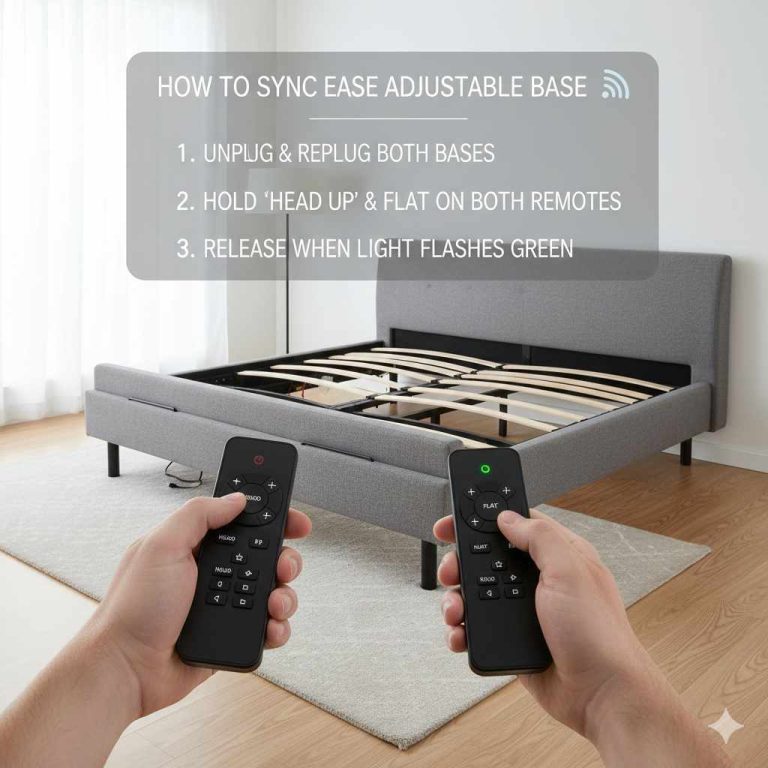
Tempur Pedic Base Reset: A Practical Diagnosis Guide
You press the button on your remote and nothing happens. The bed is flat, the massage function is dead, and the LED light on the base is blinking in a pattern you don’t recognize. Before you call for service or start shopping for a new base, there’s a good chance a simple reset will fix the problem.
This guide walks you through every reset procedure for Tempur-Pedic adjustable bases. You’ll learn the difference between a soft reset and a hard reset, how to re-pair your remote after a battery change, and what to do when the app won’t connect. I’ll also cover LED error codes and when it’s time to stop troubleshooting and call a professional.

YXQZH
Adjustable Bed Base Power Supply for Tempurpedic…
- 【Broad Compatibility】Compatible with Tempurpedic,Ergo,Extend,Smart Motion 1.0,2.0,and 3.0,Sealy Ease or Ease 2.0,Serta New Generat…
- 【Stable Power & LED Indicator】This adapter provides a stable DC 29V 2A output from 100-240V AC input and is suitable for both indo…
- 【Safety & Durability】The adapter features protective components for overvoltage, overcurrent, and short-circuit scenarios.Combined…
As an Amazon Associate I earn from qualifying purchases.
If your power supply has failed completely, a replacement unit like the YXQZH adjustable base power supply can get your bed moving again. It’s compatible with Tempur-Pedic Ergo, Extend, and Smart Motion bases, plus several Sealy and Serta models. Check your original adapter’s output specs before ordering.
Before You Begin: Safety and Tools
Unplug the base from the wall outlet before touching any cables or motors. The base draws power even when the remote is off, so don’t skip this step.
You’ll need just a few things:
- A clear path to the power cord and wall outlet
- A flashlight if the base is under a low bed frame
- Fresh AAA batteries for the remote
- Your phone and the Tempur-Pedic app if you’re troubleshooting Wi-Fi
Most resets don’t require any tools. The exception is a hard reset where you need to reach the power supply or unplug the base from the wall. If your base is a split king, you’ll need to reset each side separately. Each side has its own motor, remote, and power connection.
Understanding Your Tempur-Pedic Base Models
Tempur-Pedic has made several generations of adjustable bases. The reset procedure is mostly the same across models, but a few details differ.
The main families are:
- Ergo – The original adjustable base line, now discontinued. Uses an older remote design.
- Ergo Premier – Adds massage and under-bed lighting. The remote has more buttons and a different pairing sequence.
- Extend – A newer line with a slimmer profile. Uses the same remote family as the Ergo Premier.
- Smart Motion – The current generation. Integrates with the Tempur-Pedic app and supports Wi-Fi control.
If you’re not sure which model you have, check the label on the underside of the base frame. It lists the model number and the power requirements. You’ll also find the serial number there, which you’ll need if you call support.
The reset procedures in this guide work for all of these models. Where a step is model-specific, I’ll call it out clearly.
The Quick Reset: Soft Reset (Remote and Base)
A soft reset is the first thing to try when the base is acting up but still has power. It clears minor glitches in the control board without wiping your programmed positions or massage presets.
Here’s the procedure:
- Unplug the base from the wall outlet.
- Wait 60 seconds. This lets the capacitors drain completely.
- Remove the batteries from the remote.
- Press and hold the power button on the remote for 10 seconds to discharge any residual charge.
- Reinstall the batteries.
- Plug the base back in.
- Wait for the LED light on the base to stop blinking. This can take up to 30 seconds.
- Press the up button on the remote to test the headrest.
This works for most minor issues: a remote that’s unresponsive, a base that moves slowly, or a massage motor that stutters. It also clears the base’s memory of any stuck commands.
If the base still doesn’t respond, move on to the hard reset.
The Full Reset: Hard Reset (Unplug and Drain)
A hard reset clears everything. It wipes the base’s programmed positions, resets the remote pairing, and forces the control board to reboot from scratch. Use this when a soft reset fails or when you’re dealing with persistent error codes.
The key difference from the soft reset is the drain time. You need to leave the base unplugged for at least 90 seconds, and ideally 5 minutes. This ensures the control board’s memory is fully discharged.
Here’s the full procedure:
- Unplug the base from the wall. If you have a split king, unplug both sides.
- Remove the remote batteries.
- Wait 5 minutes. Set a timer so you don’t rush it.
- While waiting, press and hold every button on the remote for 5 seconds each. This drains any residual charge in the remote’s circuit.
- Reinstall the remote batteries.
- Plug the base back in. You should hear a click from the control board.
- Wait for the LED to turn solid. This confirms the base is ready.
- Program your preferred positions again using the remote.
- Re-pair the remote if the base doesn’t respond to button presses.
A hard reset also clears the demo mode. Some floor models get stuck in demo mode, which limits the headboard adjustment and makes the base cycle through movements automatically. If your base is moving on its own or won’t let you adjust the headboard, a hard reset usually fixes it.
After a hard reset, you’ll need to reconnect the base to the Tempur-Pedic app. The base forgets its Wi-Fi credentials during the reset.
How to Re-Pair Your Wireless Remote
Remote pairing is separate from the base reset. You can reset the base and still have a remote that won’t connect. The pairing process tells the base to listen to a specific remote’s signal.
Pairing a New Remote
If you bought a replacement remote, it won’t work until you pair it with your base. Here’s how:
- Unplug the base from the wall.
- Wait 30 seconds.
- Plug the base back in.
- Within 10 seconds of plugging in, press and hold the up and down buttons on the remote simultaneously.
- Hold both buttons until the LED on the base blinks twice.
- Release the buttons. The remote is now paired.
This works for most Tempur-Pedic bases from the Ergo Premier generation onward. Older Ergo bases use an infrared remote that doesn’t require pairing. If your remote has a visible IR emitter at the top, it’s an older model.
Re-Syncing After a Battery Change
A battery change can sometimes cause the remote to lose its connection to the base. The base forgets the remote’s ID when power is interrupted for too long.
To re-sync after a battery change:
- Remove the batteries from the remote.
- Unplug the base.
- Wait 60 seconds.
- Plug the base back in.
- Wait for the LED to stop blinking.
- Reinstall the remote batteries.
- Press the up button. The base should respond immediately.
If the base still doesn’t respond, repeat the pairing procedure from the previous section.
Resetting the App and Wi-Fi Connection
The Tempur-Pedic app controls the base through Wi-Fi. If the app won’t connect, it’s usually a Wi-Fi issue, not a base issue. But sometimes the app itself gets stuck.
First, try closing the app completely and reopening it. On an iPhone, swipe up from the bottom and swipe the app away. On Android, use the recents button and swipe the app away.
If that doesn’t work, reset the base’s Wi-Fi module:

- Unplug the base from the wall.
- Wait 30 seconds.
- Plug the base back in.
- Open the app and go to Settings.
- Select your base and choose “Forget Device.”
- Follow the app’s prompts to re-add the base.
Make sure your phone is on the same 2.4 GHz Wi-Fi network as the base. Tempur-Pedic bases don’t support 5 GHz networks. If your router broadcasts both bands under one name, you may need to split them in the router settings or temporarily disable the 5 GHz band.
The app also has a firmware update feature. If the base is behaving erratically, check for a firmware update before doing a hard reset. An outdated firmware can cause intermittent connectivity issues.
Troubleshooting Common Reset Issues
Sometimes the reset itself doesn’t go smoothly. Here’s what to do when things go wrong.
Base Won’t Turn On After Reset
The base should show a solid LED light when it has power. If the LED is off, the base isn’t getting power at all.
Check the wall outlet first. Plug a lamp into the same outlet to confirm it works. Then check the power cord. Make sure it’s fully seated in the base and the wall.
If the outlet works and the cord is secure, the problem might be the power supply. The power supply converts household AC power to the DC voltage the base needs. If the power supply has failed, the base won’t turn on no matter how many times you reset it.
Look for a small LED on the power supply itself. If it’s not lit, the supply is dead. You can replace it with a compatible unit like the Tempur-Pedic power supply replacement. Check the voltage and amperage on your original supply before ordering. Tempur-Pedic bases typically use a 29V DC supply.
Remote Works But Base Doesn’t Move
This is a strange one. The remote’s LED lights up when you press a button, but the motors don’t respond.
The remote is transmitting, but the base isn’t receiving the signal. This usually means the remote is paired to a different base, or the base’s receiver is stuck.
Try the hard reset procedure. If that doesn’t work, check for a mechanical blockage. A foreign object under the bed can prevent the headrest or footrest from moving. Listen for the motor. If you hear the motor straining but the bed doesn’t move, something is physically blocking the mechanism.
If the motor doesn’t make any sound, the control board may have failed. This is less common but happens. You’ll need professional service.
LED Light Codes and What They Mean
The LED light on the base communicates status. Here are the most common patterns:
- Solid green – Normal operation.
- Blinking green – The base is pairing or receiving a firmware update.
- Solid red – The base detected a fault. Try a hard reset.
- Blinking red – A problem with the motor or control board. This usually requires service.
- No light – No power. Check the outlet, cord, and power supply.
If you see a blinking red light after a hard reset, the base has a hardware issue. Don’t keep resetting it. Call support.
Also check the remote’s LED. If the remote’s LED is dim or doesn’t light up, the batteries are low. Replace them with fresh AAA batteries.
When to Call a Professional (and What to Say)
Not every problem is fixable with a reset. If you’ve tried a hard reset, re-paired the remote, and checked the power supply, it’s time to call Tempur-Pedic support.
Before you call, gather this information:
- The model number and serial number from the base label
- The date of purchase and warranty status
- A description of the problem and the LED light pattern
- What you’ve already tried
Tempur-Pedic bases come with a limited warranty that covers the motor and control board. The warranty period varies by model and year of purchase. Some bases have a 10-year warranty on the frame and a 5-year warranty on electronics.
If your base is out of warranty, a technician can still repair it. The cost depends on the part. A control board replacement runs a few hundred dollars, plus labor. Compare that to the cost of a new base before committing to a repair.
If you’re handy, some parts are available online. The power supply is the easiest part to replace yourself. Motors and control boards require more disassembly and carry a risk of damage. If you’re not confident, leave those to a professional.
Frequently Asked Questions
How often should I reset my Tempur-Pedic base?
Only reset when you have a problem. There’s no maintenance benefit to resetting a working base. A reset clears your programmed positions and Wi-Fi settings, so you’ll need to set those up again. If the base is working fine, leave it alone.
Will a reset fix a loud grinding noise from the motor?
No. A grinding noise indicates a mechanical problem, not an electrical glitch. A reset won’t fix worn gears or a failing motor. You’ll need a service visit. Continuing to use the base with a grinding motor can cause more damage.
Can I reset my Tempur-Pedic base without the remote?
You can perform a hard reset by unplugging the base and waiting 5 minutes. This clears the control board’s memory. But you’ll need the remote to re-pair and control the base afterward. If you’ve lost the remote, you’ll need to buy a replacement.
Why is my base stuck in demo mode?
Demo mode is a retail feature that cycles the base through its movements automatically. It can get activated accidentally if you hold down a specific combination of buttons. A hard reset clears demo mode. Unplug the base, wait 5 minutes, plug it back in, and the base should return to normal operation.
Does resetting the base affect my mattress warranty?
No. Resetting the base doesn’t void any warranty. The warranty covers the base’s mechanical and electrical components. A reset is a normal troubleshooting step. However, if you damage the base while performing a reset, such as pulling the cord out roughly, that damage won’t be covered.
What to Do Next
Start with the simplest fix and work your way up. A soft reset handles most minor glitches. Try that first, and you’ll often be back in business within a minute.
- Soft reset first: unplug, wait 60 seconds, plug back in.
- Hard reset if the soft reset fails: unplug for 5 full minutes and drain the remote.
- Re-pair the remote after any reset that involves removing the batteries.
- Check the power supply’s LED if the base won’t turn on at all. A dead supply needs replacement, not a reset.
- Blinking red LED means a hardware fault that needs professional attention.
- Write down your base’s model and serial number now, before you need them.
- Keep your remote’s batteries fresh. Low battery power causes many phantom issues.
If you’re still stuck after working through this guide, don’t hesitate to call Tempur-Pedic support. They’ve heard every problem before, and they’ll walk you through the specific procedure for your model. And if the issue turns out to be a failed power supply, replacing it yourself is a straightforward fix that saves you a service call. For more on adjustable base upkeep, check out our guide on disassembling an adjustable base if you’re moving or replacing your setup.
Products related to this article
Sponsored / affiliate links. As an Amazon Associate I earn from qualifying purchases. I may earn additional commission from eligible campaigns.